Deploy Multicloud Resources with Pipelines
This guide explains how to deploy multicloud resources using a pipeline.
Environment Setup
Repository Setup
- Create a folder for your YAML files, including the
PropagationPolicyfor multicloud management (add desired resources inresourceSelectors). - Prepare a Dockerfile to build your image.
- Obtain a token for pipeline access to the repository (or set the repository to public).
Multicloud Management Setup
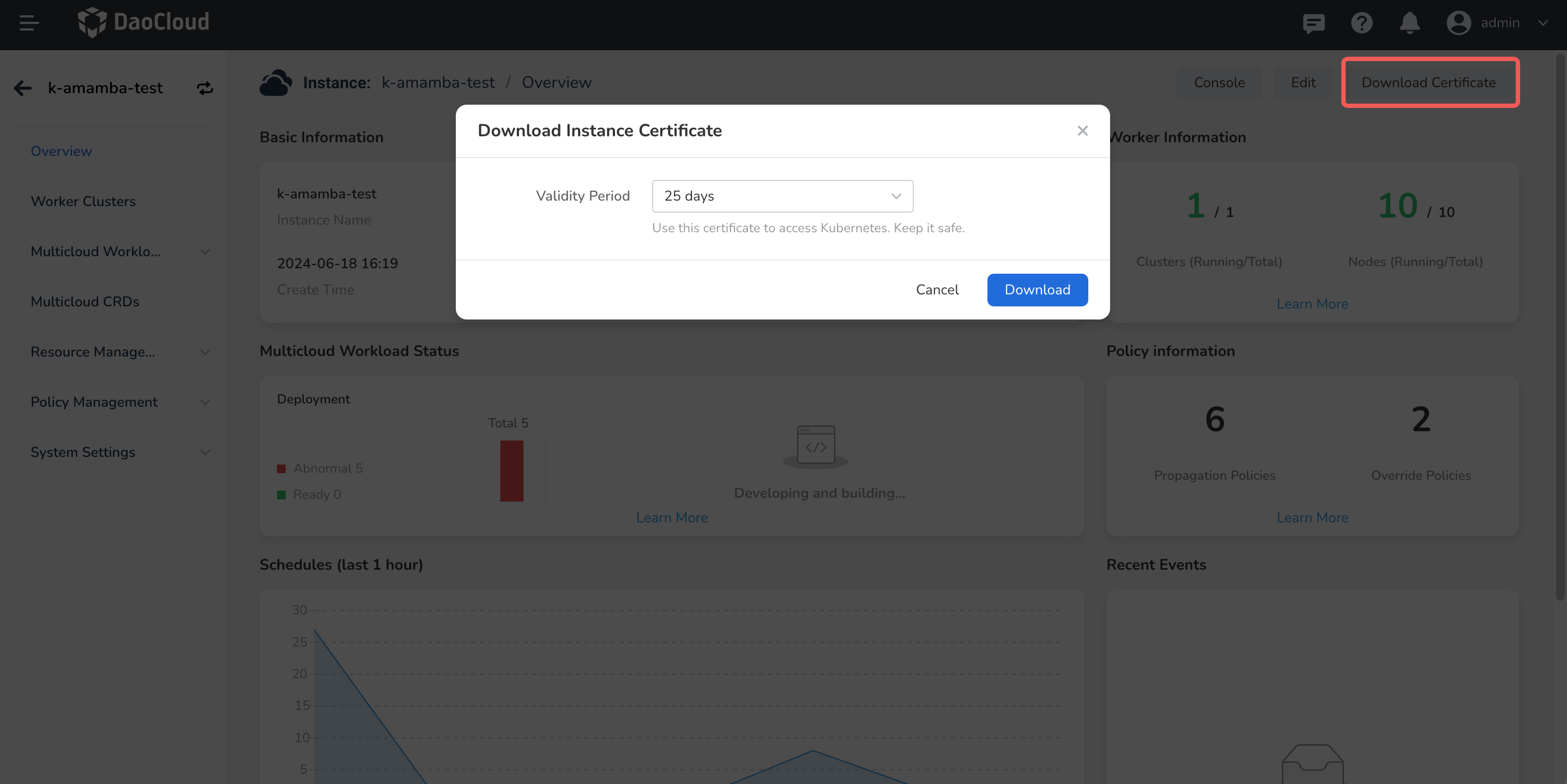
- Create a multicloud instance, obtain the kubeconfig certificate, and add it to the pipeline credentials in the Workbench.
- Set up a multicloud namespace in the instance.
Refer to the image below for guidance on obtaining the certificate:
Workbench Setup
- Ensure the kubeconfig certificate for the multicloud instance is in the Workbench pipeline credentials and synchronized with Jenkins.
- Ensure the repository token is in the Workbench pipeline credentials and synchronized with Jenkins. (This step is unnecessary if the repository is public. For GitLab integration, just verify the connection status.)
- At this point, the Workbench cannot access the multicloud instance and namespace created during pipeline setup, so you'll need to manually write the
JenkinsFile.
Create the Pipeline
For sample code, refer to this open-source JenkinsFile repository.
Create your pipeline using the guestbook-kairship.jenkinsfile as a template. Modify the relevant parameters and run it. The pipeline for deploying to multicloud management is similar to other pipelines; however, since the Workbench cannot access the multicloud instance and namespace, you'll deploy resources using kubectl with the provided kubeconfig certificate.
Check Results