Delete Queue
In the Operator mode, if you find a queue to be redundant, expired, or no longer needed for any other reason, you can delete it from the queue list.
-
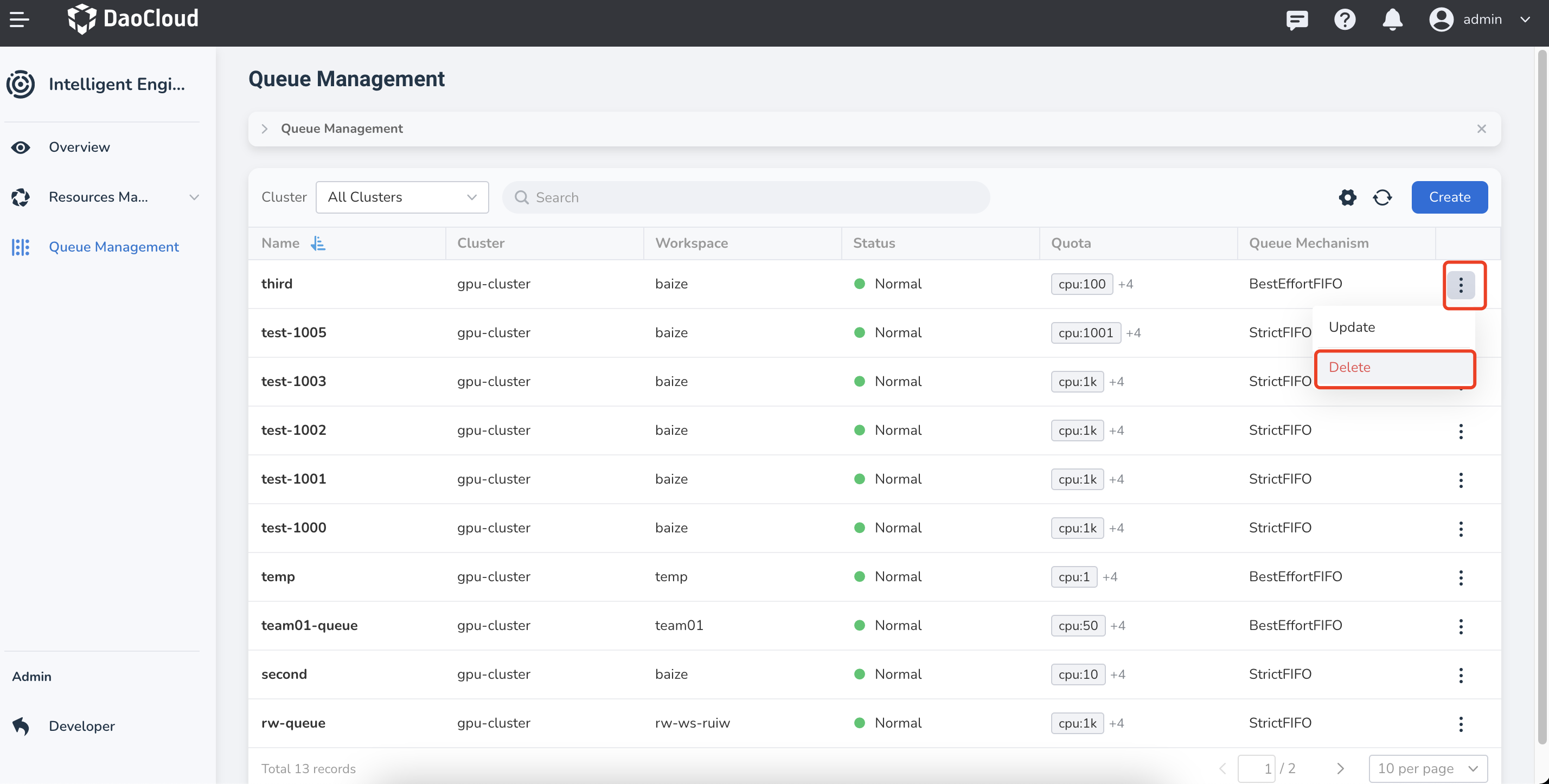
Click the ┇ on the right side of the queue in the queue list, then choose Delete from the dropdown menu.
-
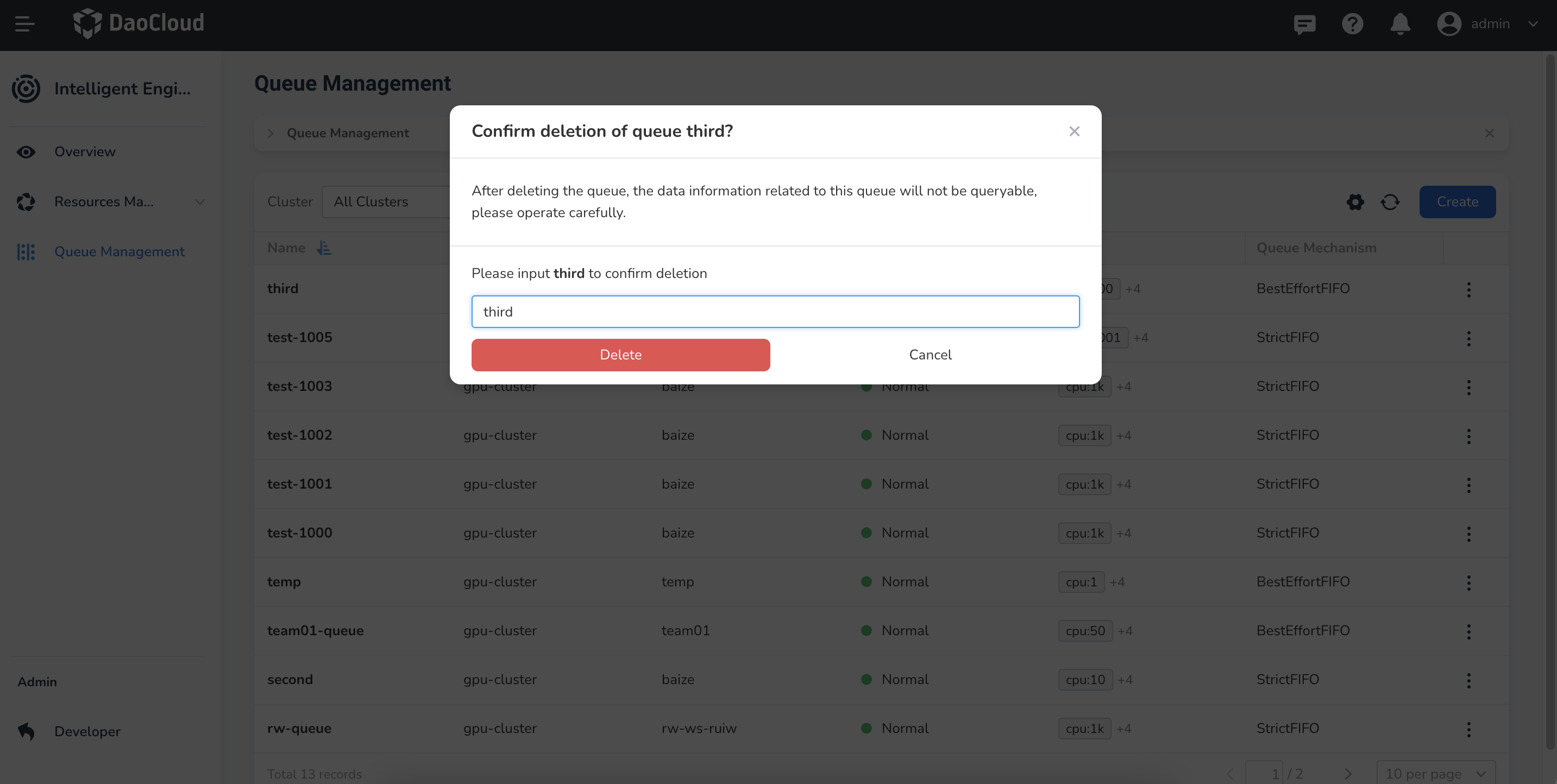
In the pop-up window, confirm the queue you want to delete, enter the queue name, and then click Delete.
-
A confirmation message will appear indicating successful deletion, and the queue will disappear from the list.
Caution
Once a queue is deleted, it cannot be recovered, so please proceed with caution.