Enable Istio GAIE Feature in Cluster
This document describes how to enable the Istio GAIE (Gateway API Inference Extension) feature in a cluster by configuring the mspider and kpanda platforms.
Prerequisites
- Access and management permissions for the
mspiderandkpandamanagement platforms
Steps
-
Get the Sub-Cluster Mesh Name
Log in to the
mspidermanagement platform, locate the target sub-cluster in the cluster list page, and record its corresponding mesh name.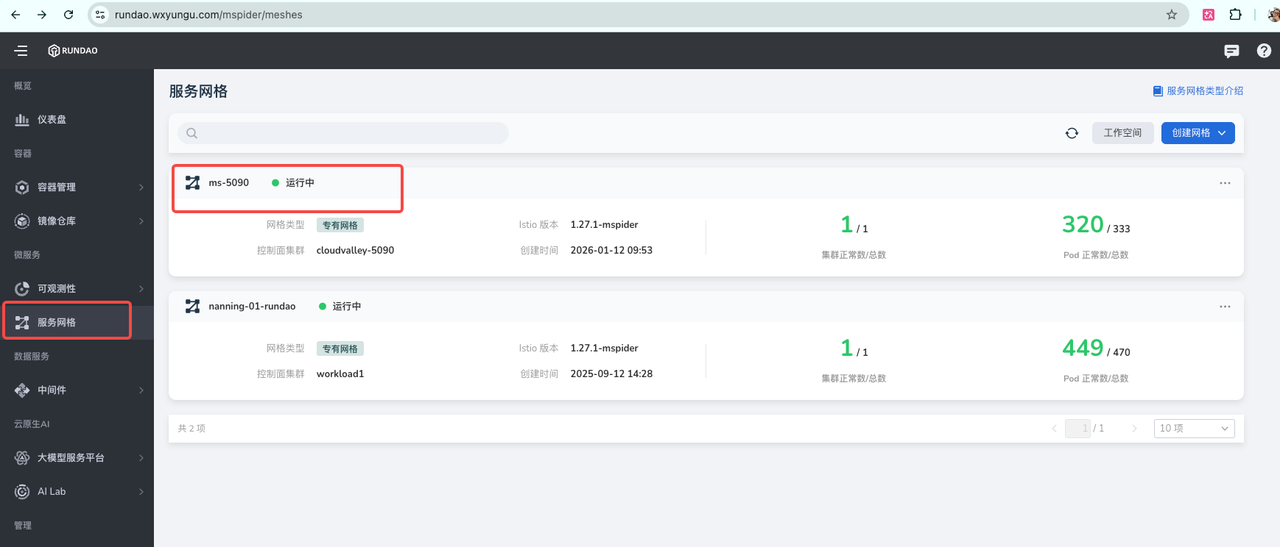
-
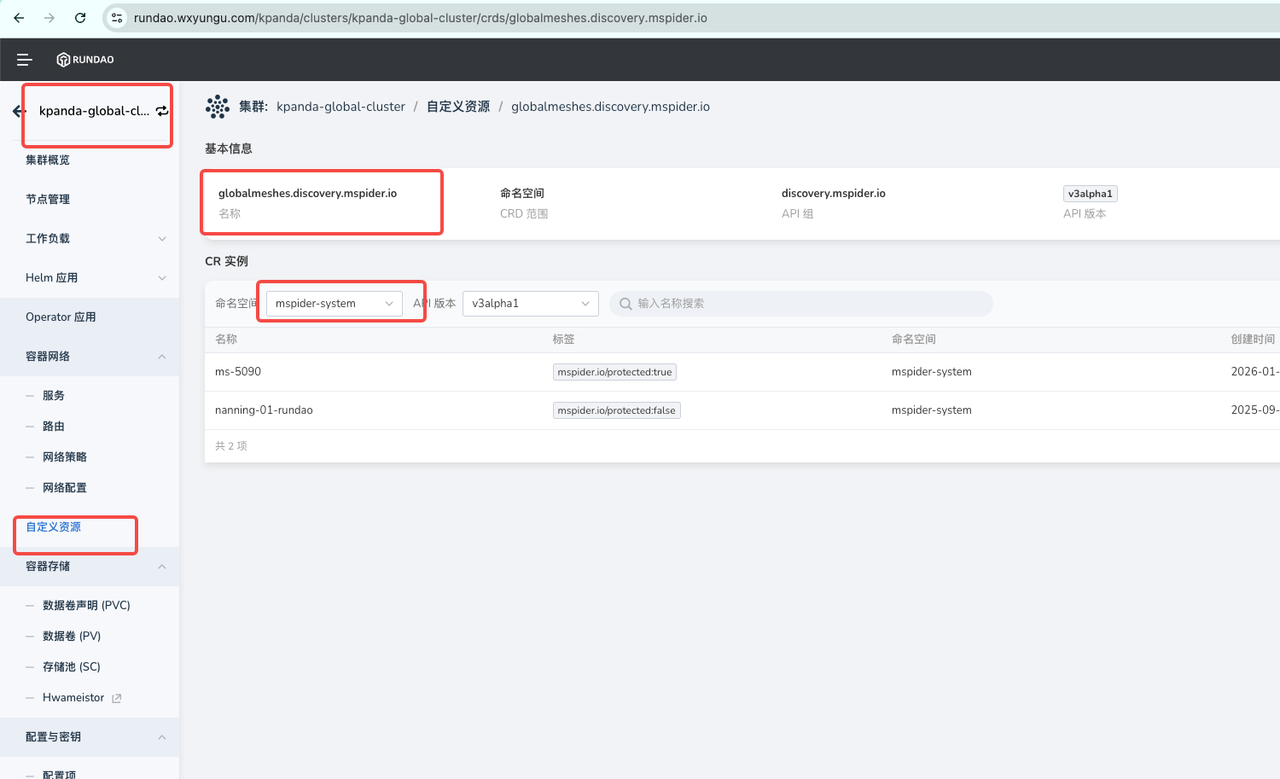
Locate the GlobalMesh Resource
- Log in to the
kpandamanagement platform - Switch to the Global cluster view
- Enter the custom resource type
globalmeshes.discovery.mspider.ioin the resource search box - Set the namespace filter to
mspider-system - Find the mesh instance corresponding to the target sub-cluster in the resource list (e.g.,
ms-5090) - Click the Edit YAML button in the actions column
- Log in to the
-
Configure GAIE Feature Parameters
In the YAML editing page, locate the
controlPlaneParamsconfiguration node and add the following configuration under it: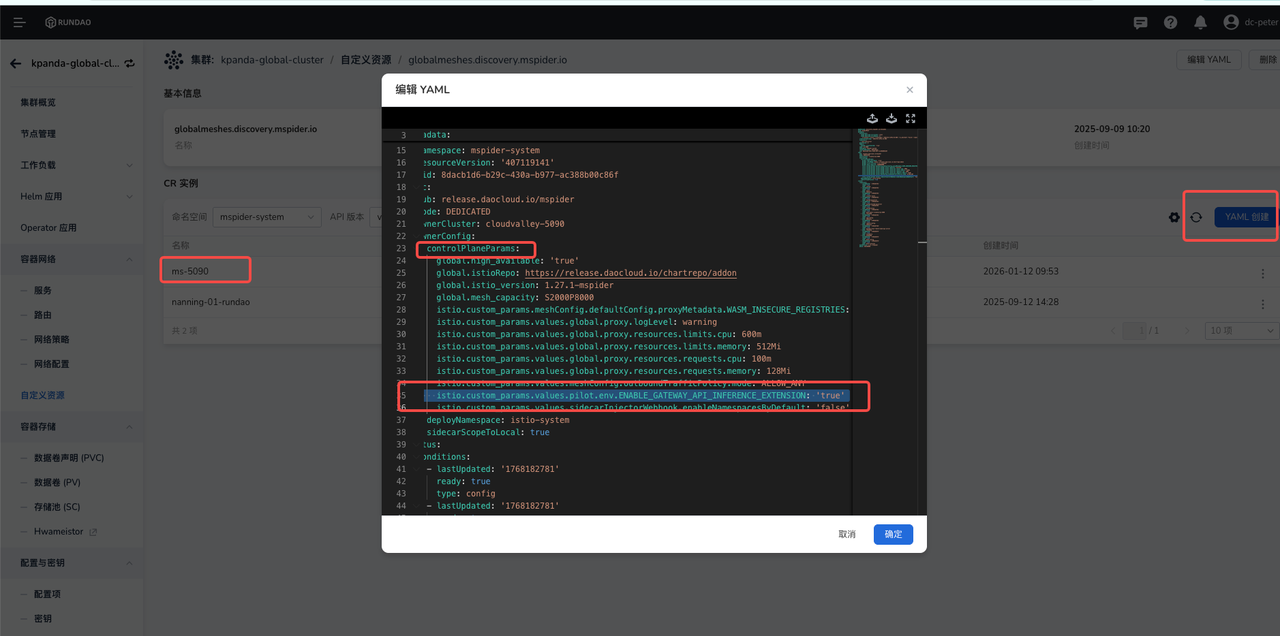
-
Submit Configuration Changes
After confirming the configuration is correct, click the OK button to submit the changes.
Verification
After the configuration takes effect, it is recommended to verify through the following methods:
| Verification Item | Description |
|---|---|
| Resource Status | Check whether the globalmeshes.discovery.mspider.io resource status is SUCCEEDED |
| Configuration Applied | Confirm that the ENABLE_GATEWAY_API_INFERENCE_EXTENSION parameter has been correctly applied, and verify that the target cluster's istiod Pod contains the environment variable: ENABLE_GATEWAY_API_INFERENCE_EXTENSION with value true |
| Functional Testing | Verify that Gateway API Inference Extension related features are working properly |
Note
- Configuration changes may take several minutes to take effect, please be patient.
- It is recommended to back up the original YAML configuration before making changes.
- If you encounter issues, check the relevant component logs for troubleshooting.