Install insight-agent
insight-agent is a plugin for collecting insight data, supporting unified observation of metrics, links, and log data. This article describes how to install insight-agent in an online environment for the accessed cluster.
Prerequisites
- The cluster has been successfully connected to the container management module. For how to connect a cluster, refer to Integrate Clusters
Steps
-
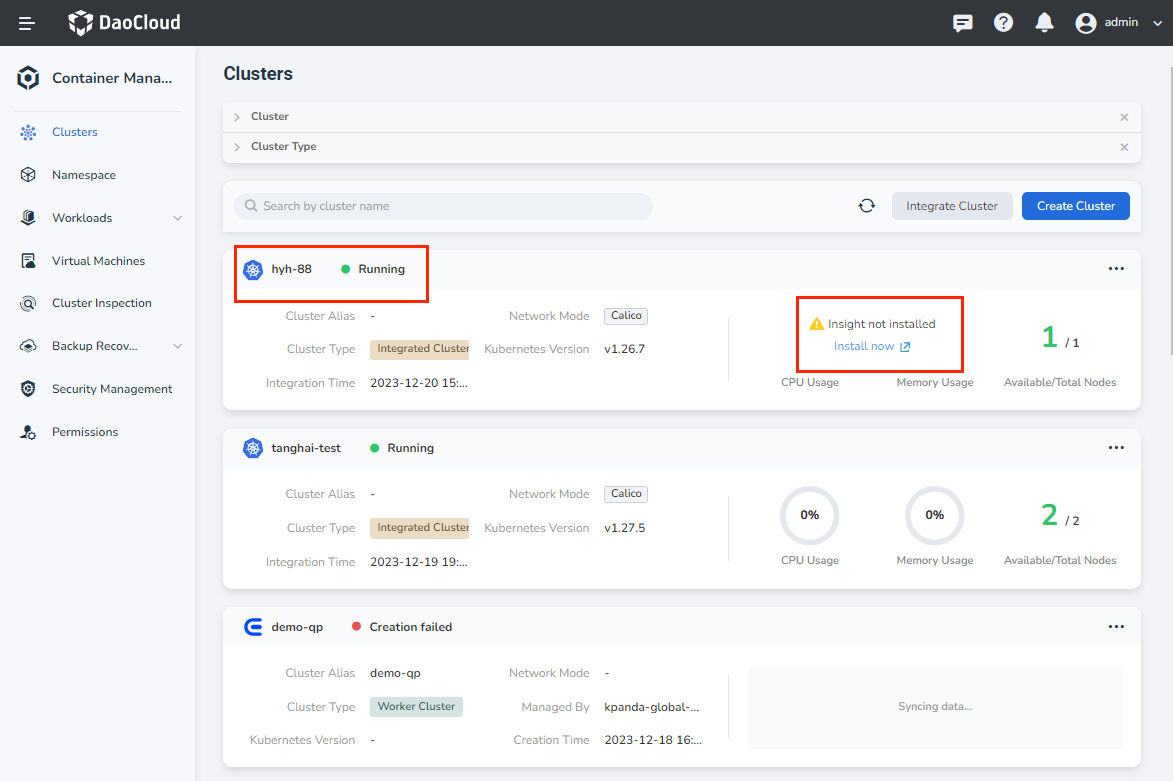
Enter Container Management from the left navigation bar, and enter Clusters . Find the cluster where you want to install insight-agent.
-
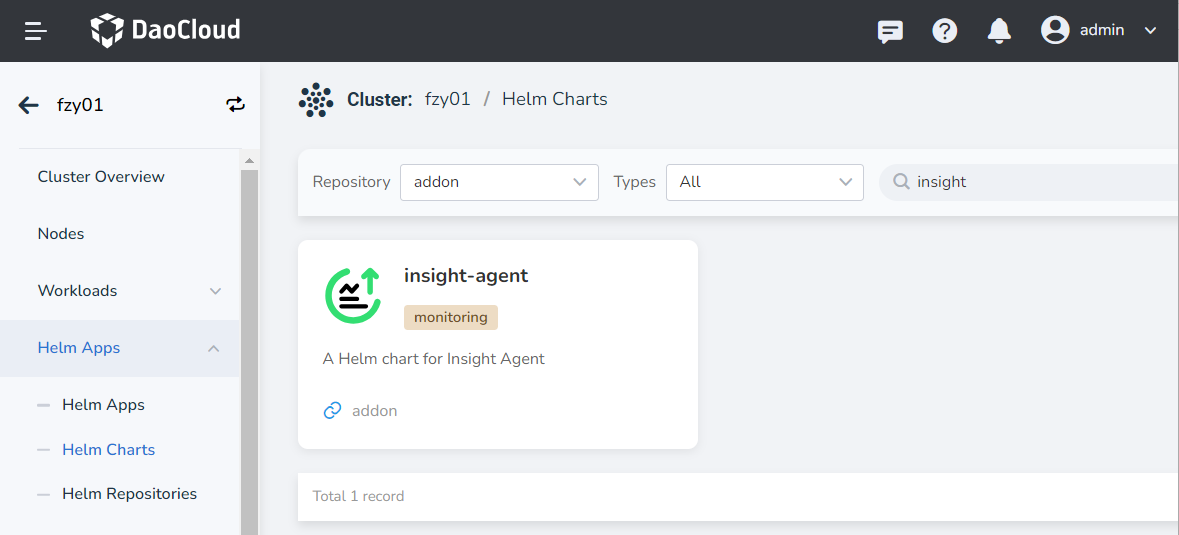
Choose Install now to jump, or click the cluster and click Helm Applications -> Helm Templates in the left navigation bar, search for insight-agent in the search box, and click it for details.
-
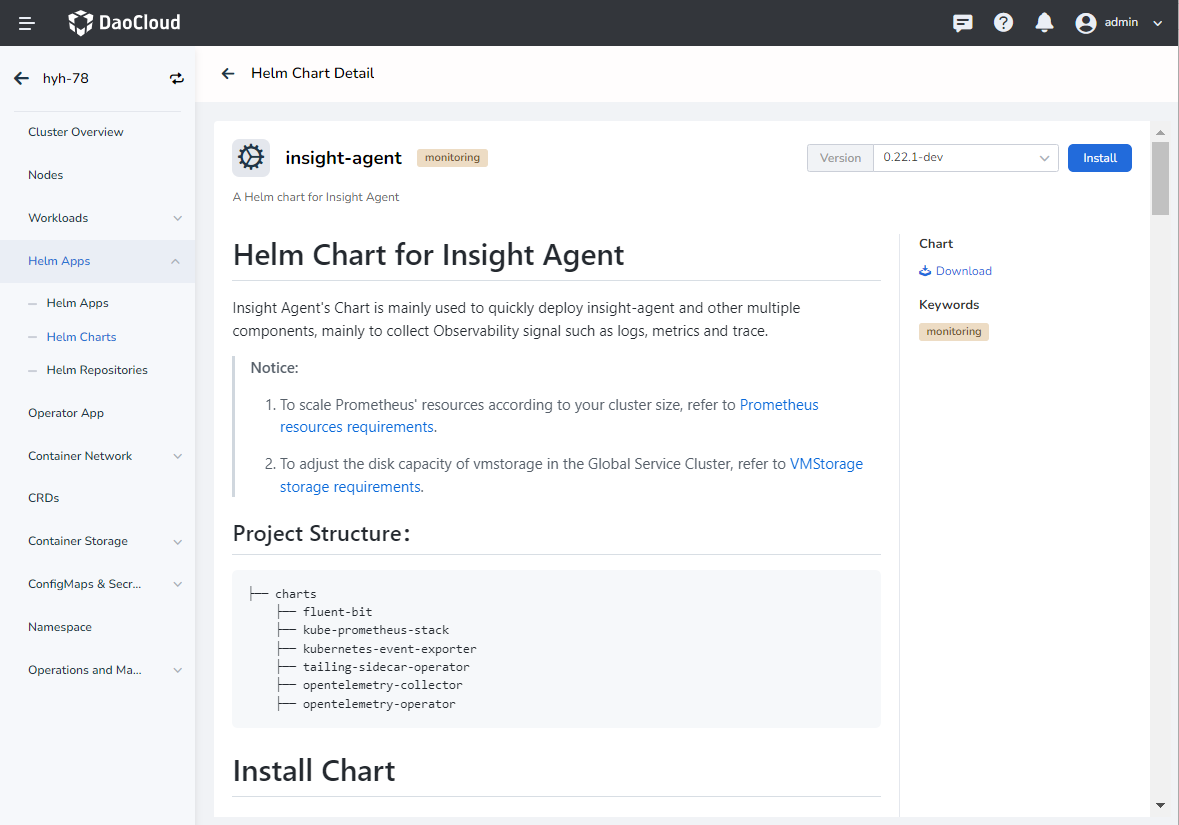
Select the appropriate version and click Install .
-
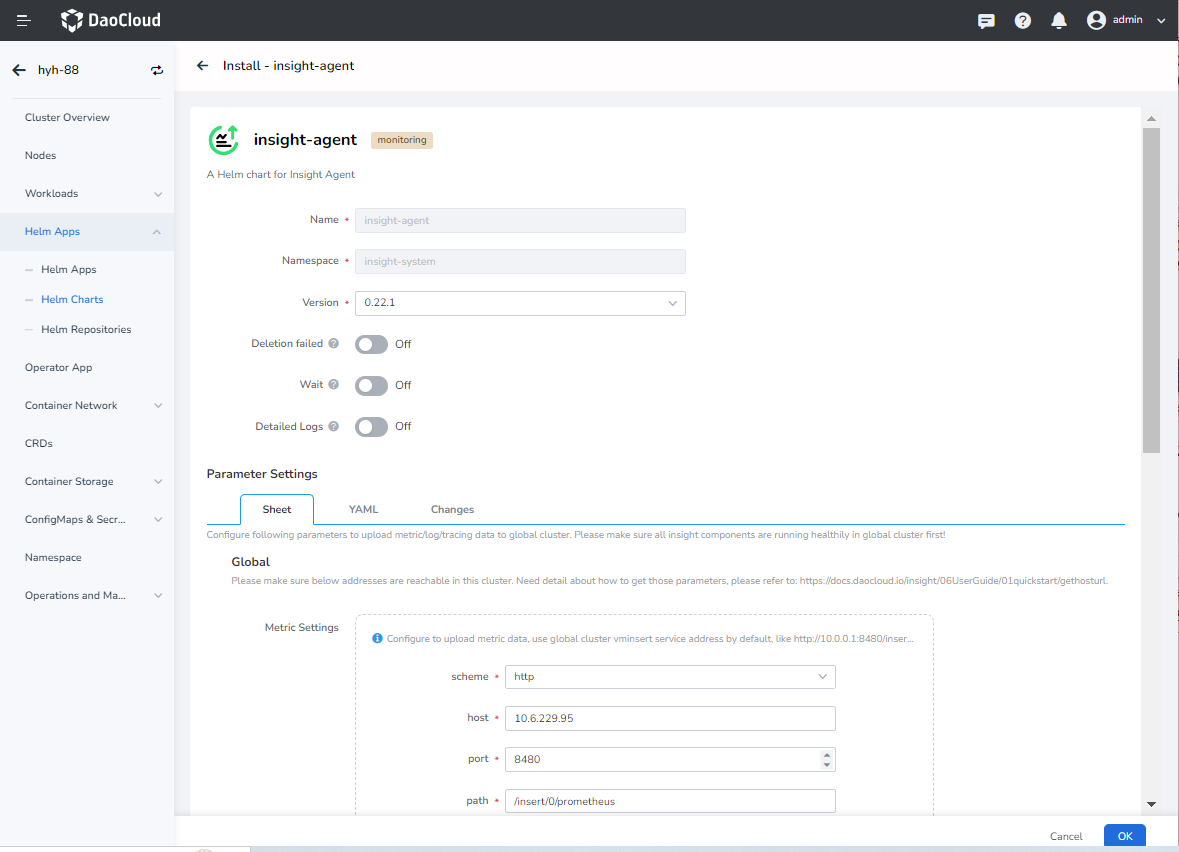
Select the version to install and fill in the addresses of the corresponding data storage components in the global service cluster in the form below. After confirming that the information is correct, click OK .
- By default, insight-agent is deployed in the
insight-systemnamespace of the cluster. - It is recommended to install the latest version of insight-agent.
- The system has filled in the address of the component for data reporting by default. Please still check it before clicking OK to install. If you need to modify the data reporting address, please refer to Get Data Reporting Address.
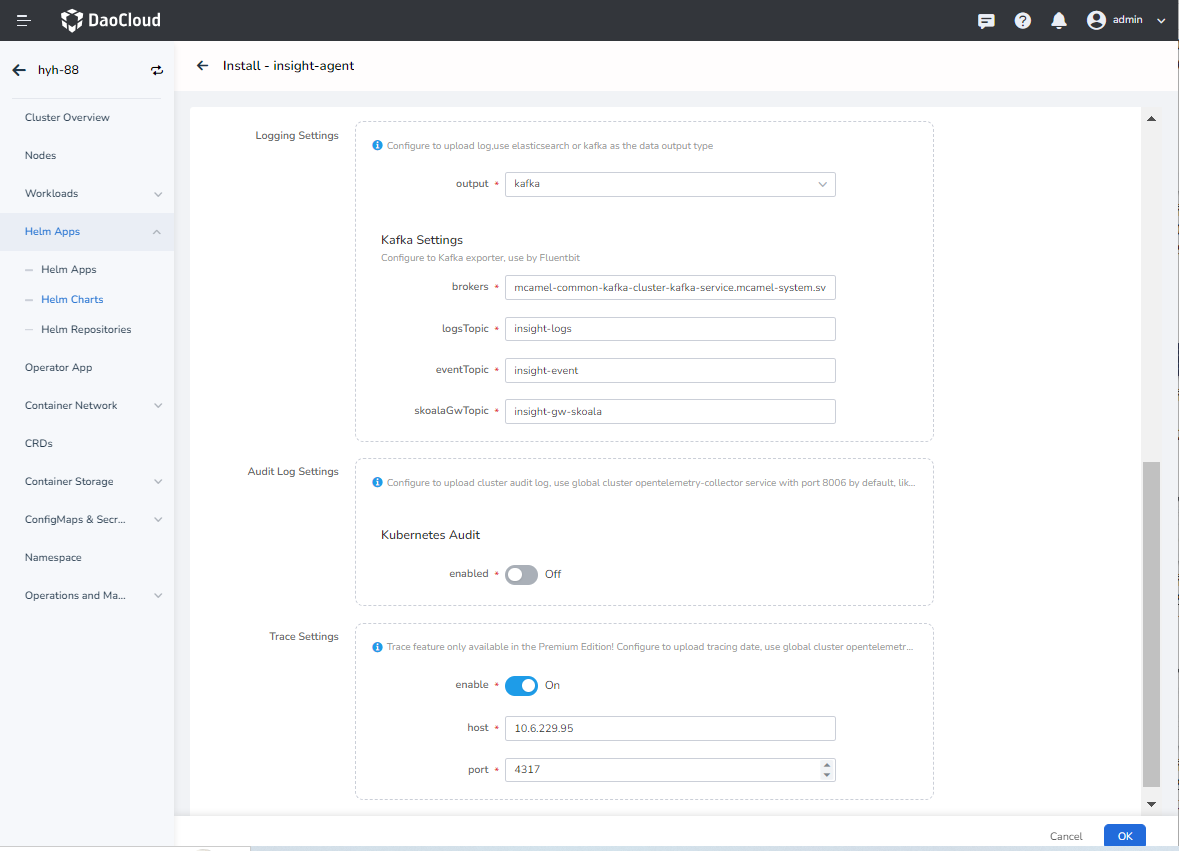
- By default, insight-agent is deployed in the
-
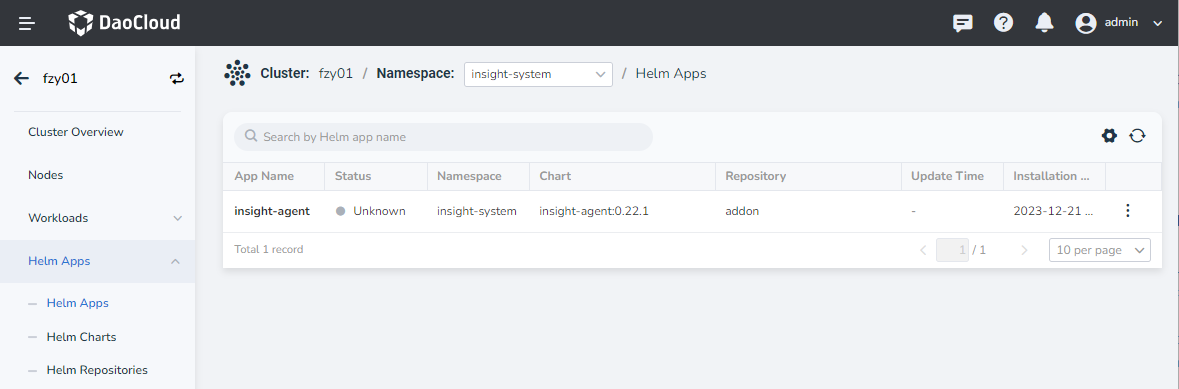
The system will automatically return to the Helm Apps list. When the status of the insight-agent application changes from Not Ready to Deployed and all component statuses are Running , the installation is successful. After a while, you can view the data of this cluster in the Insight module.
Note
- Click ┇ on the far right, and you can perform more operations such as Update , View YAML and Delete in the pop-up menu.
- For a practical installation demo, watch Video demo of installing insight-agent