Configure Notification Server
Insight supports SMS notifications and currently sends alert messages using integrated Alibaba Cloud and Tencent Cloud SMS services. This article explains how to configure the SMS notification server in Insight. The variables supported in the SMS signature are the default variables in the message template. As the number of SMS characters is limited, it is recommended to choose more explicit variables.
For information on how to configure SMS recipients, refer to the document: Configure SMS Notification Group.
The steps to configure the notification server are as follows:
-
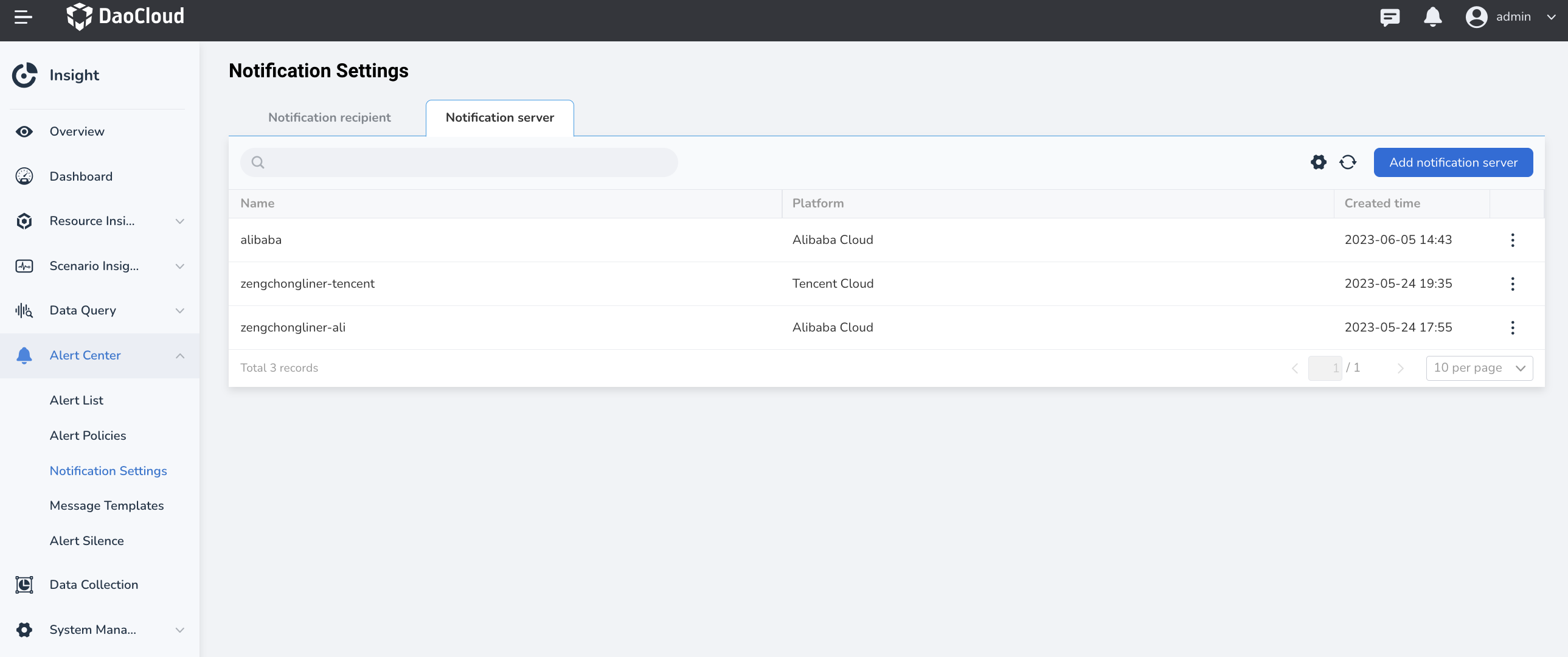
Go to Alert Center -> Notification Settings -> Notification Server
-
Click Add Notification Server
To apply for Alibaba Cloud SMS service, please refer to Alibaba Cloud SMS Service.
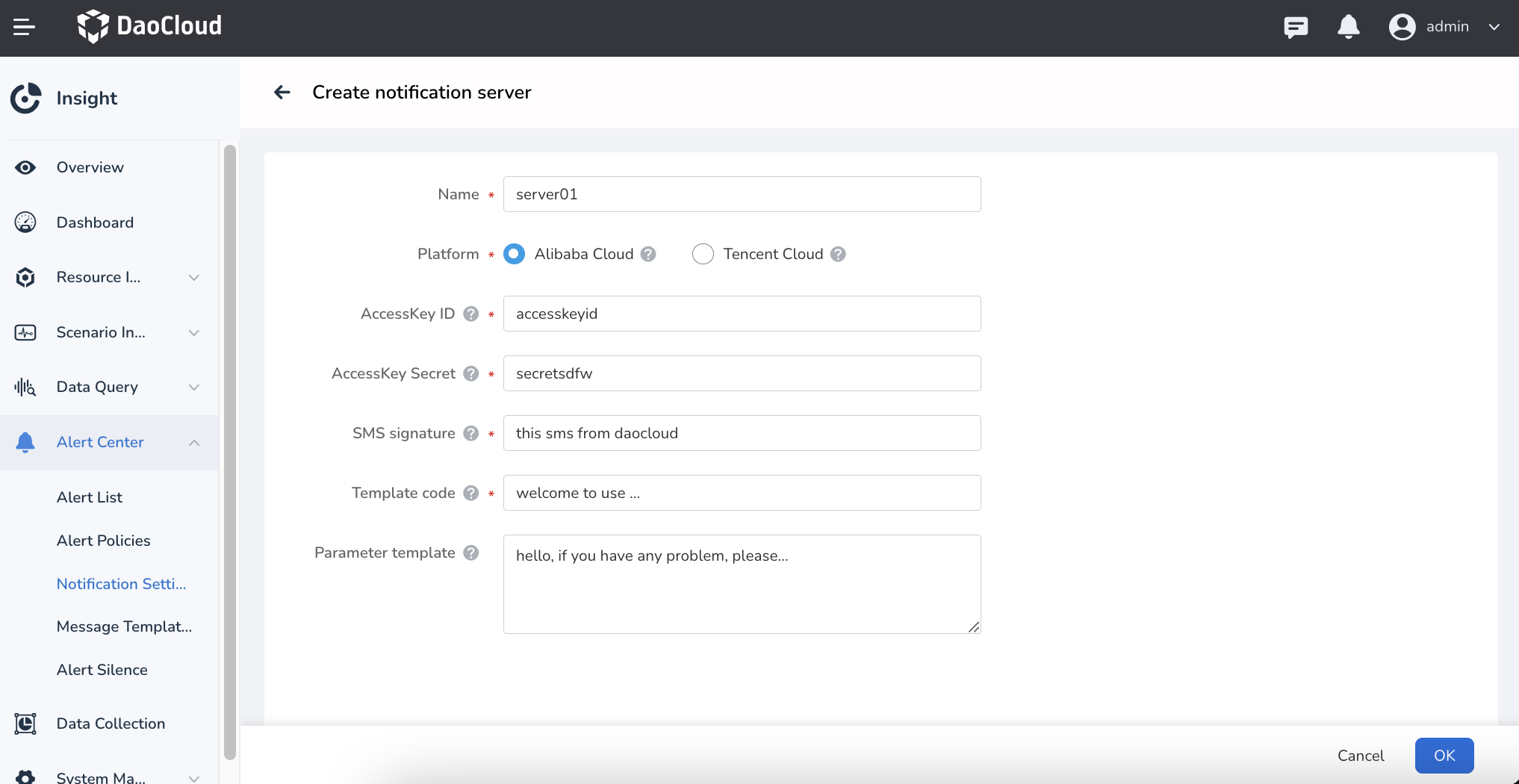
Field descriptions:
- AccessKey ID: Parameter used by Alibaba Cloud to identify the user.
- AccessKey Secret: Key used by Alibaba Cloud to authenticate the user. AccessKey Secret must be kept confidential.
- SMS Signature: The SMS service supports creating signatures that meet the requirements according to user needs. When sending SMS, the SMS platform will add the approved SMS signature to the SMS content before sending it to the SMS recipient.
- Template CODE: The SMS template is the specific content of the SMS to be sent.
- Parameter Template: The SMS body template can contain variables. Users can use variables to customize the SMS content.
Please refer to Alibaba Cloud Variable Specification.
Note
When the parameter template content is as shown in the figure above, the template content defined in Alibaba Cloud should be:
${severity}: ${alertname} triggered at ${startat}In addition, the correspondence in the figure above is:
{{(index.0).Labels.severity}}corresponds to${severity}, indicating the severity of the alert event;{{(index.0).Labels.alertname}}corresponds to${alertname}, indicating the rule name of the alert;{{(index.0).StartsAt}}corresponds to${startat}, indicating the start time of the alert event.
To apply for Tencent Cloud SMS service, please refer to Tencent Cloud SMS.
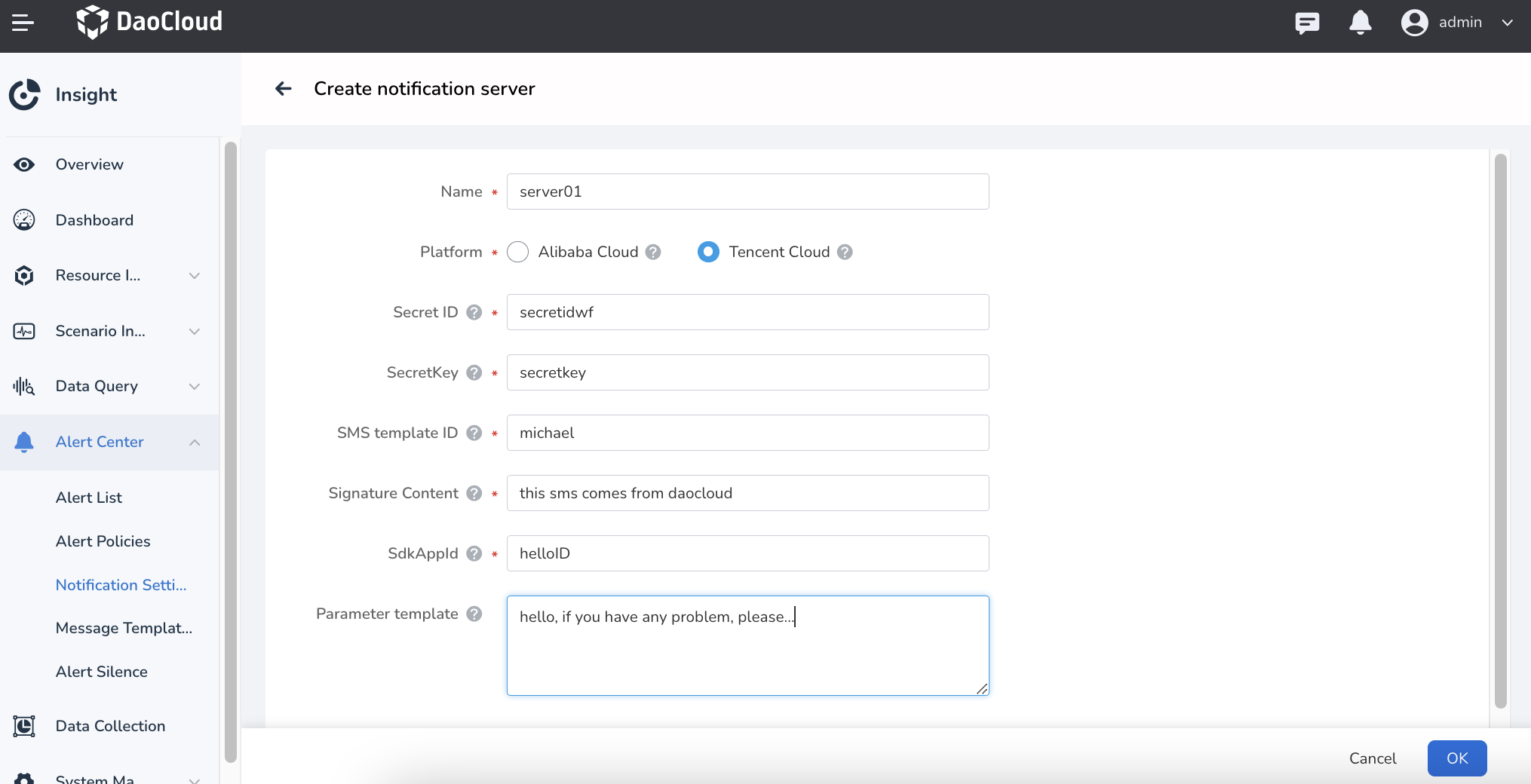
Field descriptions:
- Secret ID: Parameter used by Tencent Cloud to identify the API caller.
- SecretKey: Parameter used by Tencent Cloud to authenticate the API caller.
- SMS Template ID: The SMS template ID automatically generated by Tencent Cloud system.
- Signature Content: The SMS signature content, which is the full name or abbreviation of the actual website name defined in the Tencent Cloud SMS signature.
- SdkAppId: SMS SdkAppId, the actual SdkAppId generated after adding the application in the Tencent Cloud SMS console.
- Parameter Template: The SMS body template can contain variables. Users can use variables to customize the SMS content. Please refer to Tencent Cloud Variable Specification.
Note
When the parameter template configuration refers to the figure above, the template content defined in Tencent Cloud should be: {1}: {2} triggered at {3}.