Delete/Remove Clusters
Clusters created through the DCE Container Management platform support the Delete Cluster or Remove operation, while clusters directly integrated from other environments only support the Remove operation.
Info
If you want to completely delete an integrated cluster, you need to go to the original platform where the cluster was created. DCE does not support deleting integrated clusters.
In the DCE platform, the difference between Delete Cluster and Remove is:
- The Delete Cluster operation destroys the cluster and resets the data of all nodes under the cluster. All data will be destroyed, so it is recommended to make a backup. If you need it later, you must create a new cluster.
- The Remove operation removes the current cluster from the platform without destroying the cluster or the data.
Delete a Cluster
Note
- The current operating user should have Admin or Kpanda Owner permissions to perform the delete cluster operation.
- Before deleting a cluster, you should first click a cluster name in the cluster list and turn off Cluster Deletion Protection in Operations and Maintenance -> Cluster Settings -> Advanced Settings ; otherwise, the Delete Cluster option will not be displayed.
- The global service cluster does not support deletion or removal.
-
On the Cluster List page, find the cluster to be deleted, click ┇ on the right, and select Delete Cluster in the drop-down list.

-
Enter the cluster name to confirm, and then click Delete .

If you are prompted that some residual resources still exist in the cluster, you need to delete the related resources as prompted before you can perform the deletion.
-
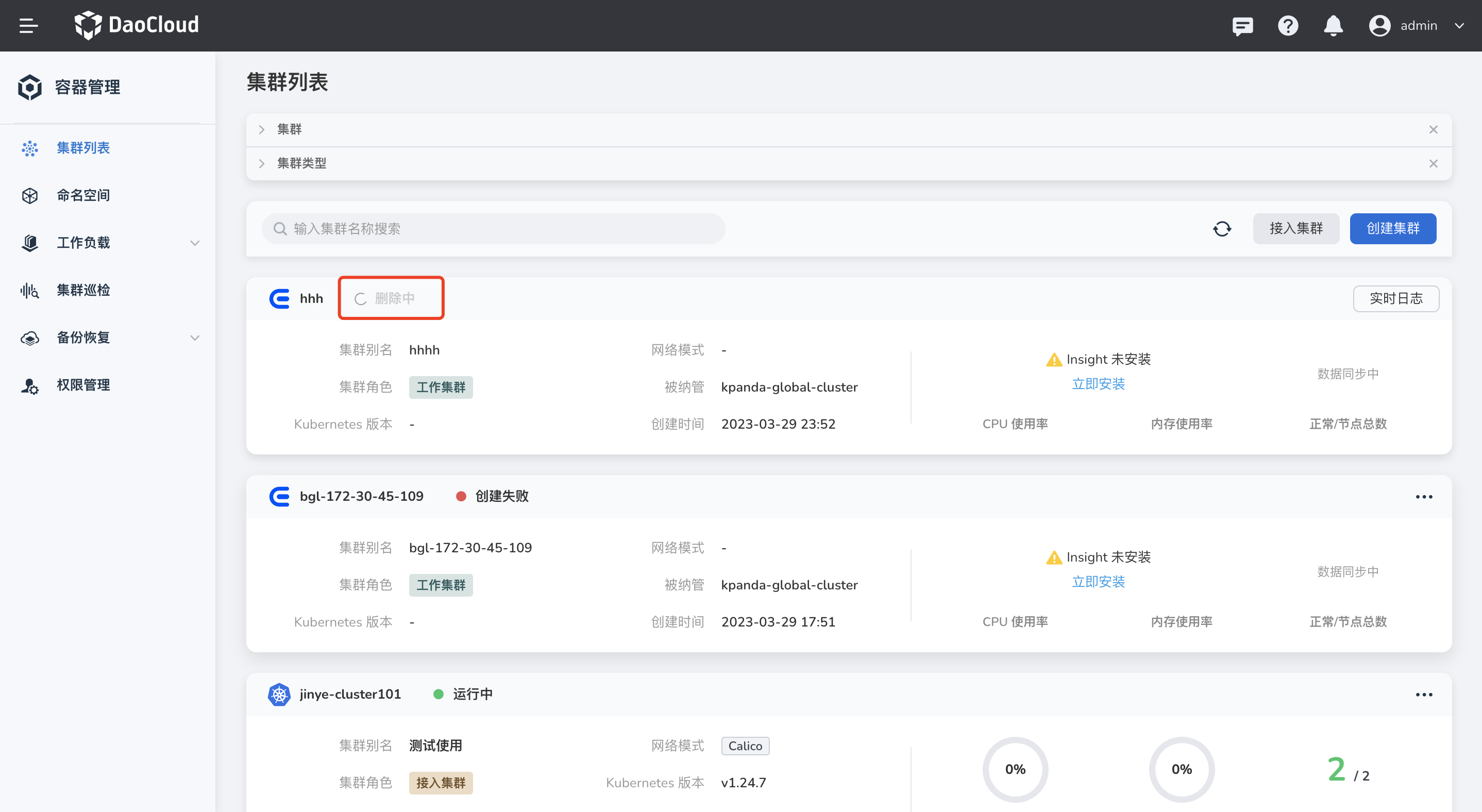
Return to the Cluster List page, and you can see that the status of the cluster has changed to Deleting . Deleting a cluster may take a while, so please be patient.
Remove an Integrated Cluster
Note
- The current operating user should have Admin or Kpanda Owner permissions to perform the remove operation.
- The global service cluster does not support removal.
-
On the Cluster List page, find the cluster to be removed, click ┇ on the right, and select Remove in the drop-down list.

-
Enter the cluster name to confirm, and then click Remove .

If you are prompted that some residual resources still exist in the cluster, you need to delete the related resources as prompted before you can remove it.
Clean Up the Configuration Data of a Removed Cluster
After a cluster is removed, the original management platform data in the cluster is not automatically cleared. If you need to integrate the cluster into a new management platform, you need to manually perform the following operations:
-
Delete the kpanda-system and insight-system namespaces.
-
If the service mesh capability is enabled for the current cluster, refer to the Delete Mesh documentation to delete the mesh instance in the current cluster.