Metallb Upgrade and Debug
Metallb Upgrade Issues
If you did not enable Metallb ARP Mode when installing Metallb, be sure not to upgrade Metallb by clicking the upgrade button on the page; otherwise Metallb will not work properly.
You need to manually enable Metallb ARP Mode through the following steps:
- Go to the custom resource module and create an L2Advertisement resource:
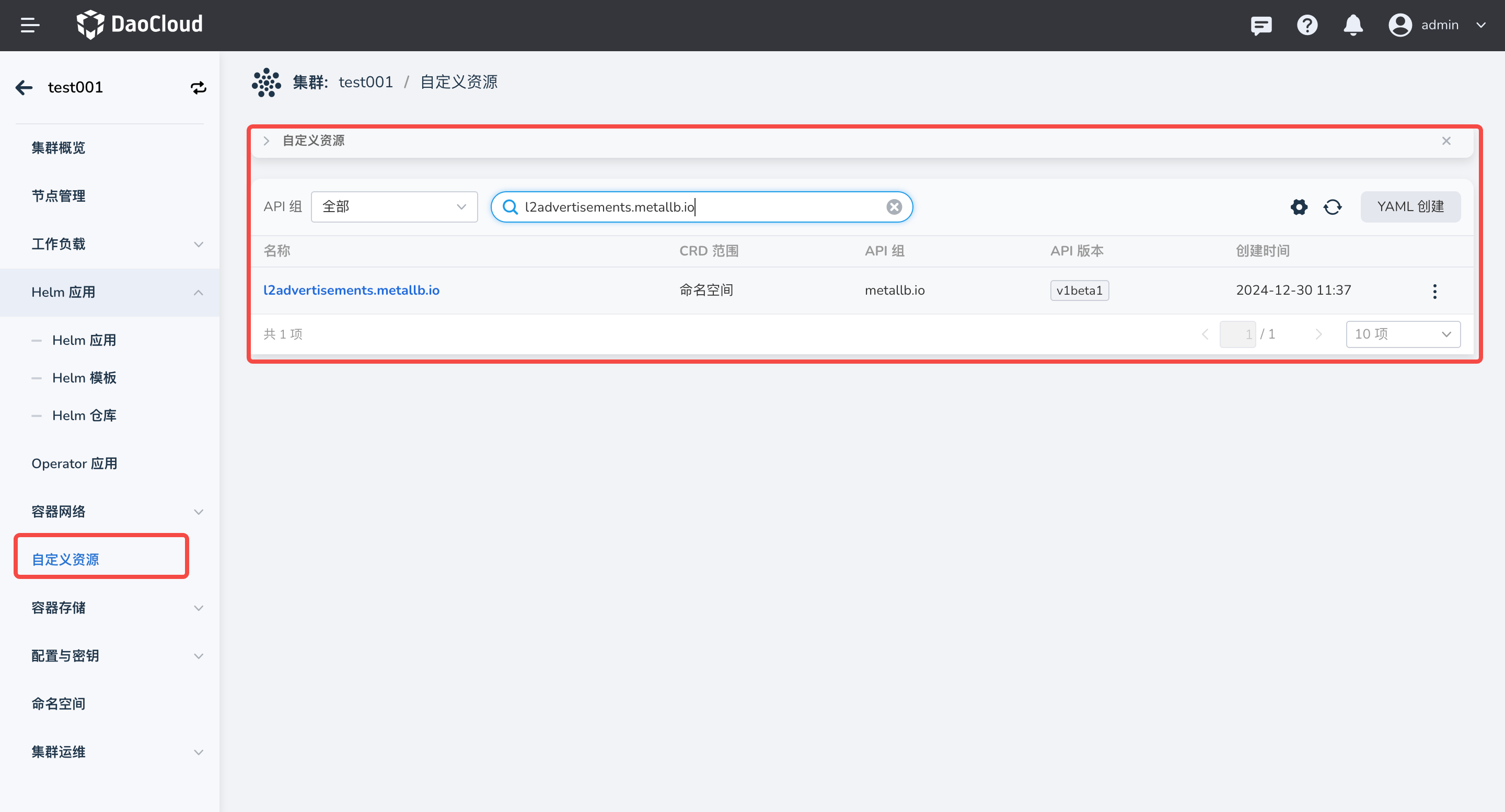
Click Create via YAML:
apiVersion: metallb.io/v1beta1
kind: L2Advertisement
metadata:
  name: default
  namespace: metallb-system
The YAML above indicates that all Metallb IP pools are advertised through this L2Advertisement resource. If your cluster runs both BGP and ARP modes, you can specify a specific pool for ARP advertisement in the following way:
apiVersion: metallb.io/v1beta1
kind: L2Advertisement
metadata:
  name: default
  namespace: metallb-system
spec:
  ipAddressPools:
  - default-pool
The configuration above indicates that only the IP pool default-pool is advertised through ARP by this L2Advertisement resource.
- Go to the custom resource module and create an IPAddressPool resource:
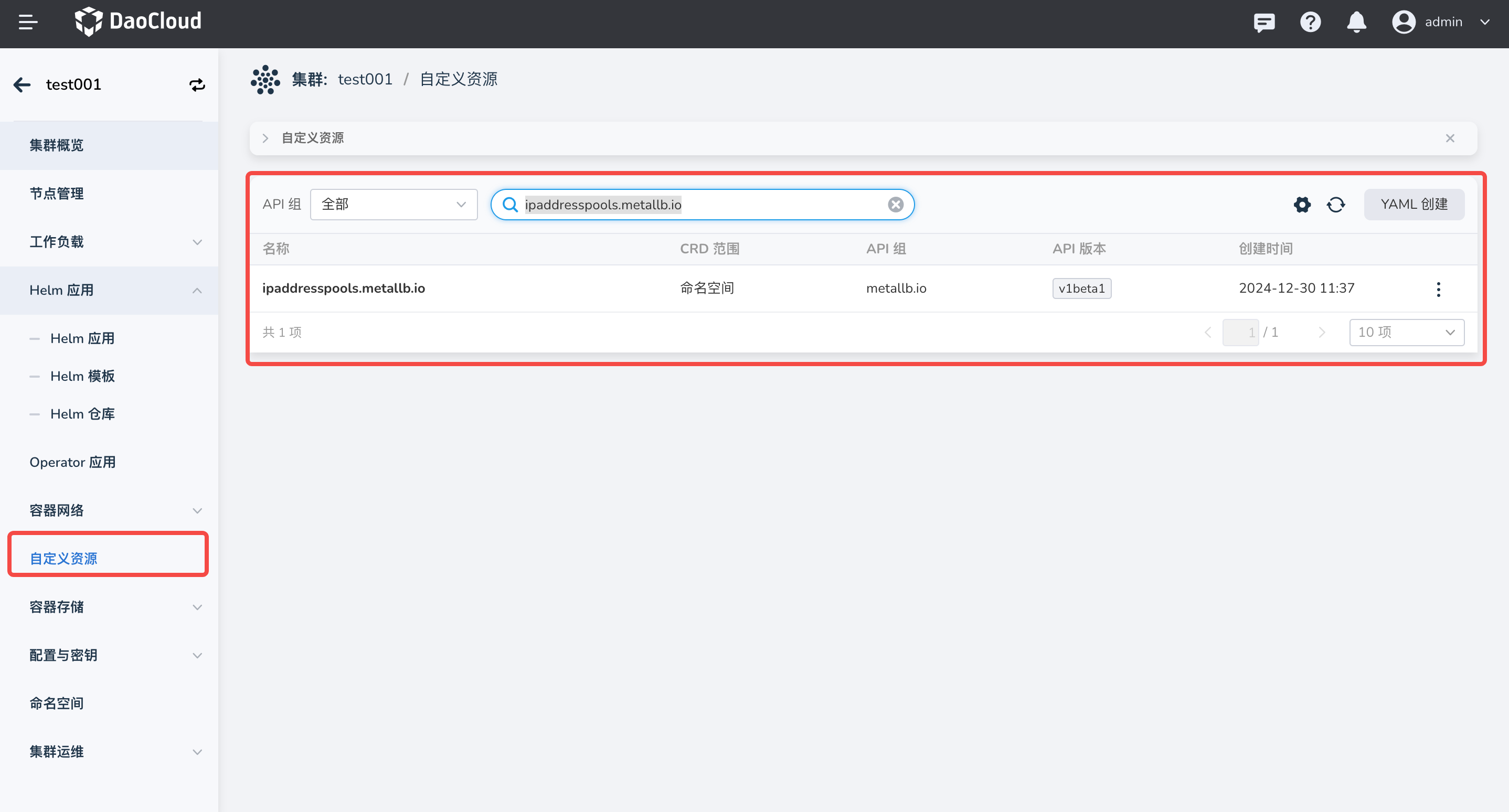
Click Create via YAML and create the following content:
apiVersion: metallb.io/v1beta1
kind: IPAddressPool
metadata:
  name: default
  namespace: metallb-system
spec:
  addresses:
  - 192.168.10.0/24
The YAML above creates an IP pool named default with the IP address 192.168.10.0/24.
Metallb Debug
If you encounter network connectivity issues when using Metallb, follow these steps to troubleshoot:
-
Check whether the L2Advertisement resource exists. If the L2Advertisement resource has a NodeSelector configured, confirm whether any node in the cluster has that label configured.
-
Confirm whether the LoadBalancer has a properly running Endpoint.
-
Check whether the annotations of the LoadBalancer Service are correct.
-
Check whether the IP pool used by the LoadBalancer Service has sufficient IP addresses.
-
Get the events of your LoadBalancer Service to obtain key error information:
If no event is obtained, recreate the service and then get the events again.
-
Confirm whether you have a single-node cluster or all nodes are control plane nodes. If so, remove the label
node.kubernetes.io/exclude-from-external-load-balancersfrom the control plane nodes: -
Filter the Metallb component logs by service name to check whether there is related error information. If there is no obvious log, edit the metallb-speaker DaemonSet and set its log level to Debug.