IPPool Modify and Create
This section describes how to modify an existing IPPool or create a new IPPool after the Metallb component is deployed.
Prerequisites
Modify an IPPool
When creating Metallb, the ARP mode was enabled and an IP Pool was created. Now the information in the IP Pool needs to be modified.
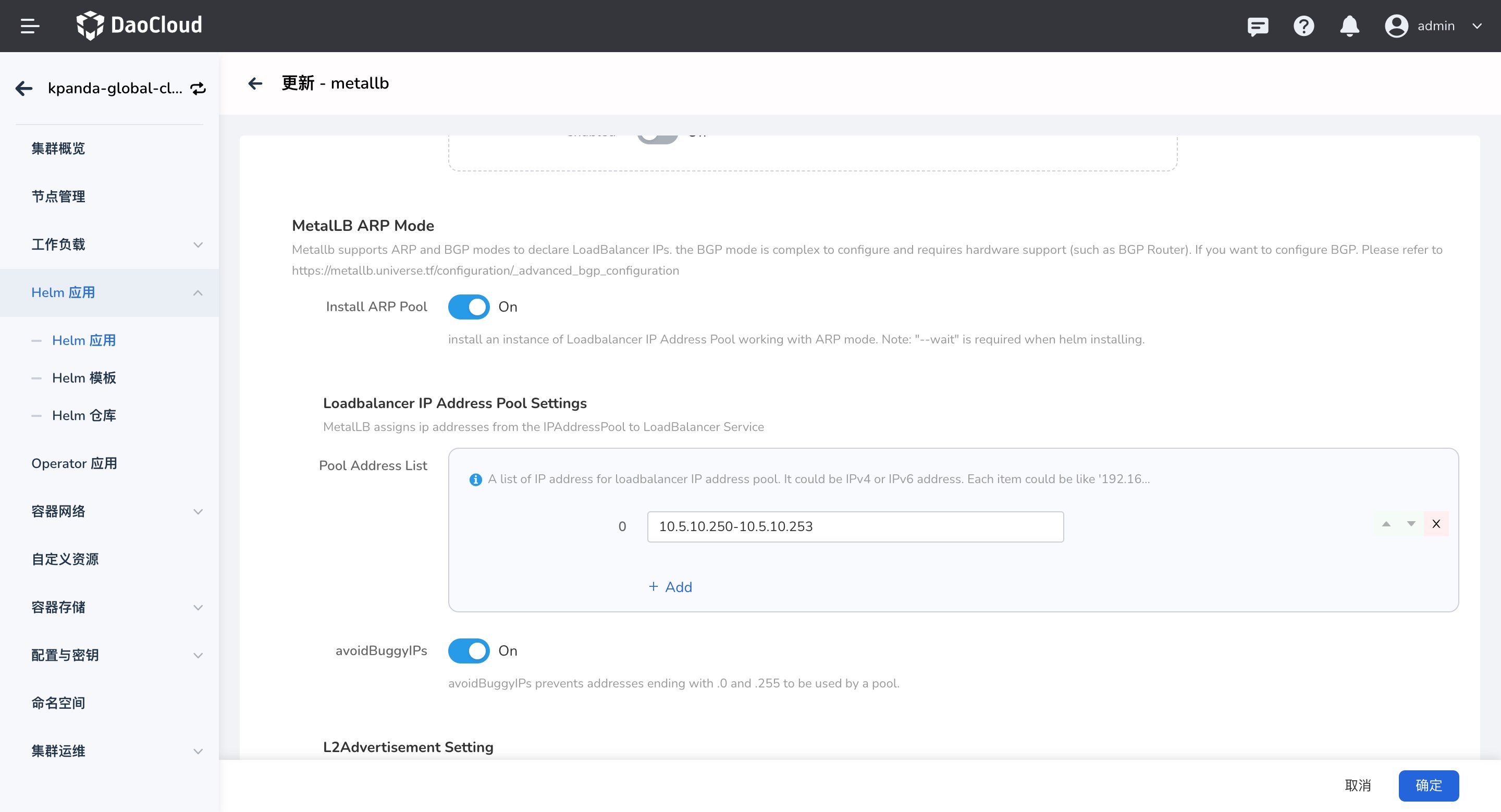
The modification method is as follows:
-
Click the corresponding cluster name to enter the details, select Custom Resources, search for
ipaddresspools.metallb.io, and click the CRD resource name to enter the details.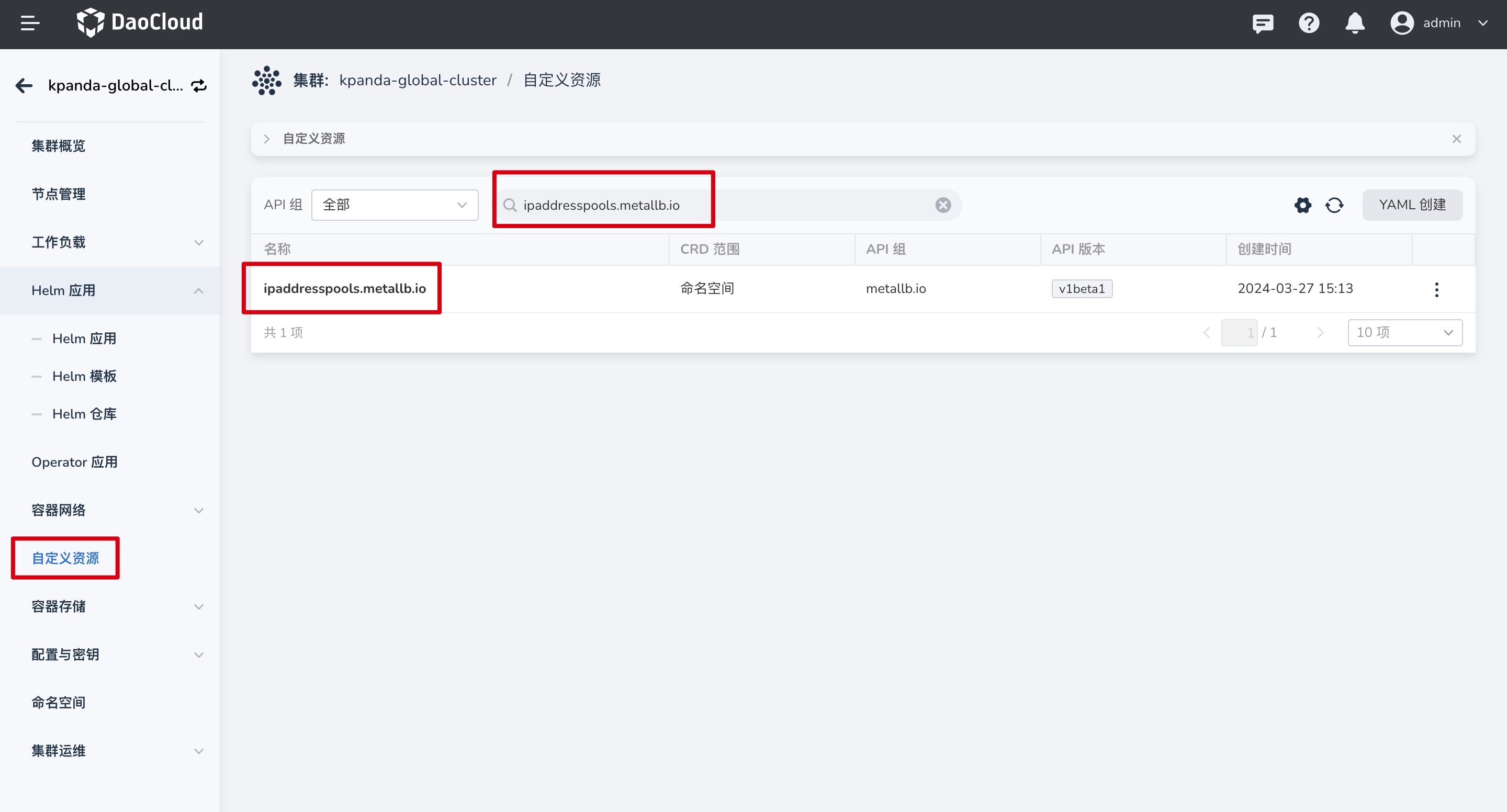
-
Click the CRD name to enter the details, select the namespace where metallb is deployed (in the example, metallb is deployed in
kube-system), and edit the CR instance (default-pool) YAML.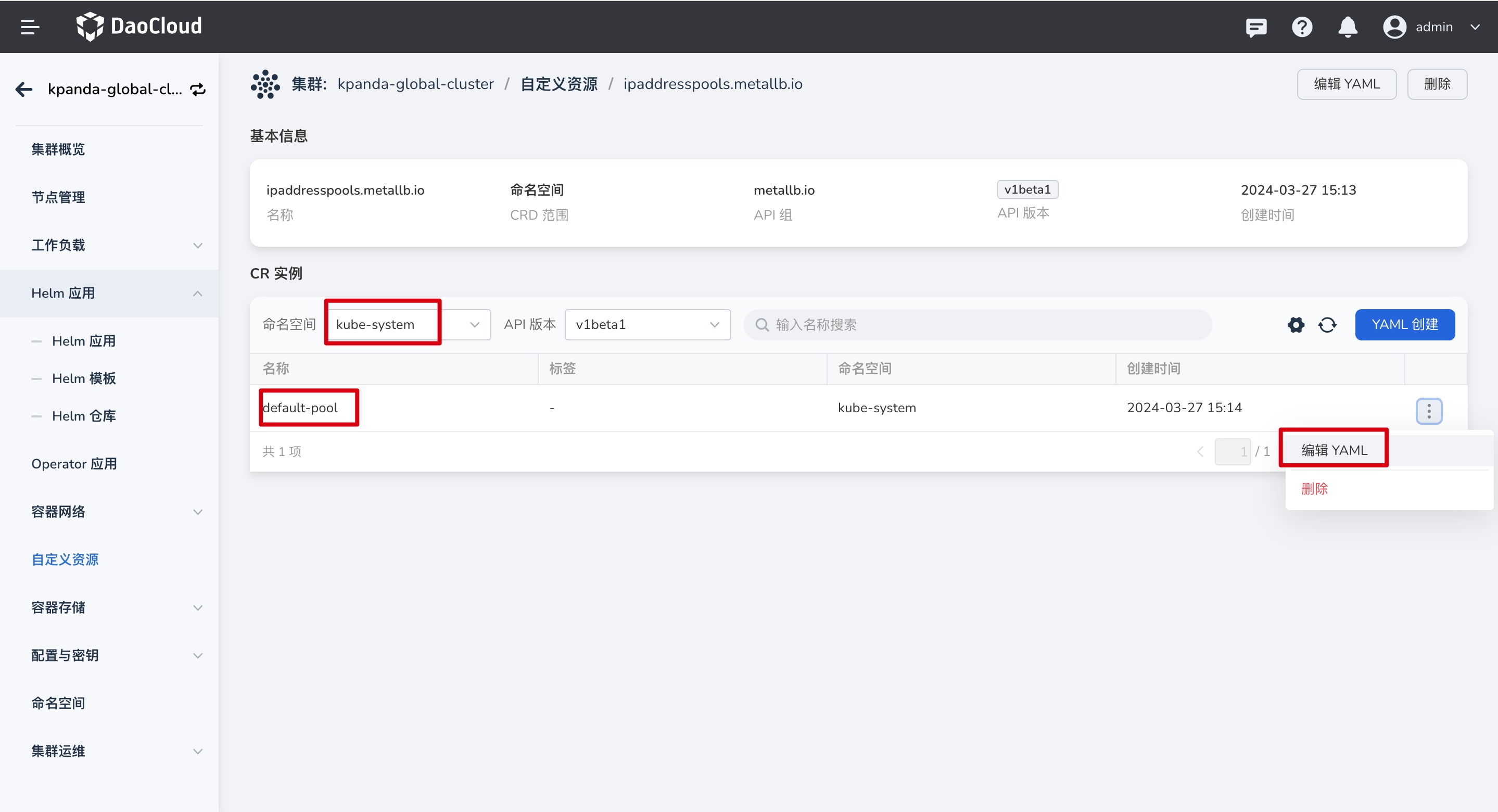
-
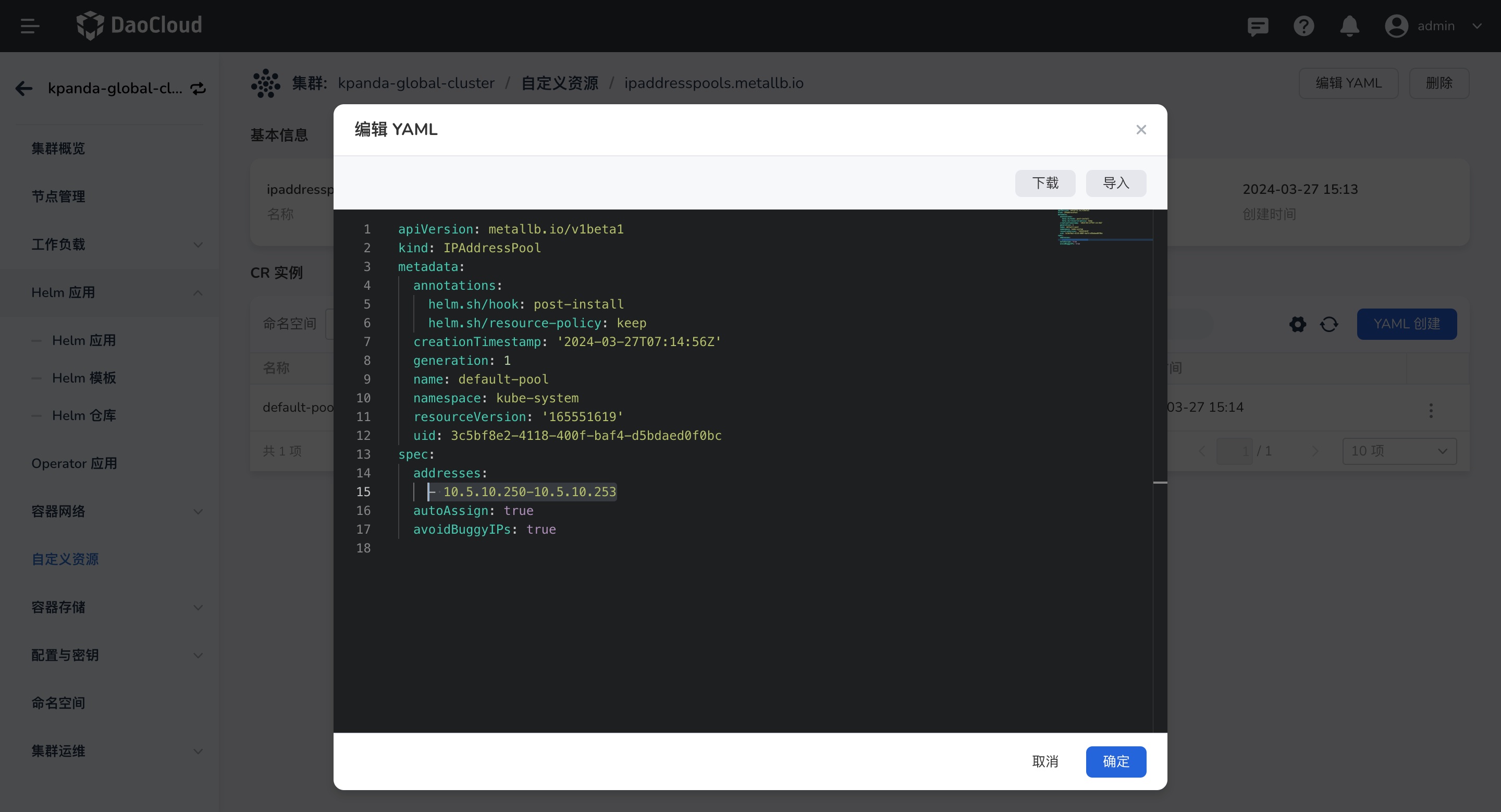
Modify the IP address and other information, and save.
Create an IPPool
If creating a LoadBalancer Service requires a new IP Pool, create it as follows:
-
Click the corresponding cluster name to enter the details, select Custom Resources, search for
ipaddresspools.metallb.io, and click the CRD resource name to enter the details. -
Click the CRD name to enter the details, select the namespace where metallb is deployed (in the example, metallb is deployed in
kube-system), click Create via YAML, and enter the following YAML.Example of creating an IP Pool through YAML:
apiVersion: metallb.io/v1beta1
kind: IPAddressPool
metadata:
  annotations:
    helm.sh/hook: post-install
    helm.sh/resource-policy: keep
  name: custom-pool # IP Pool name
  namespace: kube-system # Deployment namespace, the same namespace as the metallb instance
spec:
  addresses:
    - 10.5.10.240-10.5.10.245 # The IP address must be in the same network segment as the specified NIC
  autoAssign: true
  avoidBuggyIPs: true
When creating, note that the entered IP address must be in the same network segment as the NIC specified when creating the metallb instance.
-
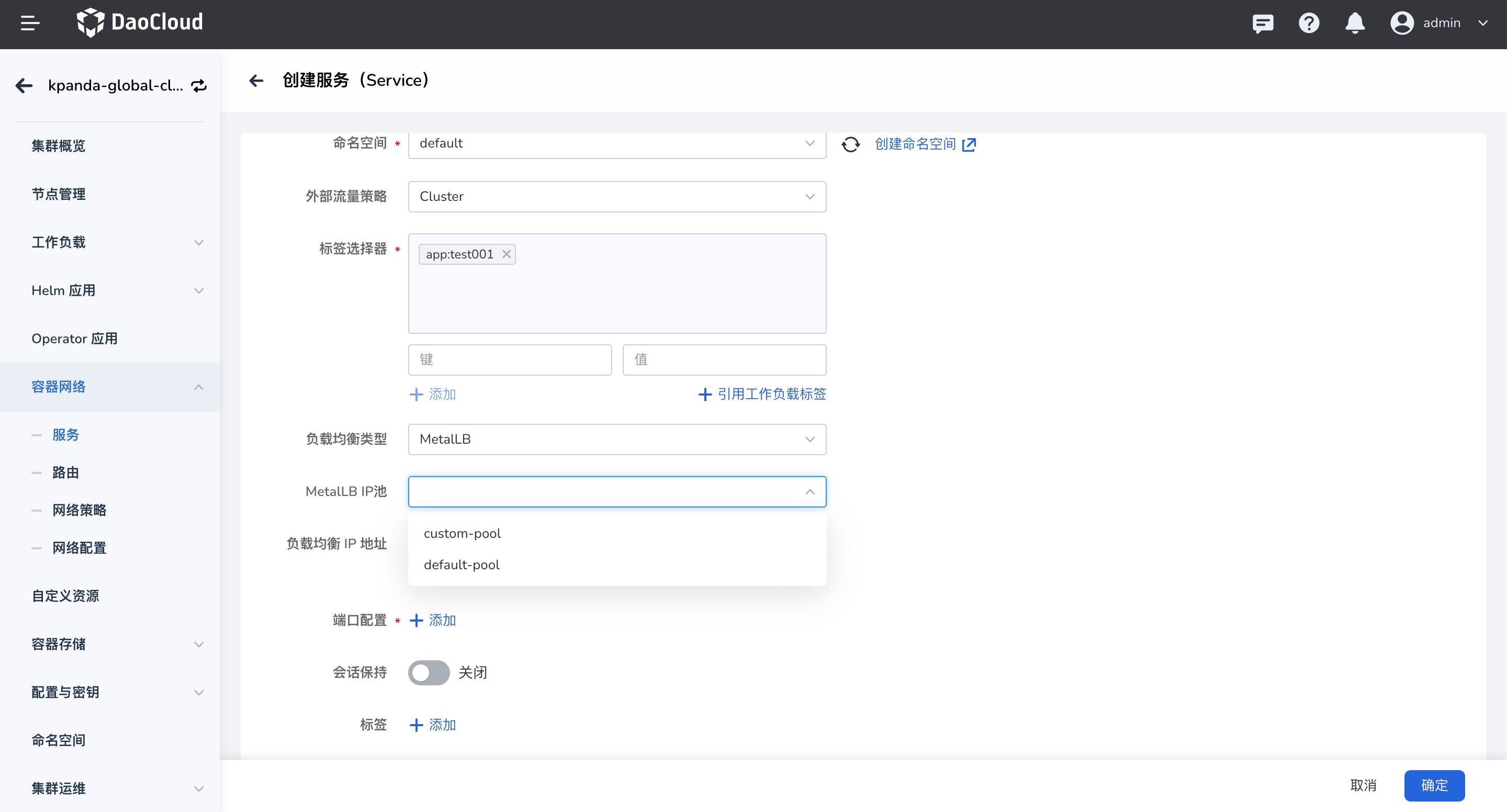
Click OK to complete the creation. After the creation succeeds, you can select the corresponding IP Pool when creating a LoadBalancer Service.
For more usage methods, refer to: IPPool Usage