Multicloud Namespace
A multicloud namespace can manage workloads across clouds and across clusters. Currently, wizard-based creation is provided.
This article takes wizard creation as an example. You can follow the steps below.
-
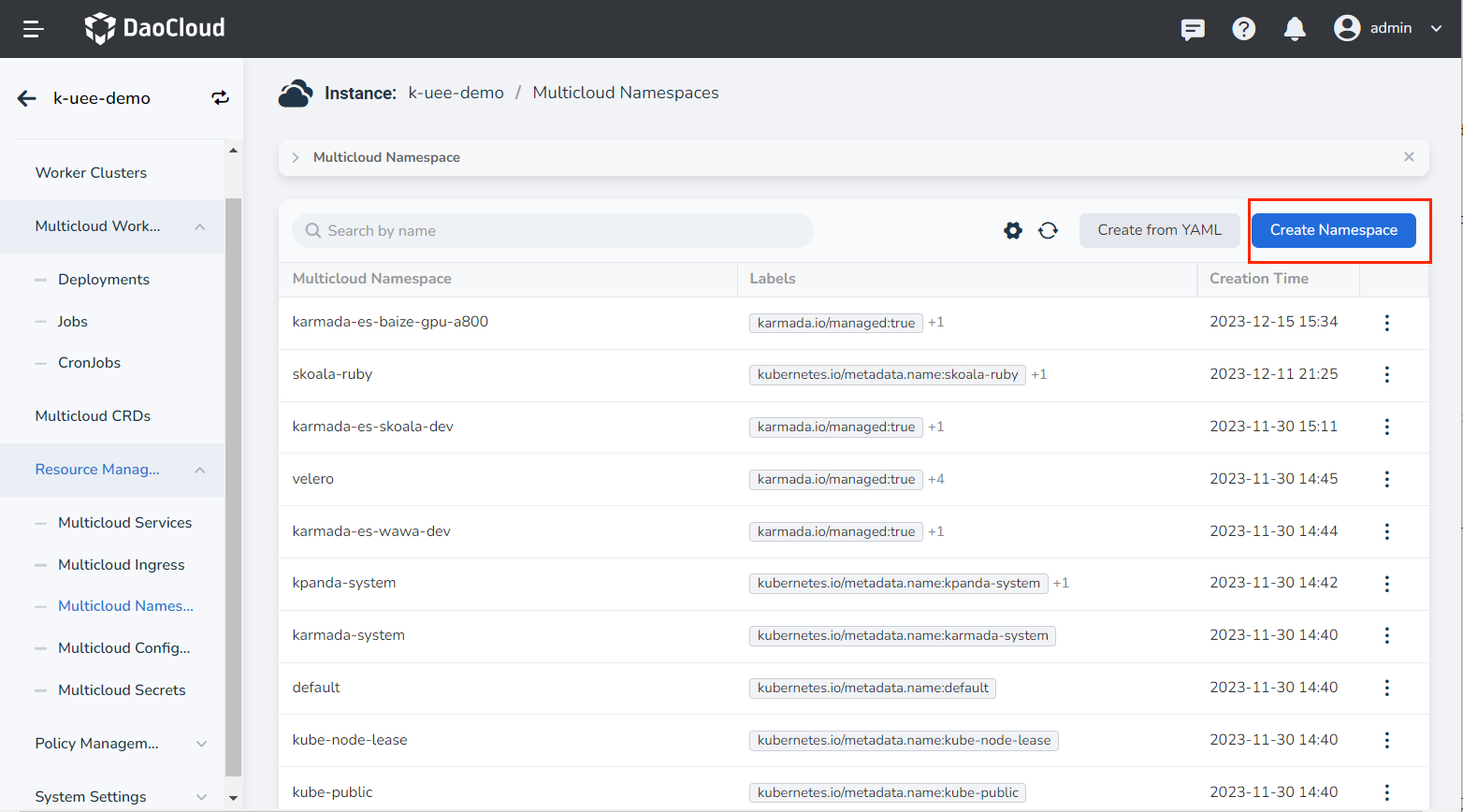
After entering a multicloud instance, in the left navigation bar, click Resource Management -> Multicloud Namespace , and click the Create Namespace button in the upper right corner.
-
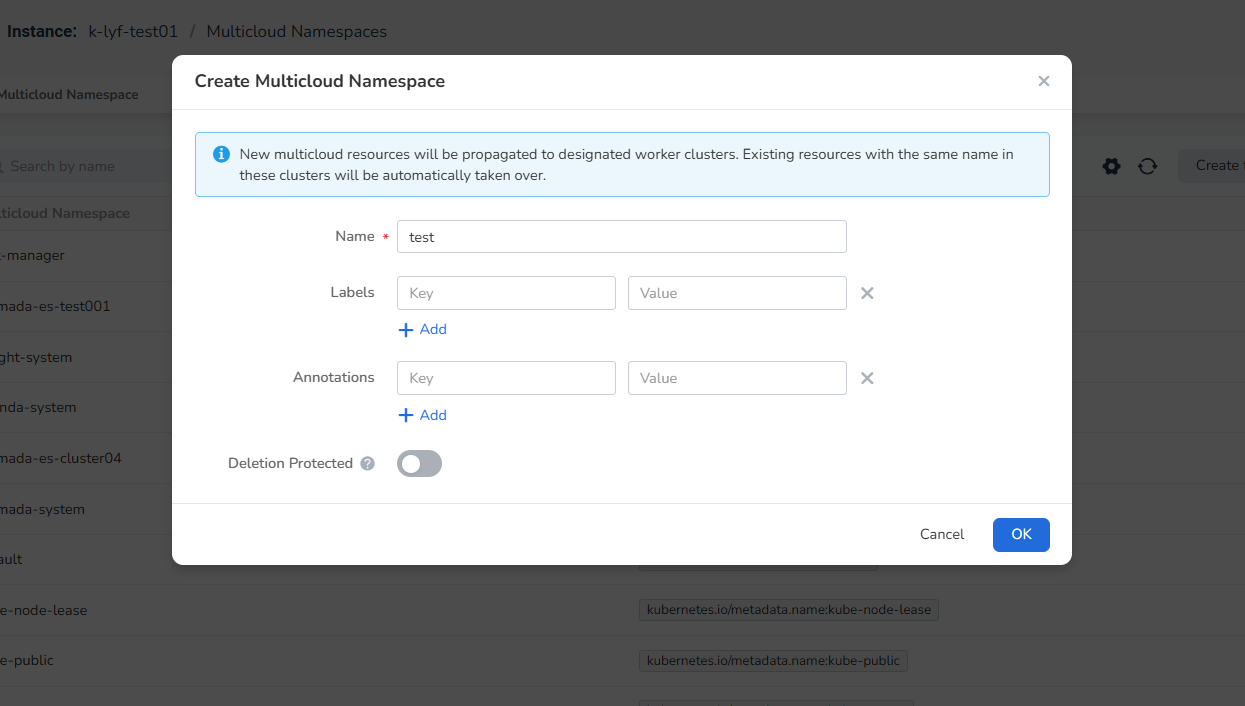
On the Create Multicloud Namespace page, enter a name, add labels and annotations, and click OK .
-
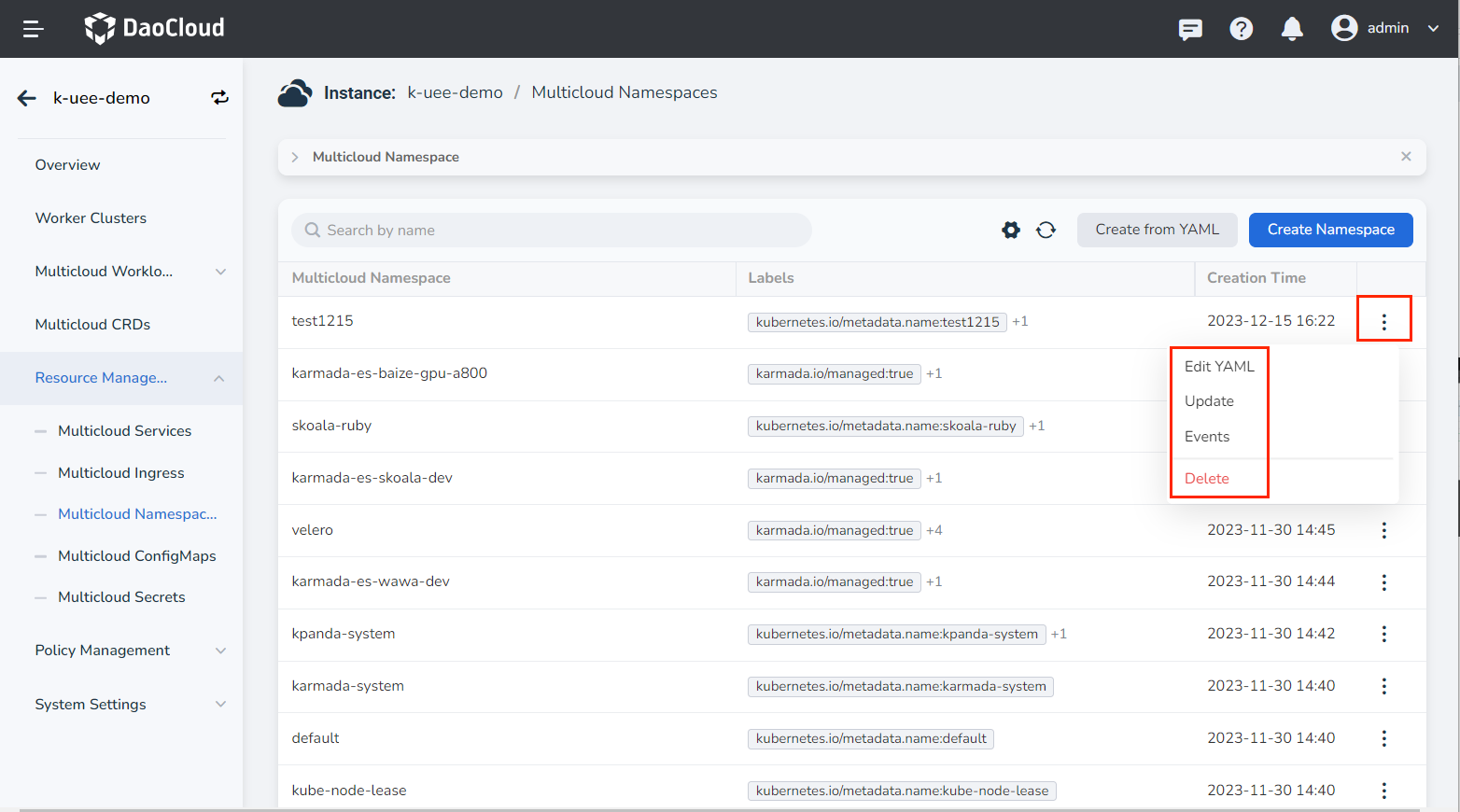
Return to the list of multicloud namespaces, and the newly created one will be the first one by default. Click ┇ on the right side of the list to edit the YAML, view events, update or delete the namespace.
Note
To delete a namespace, you need to remove all workloads under the namespace first. After the deletion, the workloads and services in the namespace will be affected, so please proceed with caution.