Delete the Elasticsearch Instance
If you want to delete an Elasticsearch instance, you can do the following:
!!! warning

    After an instance is deleted, all information related to the instance will also be deleted, so please proceed with caution.
-
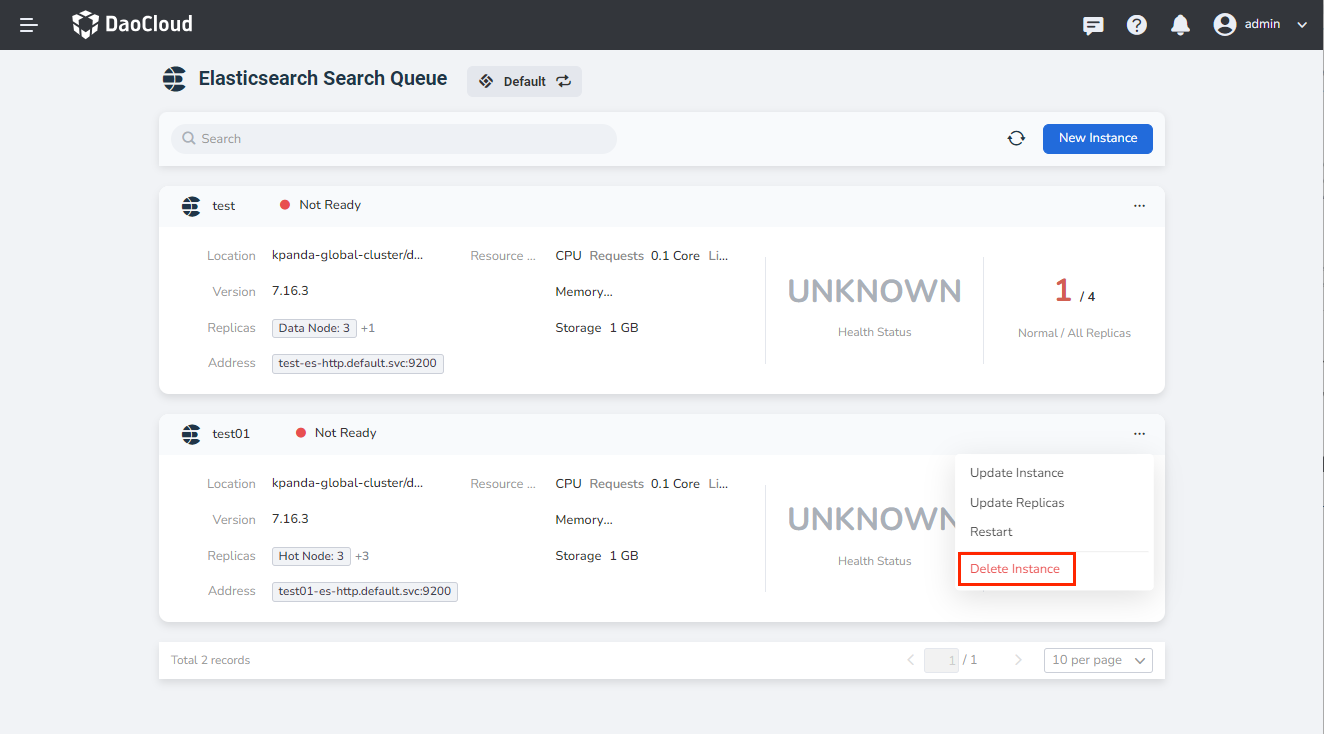
In the list of Elasticsearch instances, click the ┇ button on the right, and select Delete Instance from the pop-up menu.
-
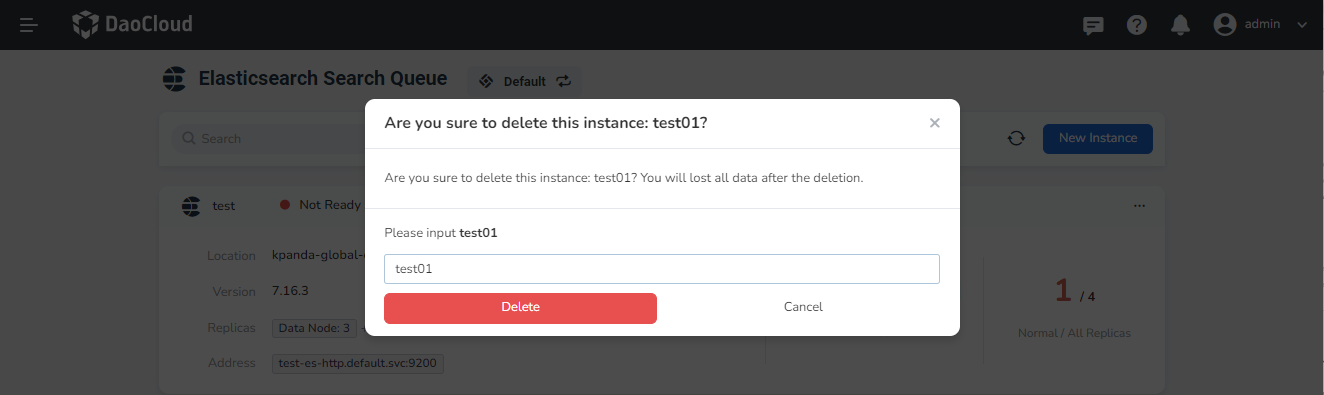
Enter the name of the instance in the pop-up window, and click the Delete button after confirming that it is correct.
-
Automatically return to the instance list, and the screen prompts: Successfully deleted the instance: XXX .