Create Dedicated Mesh
-
On the right corner of the mesh list, click the Create Mesh button and select Create Dedicated Mesh from the dropdown list.

-
The system will automatically detect the installation environment. After successful detection, fill in the following basic information and click Next .
- Name: Must start with a lowercase letter, consist of lowercase letters, numbers, and hyphens
-, and must not end with a hyphen-. - Cluster: This is the cluster where the mesh control plane runs. The cluster drop-down list displays the version and health status of each cluster.
- Istio version: If it is a hosted mesh, the Istio version of all managed clusters will use this version.
- Mesh component repo: The address of the container registry that contains the data plane component images. The default is
release.daocloud.io/mspider. - Data plane mode: When the platform is not OpenShift and the Istio version is not lower than 1.21.0, you can select to enable Ambient Mesh. This is a Beta feature.

- Name: Must start with a lowercase letter, consist of lowercase letters, numbers, and hyphens
-
System settings. Configure whether to report the trace, set the application scale and deployment mode, and click Next .

Note
When the cluster where the control plane resides is OCP, you can optionally install OCP components.
-
Governance settings. Set outbound traffic policies, locality-aware load balancing, and request retries. See Request Retry Parameters Description.

-
Sidecar settings. Set the global sidecar, sidecar resource limits, default sidecar log level, sidecar discovery limit, and sidecar registry setup, and click OK . See Log Level Description.

-
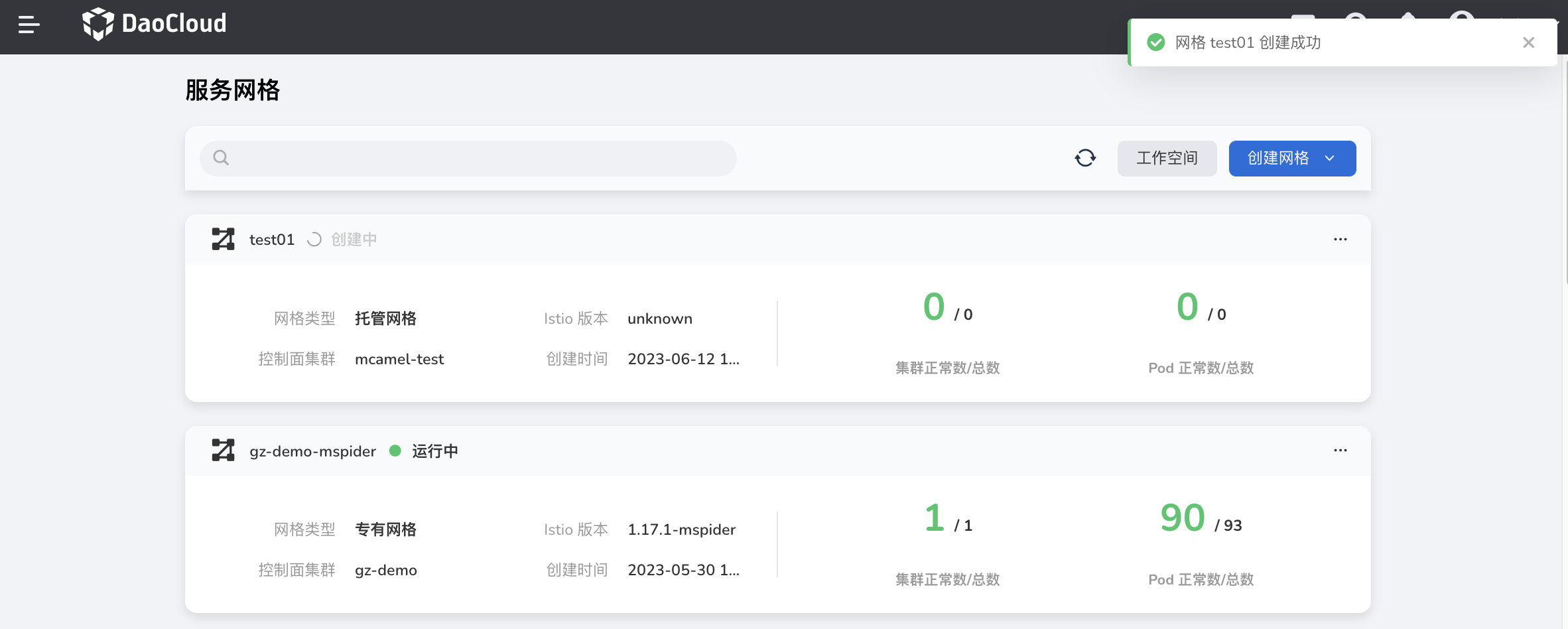
You will automatically return to the Mesh List page, and the newly created mesh will be listed at the top. After some time, the status will change from Creating to Running . Click the ... on the right to perform operations such as editing mesh basic information, adding clusters, and accessing the console.
Info
After the hosted mesh is created, no hosted cluster has been connected, and the mesh is in the state of not ready . Users can add cluster, wait for the cluster joined successfully, and select the cluster that requires service management.