Create an SR-IOV Node Policy
An SR-IOV node policy (SriovNetworkNodePolicy) is the core component of SR-IOV network configuration. It defines how to configure and use SR-IOV VF devices on specific nodes. By creating an SR-IOV node policy, you can specify which network interface cards (NICs) should have SR-IOV enabled and how to configure virtual functions (VFs). This page describes how to create and configure an SR-IOV node policy.
Prerequisites
- Spiderpool has been deployed and SR-IOV installation is enabled.
- The cluster nodes support the SR-IOV hardware feature
- You have cluster administrator permissions
UI Operations
-
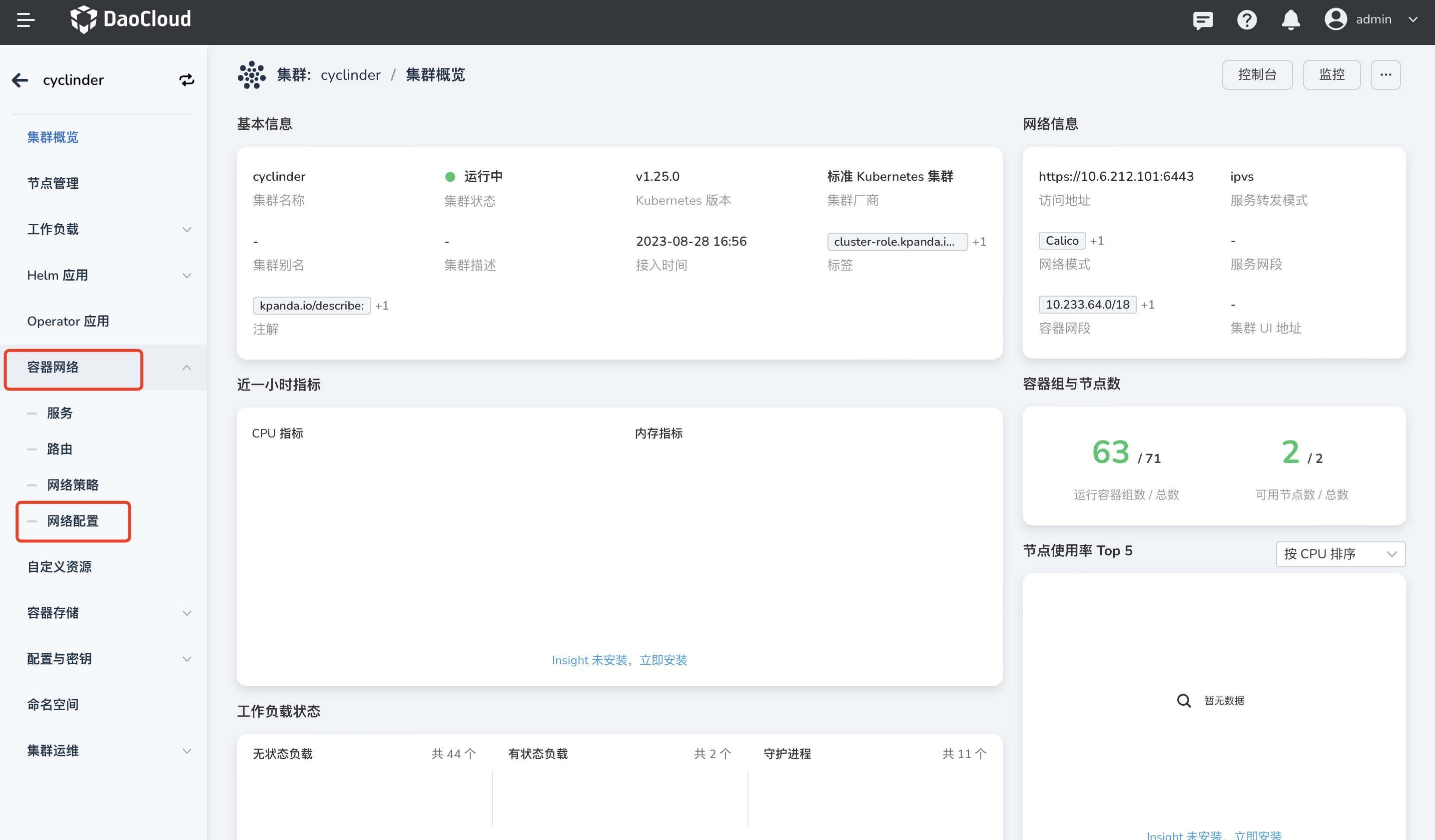
After signing in to the DCE UI, click Container Management -> Cluster List in the left navigation bar and find the corresponding cluster. Then click Container Network -> Network Configuration in the left navigation bar.
-
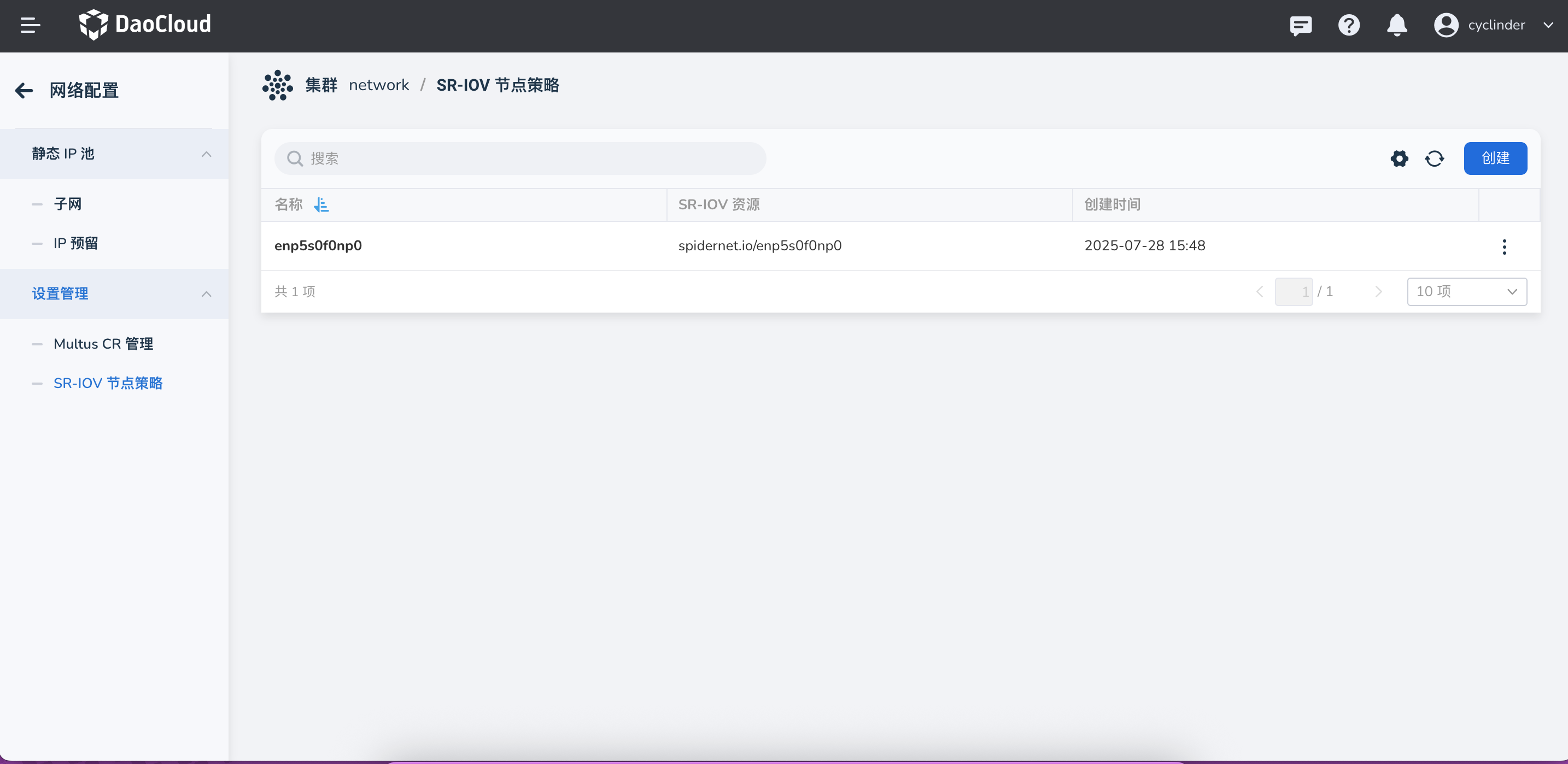
Go to Network Configuration -> SR-IOV Node Policy Management, and click to create an SR-IOV Node Policy.
Note
When creating an SR-IOV node policy, make sure that the target node supports SR-IOV hardware and that the related physical NIC is available.
Basic Configuration Parameters
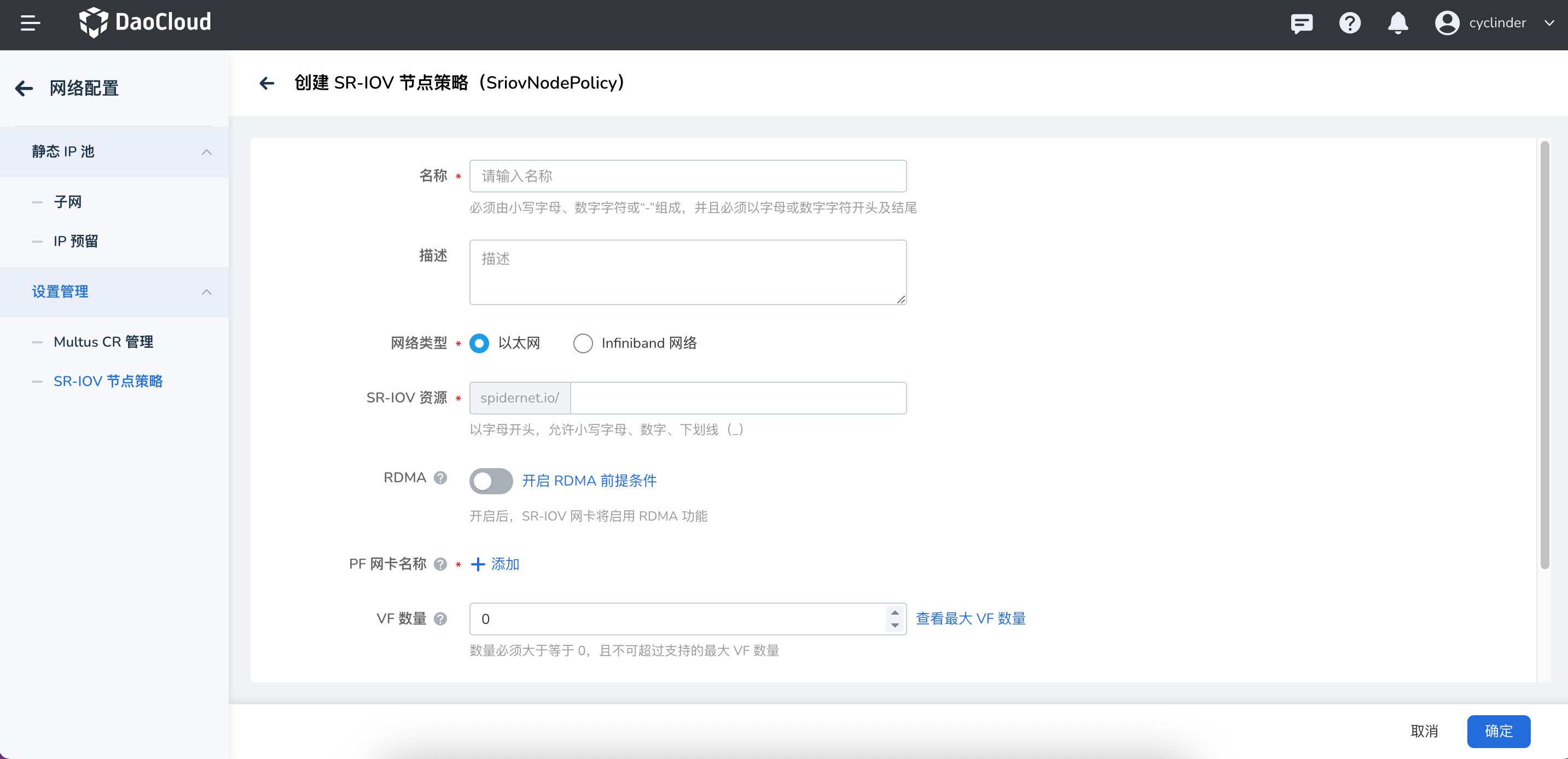
Enter the following basic parameters:
| Parameter | Description | Required |
|---|---|---|
| Name | The name of the SR-IOV node policy, used to identify this policy instance | Yes |
| Description | The description of the policy, for easier management and identification | No |
| Network Type | Specifies the network type to which this policy applies. Currently, Ethernet and InfiniBand Network can be selected in the UI | Yes |
| SR-IOV Resource | Specifies the SR-IOV resource name of this policy, which is referenced when creating a Multus CR | Yes |
| RDMA | Whether to enable RDMA. If enabled, Spiderpool grants the RDMA capability of the SR-IOV NIC to workloads. The NIC must support RDMA | No |
| PF NIC Name | Specifies the PF NIC name to which this policy applies | Yes |
| VF Count | The number of virtual functions (VFs) created by each physical function (PF) | Yes |
| Node Selector | Specifies the nodes to which this policy applies through a LabelSelector | Yes |
Best Practices
-
Node selector configuration
- Use specific node labels to precisely control the scope where the policy applies
- Avoid applying the policy to nodes that do not support SR-IOV
- Consider using node affinity to optimize resource allocation
-
VF count planning
- Set the VF count properly based on actual requirements to avoid resource waste
- Consider the hardware limits of the physical NIC
- Reserve sufficient resources for the system
Troubleshooting
Common Issues
-
The policy does not take effect
- Check whether the node selector correctly matches the target node
- Verify that the NIC selector configuration is accurate
- Confirm that the physical NIC supports SR-IOV
-
VF creation fails
- Check whether the VF count exceeds the hardware limit
- Verify that the NIC driver supports SR-IOV
- Confirm the system kernel version compatibility
-
Resources are unavailable
- Check whether the SR-IOV Network Device Plugin is running properly
- Verify that the resource name is configured correctly
- Confirm the node resource status
View the Policy Status
Use the following commands to view the SR-IOV node policy status:
# View all SR-IOV node policies
kubectl get sriovnetworknodepolicies -n spiderpool

# View the details of a specific policy
kubectl describe sriovnetworknodepolicy <policy-name> -n spiderpool

# View the SR-IOV status of nodes
kubectl get sriovnetworknodestates -n spiderpool
View Available Resources
# View the SR-IOV resources available on nodes
kubectl get nodes -o json | jq '.items[] | {name: .metadata.name, allocatable: .status.allocatable} | select(.allocatable | keys[] | contains("sriov"))'
After creation, you can use the configured SR-IOV resource in Manage Multus CR to create a network attachment definition, thereby providing high-performance network connections for workloads.