Service Governance
Before you start to govern cloud-native microservices, you need to import the services first. Currently, only the services under a mesh in the DCE Service Mesh module can be imported.
Import Service
Supported
-
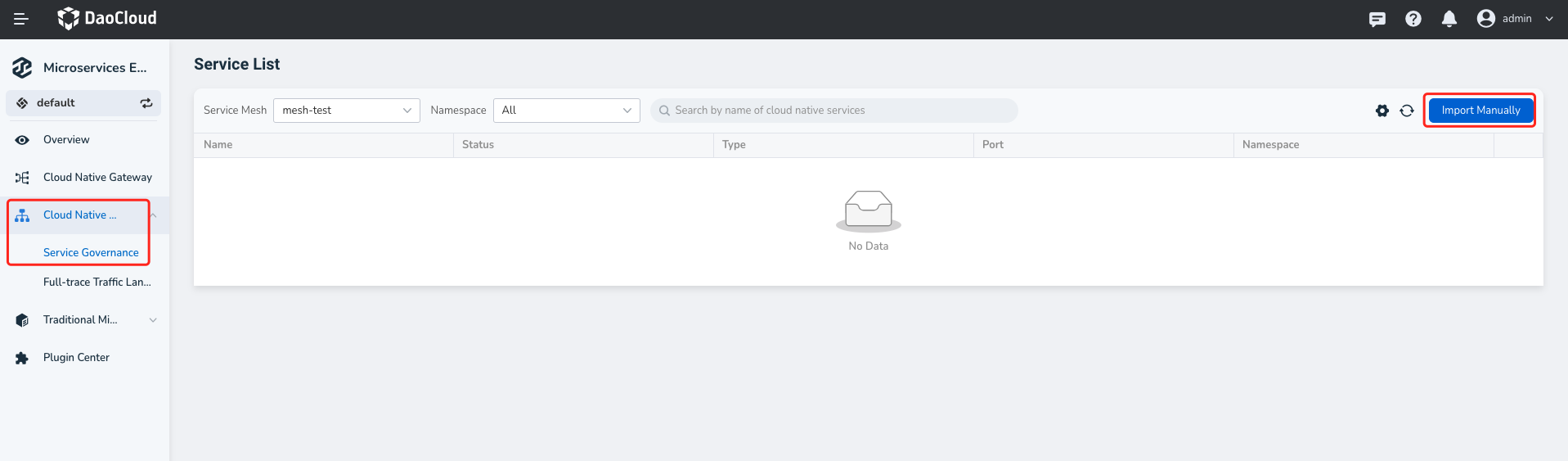
Enter the Microservice Engine module, click Cloud Native Microservices -> Traffic Control on the left, and then click Manual Import in the upper right corner.
-
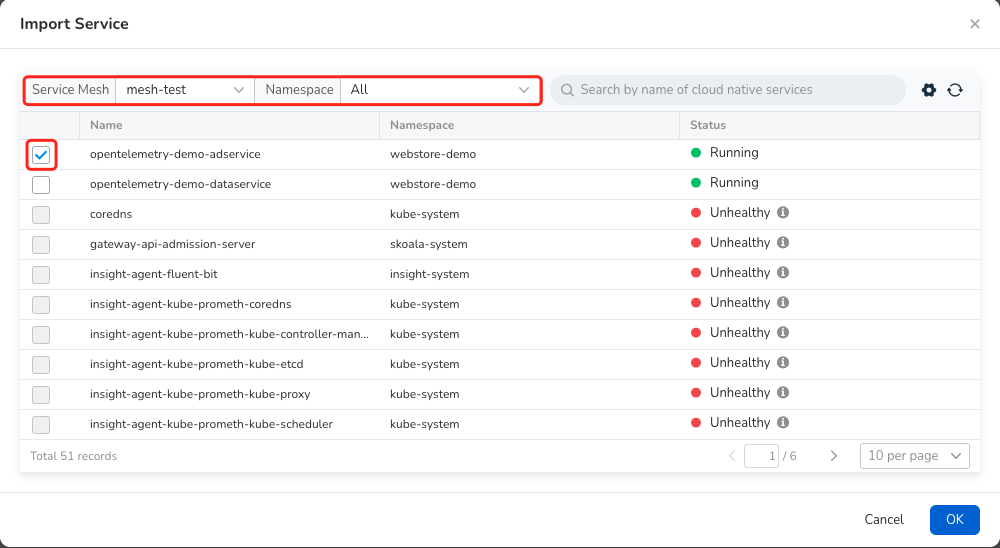
Filter the service mesh and namespace where the target service is located, select the service, and then click OK .
View Service
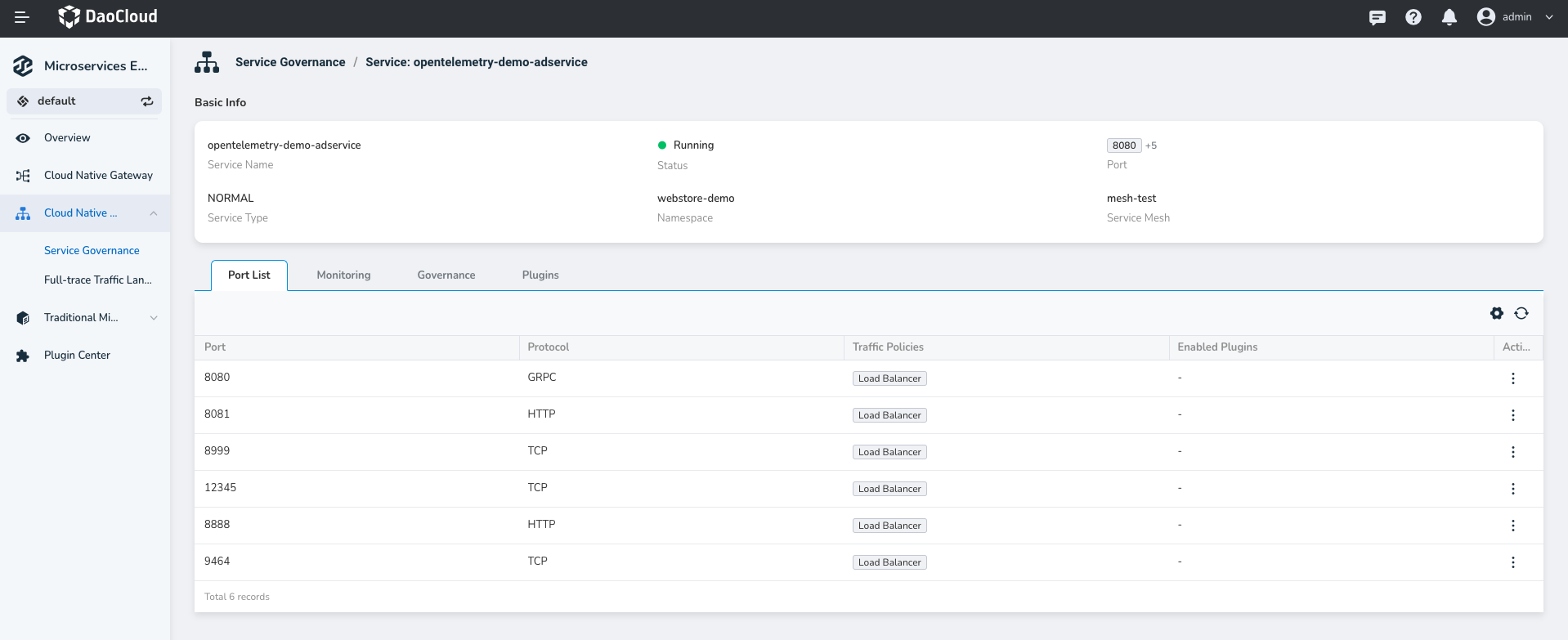
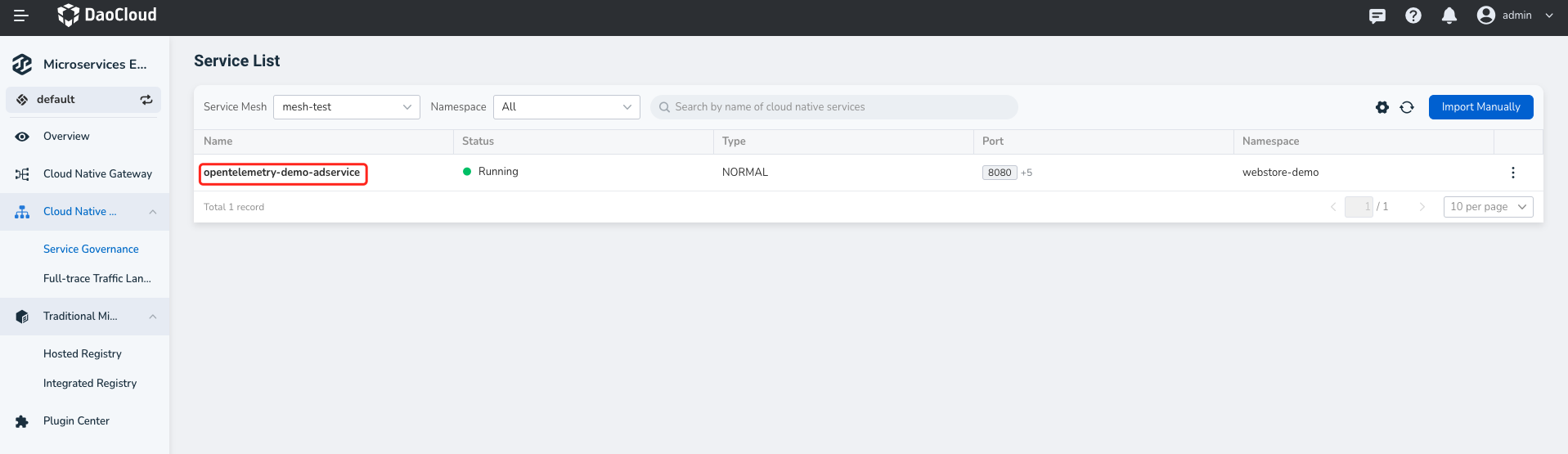
View all the imported cloud-native microservices. Click a service name to further view the exposed ports and protocols of the service.
Remove Service
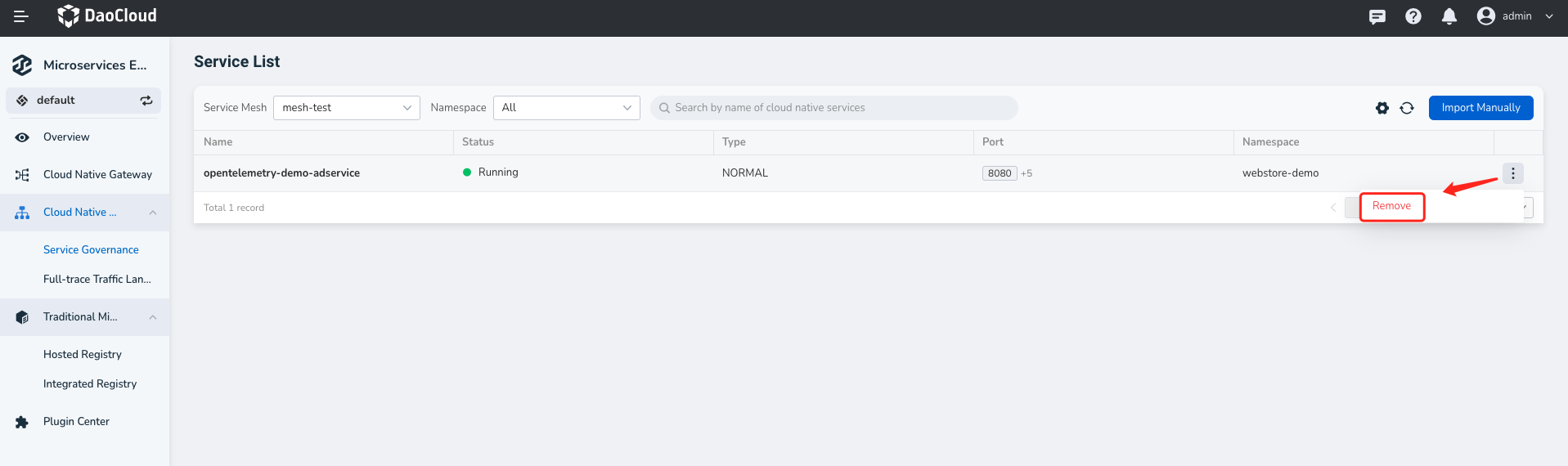
Remove the microservices that are no longer needed in the operation column on the right.
Service governance refers to the east-west traffic governance of the services in the DCE Service Mesh based on Service Mesh.
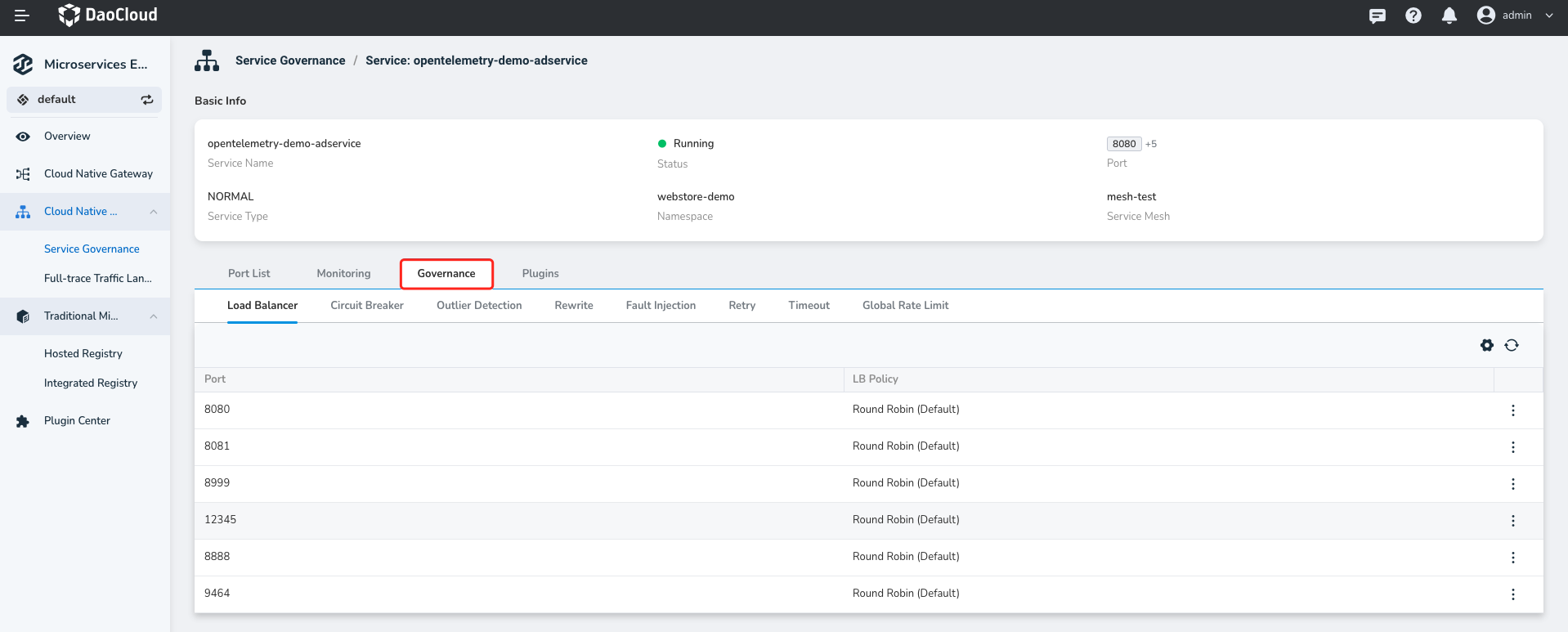
After the mesh services are imported into the cloud-native microservice engine, you can set different east-west traffic policies for different exposed ports of the service.
-
Click a service name.
-
Go to the governance capability page.
-
Create rules on the port as needed, and finally click OK