Fluid
Fluid is an open-source Kubernetes-native distributed dataset orchestration and acceleration engine, mainly serving data-intensive applications in cloud-native scenarios, such as big data applications, AI applications, etc.
Through the data layer abstraction provided by Kubernetes services, data can be flexibly and efficiently moved, copied, evicted, transformed, and managed between storage sources like HDFS, OSS, Ceph and upper-layer cloud-native applications in Kubernetes. Specific data operations are transparent to users, users no longer need to worry about efficiency of accessing remote data, convenience of managing data sources, and how to help Kubernetes make operation and maintenance scheduling decisions. Users only need to directly access abstracted data in the most natural Kubernetes native data volume way, and the remaining tasks and underlying details are all handled by Fluid.
Core Concepts
-
Dataset: Simply put, it's the data collection that applications need to access. Different applications correspond to different dataset types.
-
Runtime Distributed Cache System Runtime: Runtime is a standard framework for Fluid to deploy distributed cache systems. The specific deployed distributed cache system is the specific Runtime.
- AlluxioRuntime
- JuiceFSRuntime
- JinboFSRuntime
- GooseFSRuntime
- EFCRuntime
- ThinRuntime
-
Data Access: Fluid provides a unified Fuse interface to user applications, which is fully POSIX compliant. User applications can access remote datasets just like accessing local data.
Deploy Fluid via Helm Template
DCE supports Fluid and has integrated it into the App Store as an Addon.
-
Enter the
Container Managementmodule and find the cluster where you need to install Fluid in theCluster List. Click the cluster name.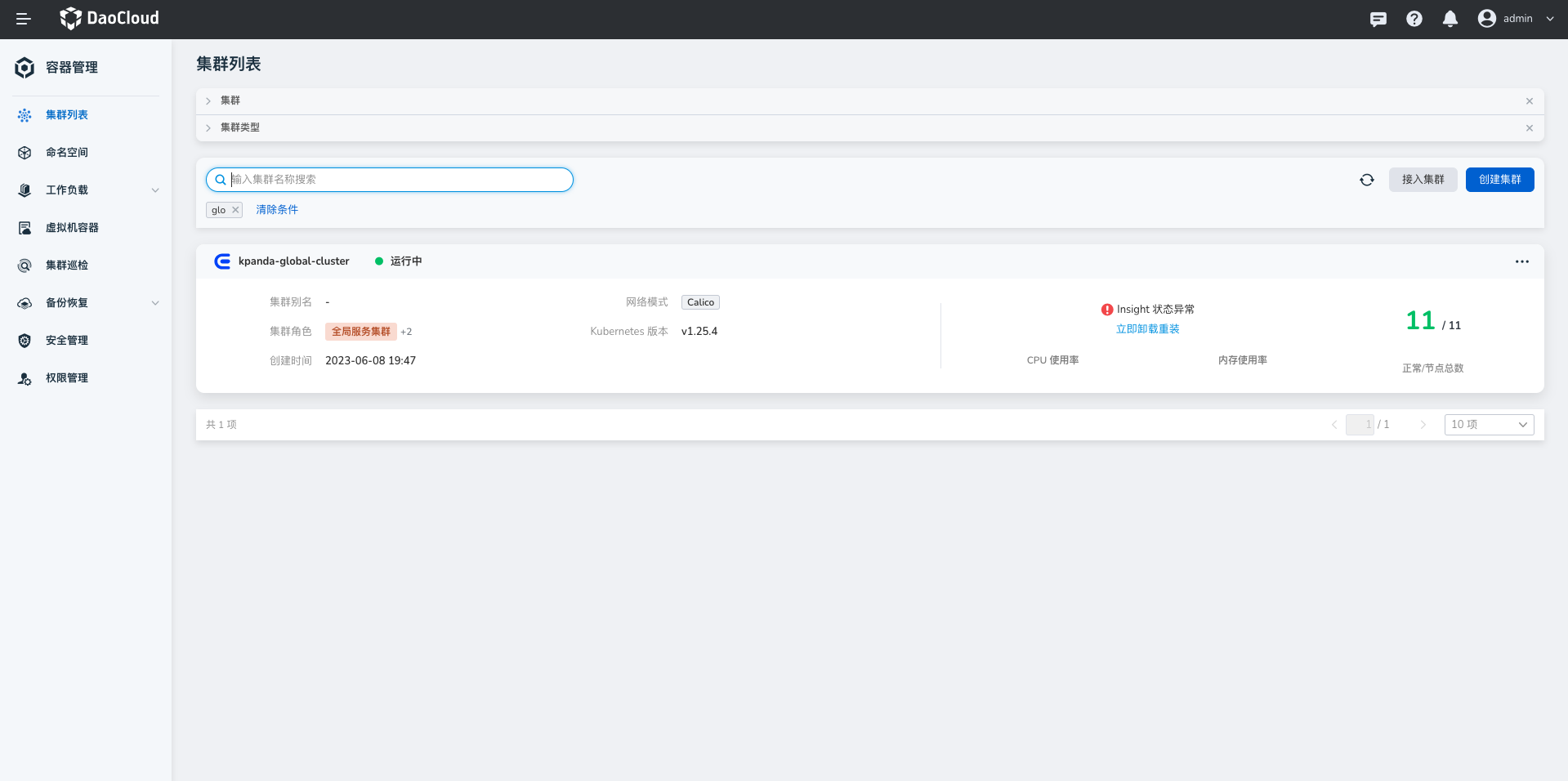
-
In the left navigation bar, select
Helm Apps->Helm Templates, find and clickFluid.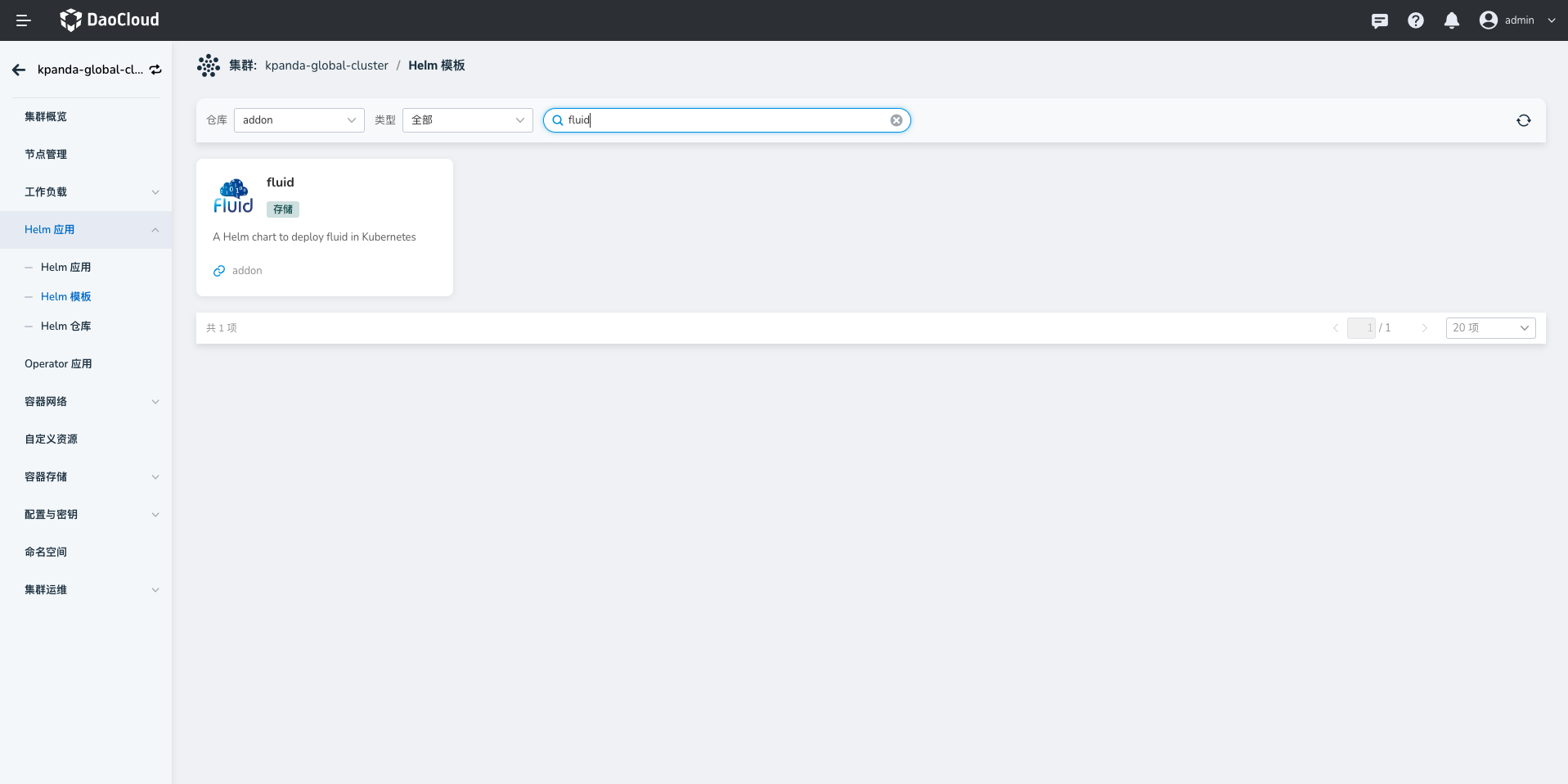
-
On the installation page, fill in the required installation parameters, and finally click the
OKbutton in the lower right corner.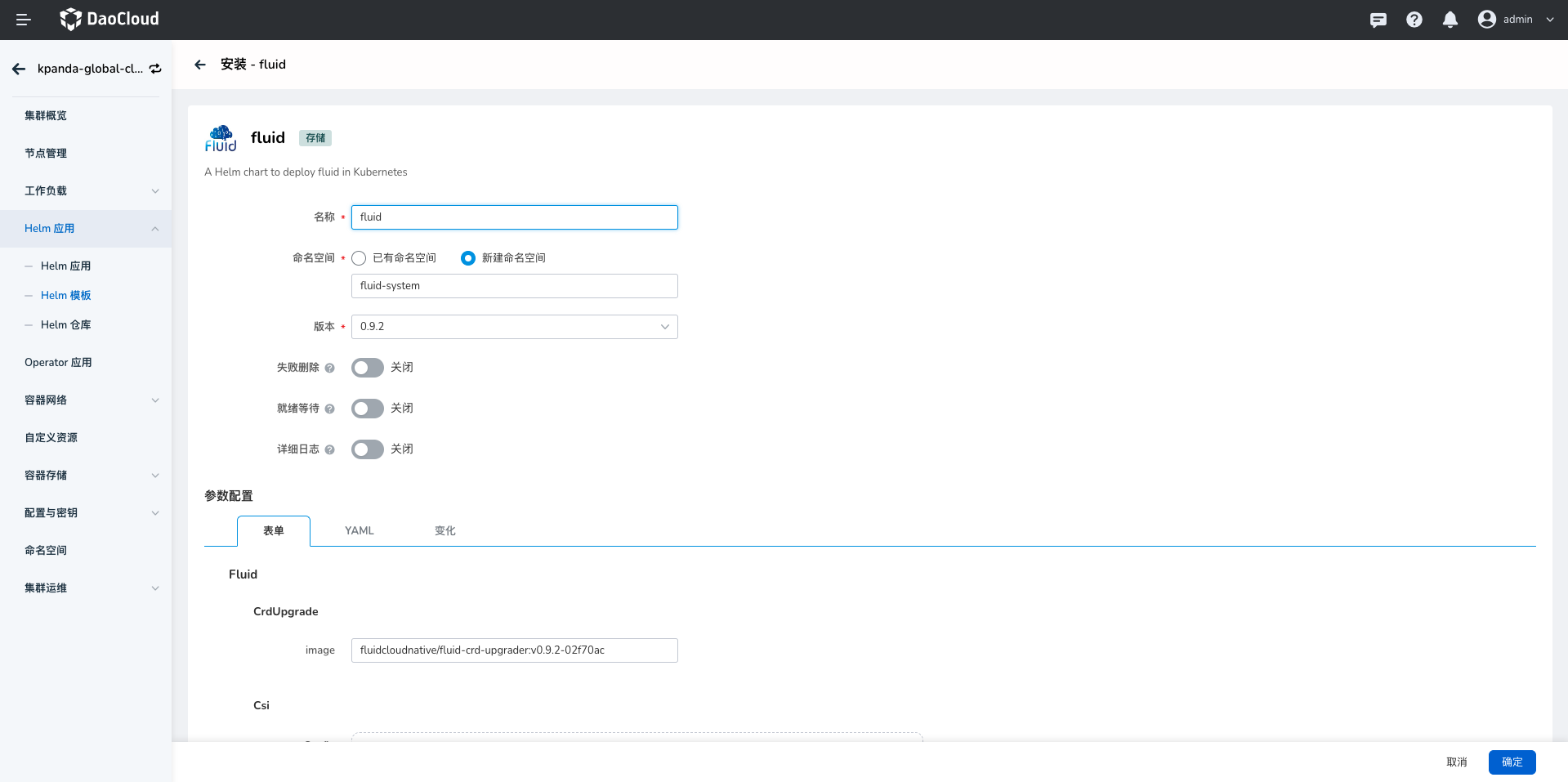
- Name: the name of the component. You can enter
fluid. - Namespace: select
New Namespace, and the name must be set tofluid-system, otherwise the deployment will fail. - Version: currently only
0.9.2is supported. - For other parameters, use the default values.
- Name: the name of the component. You can enter
-
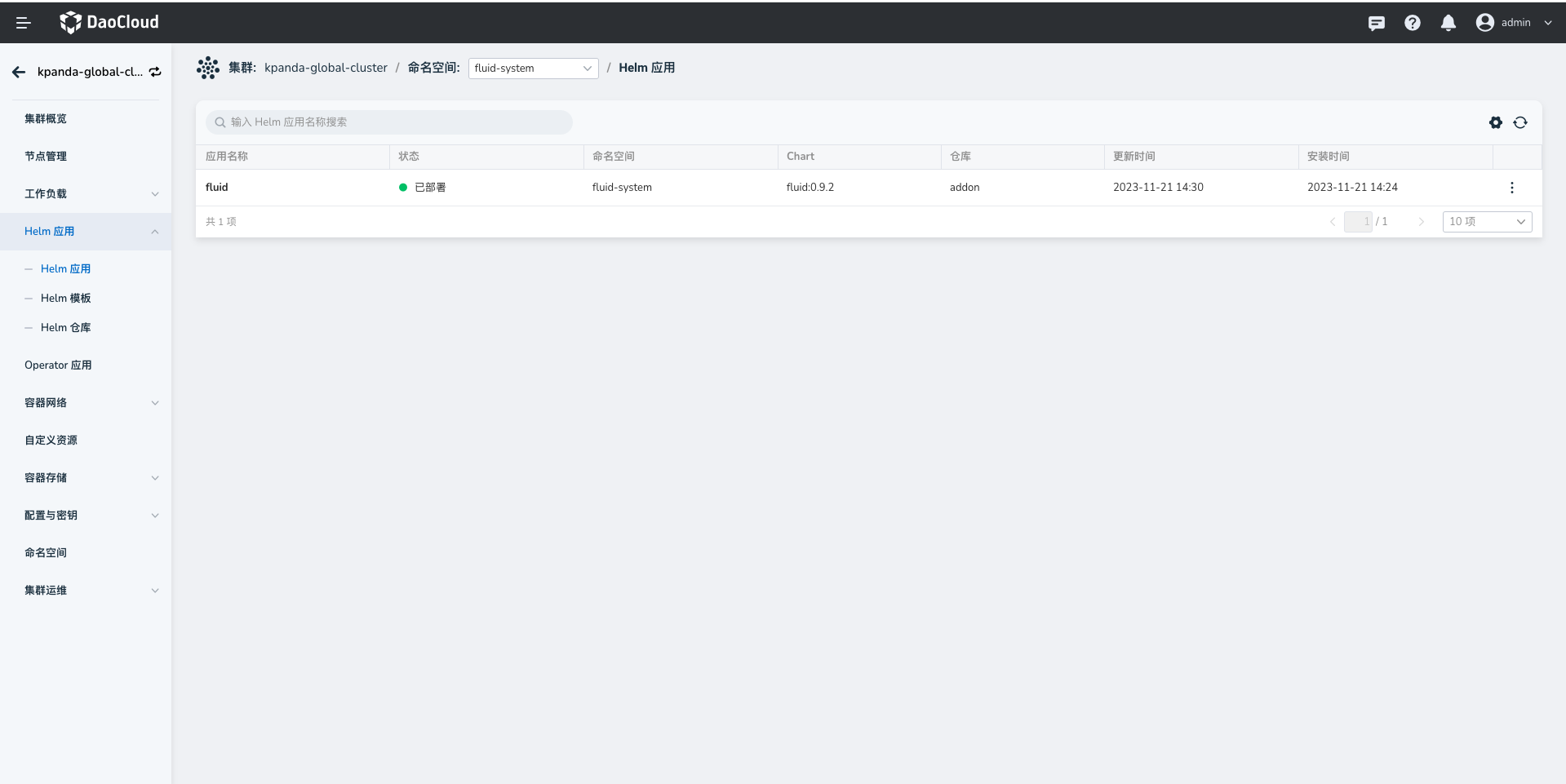
Go to Helm Apps to view the deployment result.
-
You can also go to the
Workloads->Podsmenu on the left side of the current cluster details, select the namespacefluid-system, and view the status of all pods.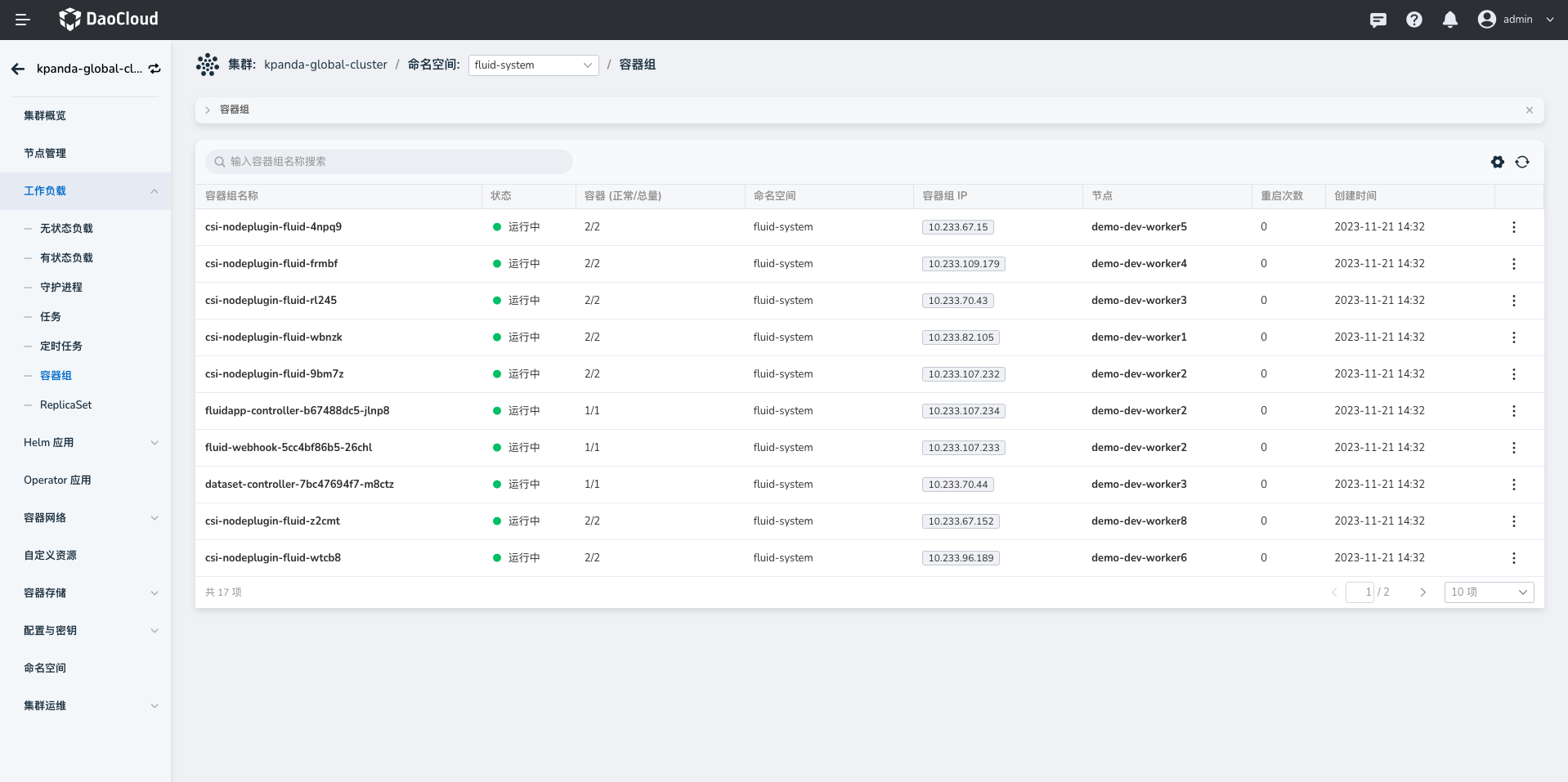
Refer to the demo of how Fluid accelerates data access.