Create a Ceph Block Storage (RBD) StorageClass
Prerequisites
Refer to Deploy Rook-ceph with the App Store to install rook-ceph and rook-ceph-cluster through the app store.
Steps
-
Click the name of the target cluster in the cluster list, and then click Container Storage -> StorageClass (SC) -> Create StorageClass (SC) in the left navigation bar.
-
Fill in the basic information. The parameters are described as follows:
- The StorageClass name, CSI driver, reclaim policy, and disk binding mode cannot be modified after creation.
- CSI storage driver: enter
rook-ceph.rbd.csi.ceph.com. - The custom parameters are defined as follows:
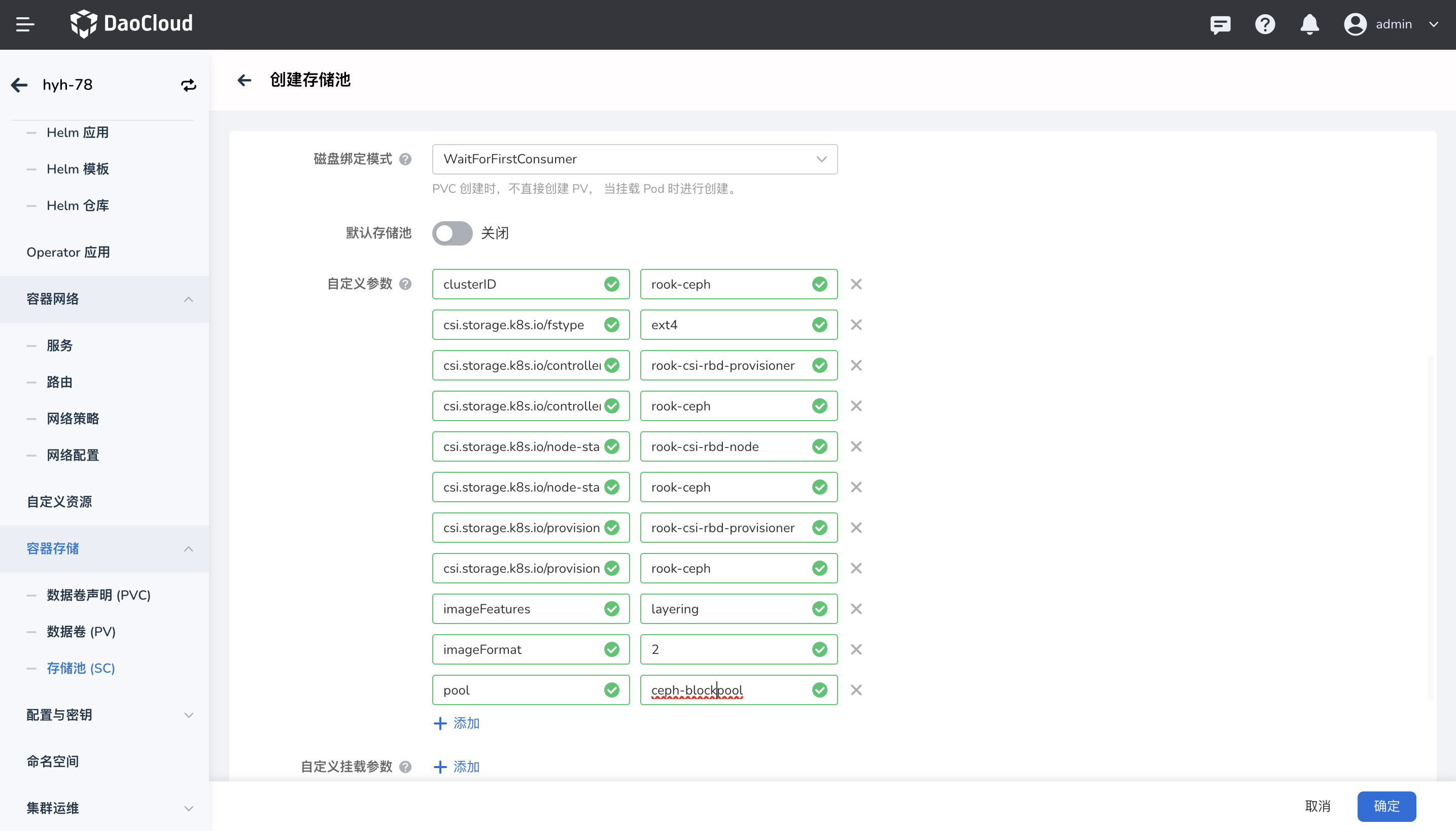
Parameter Value Description clusterID rook-ceph The namespace where the rook-ceph cluster runs. csi.storage.k8s.io/fstype ext4 Specifies the file system type of the volume. If not specified, csi-provisioner defaults to "ext4". The official documentation does not recommend using "xfs". csi.storage.k8s.io/controller-expand-secret-name rook-csi-rbd-provisioner Specifies the name of the Secret used by the CSI controller when performing volume expansion csi.storage.k8s.io/controller-expand-secret-namespace rook-ceph Specifies the namespace where the Secret resides when performing volume expansion csi.storage.k8s.io/node-stage-secret-name rook-csi-rbd-node Specifies the name of the Secret used by the CSI node plugin when mounting volumes on nodes csi.storage.k8s.io/node-stage-secret-namespace rook-ceph Specifies the namespace where the Secret resides when mounting volumes on nodes csi.storage.k8s.io/provisioner-secret-name rook-csi-rbd-provisioner Specifies the name of the Kubernetes Secret used by the CSI provisioner when creating a volume csi.storage.k8s.io/provisioner-secret-namespace rook-ceph Specifies the namespace where the above Secret resides imageFeatures layering Specifies the features supported by the created block device. layering is one of the features, which allows the block device to support snapshots. It applies when imageFormat is "2". imageFormat 2 The image format of Ceph block storage. The default and recommended value is 2, which supports many advanced features such as snapshots, cloning, and dynamic resizing. pool ceph-blockpool Defines the name of the Ceph cluster storage pool, which will be used to store data. 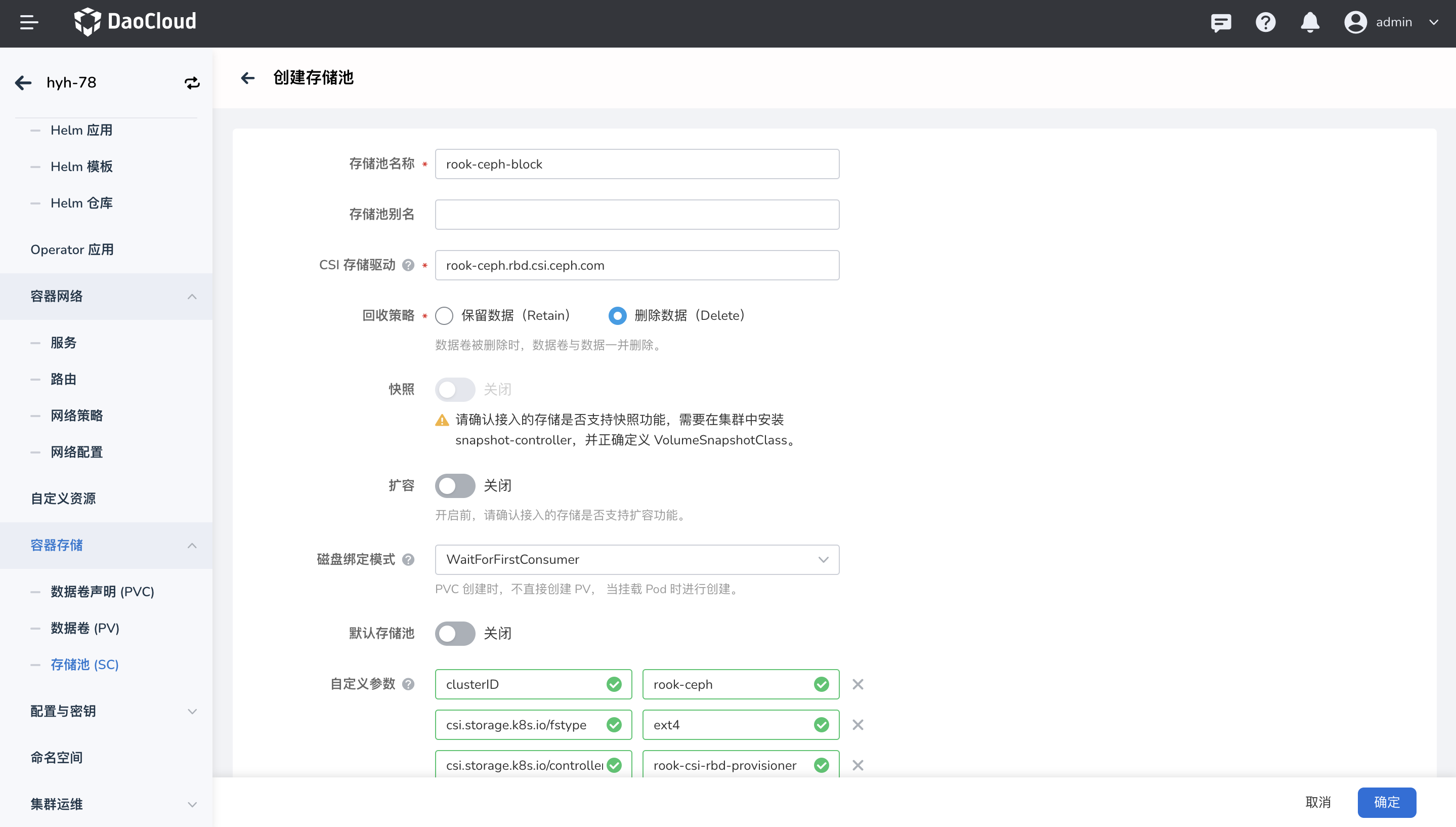
-
After filling in the information, click OK to create the StorageClass successfully.