Modify system configuration
Observability will persist the data of metrics, logs, and traces by default. Users can modify the system configuration according to This page. This document only applies to the built-in Elasticsearch deployment; if you use an external Elasticsearch, you can adjust it by yourself.
How to modify the metric data retention period
Refer to the following steps to modify the metric data retention period.
-
Run the following command:
-
In the Yaml file, the default value of retentionPeriod is 14 , and the unit is day . You can modify the parameters according to your needs.
apiVersion: operator.victoriametrics.com/v1beta1 kind: VMCluster metadata: annotations: meta.helm.sh/release-name: insight meta.helm.sh/release-namespace: insight-system creationTimestamp: "2022-08-25T04:31:02Z" finalizers: - apps.victoriametrics.com/finalizer generation: 2 labels: app.kubernetes.io/instance: insight app.kubernetes.io/managed-by: Helm app.kubernetes.io/name: victoria-metrics-k8s-stack app.kubernetes.io/version: 1.77.2 helm.sh/chart: victoria-metrics-k8s-stack-0.9.3 name: insight-victoria-metrics-k8s-stack namespace: insight-system resourceVersion: "123007381" uid: 55cee8d6-c651-404b-b2c9-50603b405b54 spec: replicationFactor: 1 retentionPeriod: "14" vminsert: extraArgs: maxLabelsPerTimeseries: "45" image: repository: docker.m.daocloud.io/victoriametrics/vminsert tag: v1.80.0-cluster replicaCount: 1 -
After saving the modification, the pod of the component responsible for storing the metrics will automatically restart, just wait for a while.
How to modify the log data storage duration
Please modify the following Elasticsearch ILM policy configuration file, and adjust the min_age parameter of the delete phase to set the data retention period. The default retention period is 3d. Fill in the Elasticsearch username and password after -u, and change http://localhost:9200 to the address of elastic. Since the data lifecycle passes through the hot > warm > cold > delete phases in sequence, but each phase is calculated from the index creation date rather than the end time of the previous phase, the final retention period = delete.min_age. Please adjust the min_age settings of each phase according to your actual needs. Please note the protocol used by Elasticsearch (for example, HTTPS), and modify the access address according to the actual situation. For example, the Elasticsearch cluster of a default Insight deployment has only the hot and delete phases, and if you want to retain data for 1 day, you can set hot.min_age to 1d and delete.min_age to 0.
Refer to the following steps to modify the log data retention period:
Method 1: Modify the Json file
-
Modify the min_age parameter in the delete field in the following file, and set the retention period. The default storage period is 7d . Note that you need to modify the Elastic username and password, IP address, and index in the first line.
curl --insecure --location -u"elastic:amyVt4o826e322TUVi13Ezw6" -X PUT "https://localhost:9200/_ilm/policy/insight-es-k8s-logs-policy?pretty" -H 'Content-Type: application/json' -d' { "policy": { "phases": { "hot": { "min_age": "0ms", "actions": { "set_priority": { "priority": 100 }, "rollover": { "max_age": "7d", "max_size": "10gb" } } }, "warm": { "min_age": "10d", "actions": { "forcemerge": { "max_num_segments": 1 } } }, "delete": { "min_age": "3d", "actions": { "delete": {} } } } } }' -
After modification, run the above command. It will print out the content as shown below, then the modification is successful.
Method 2: Modify from the UI
-
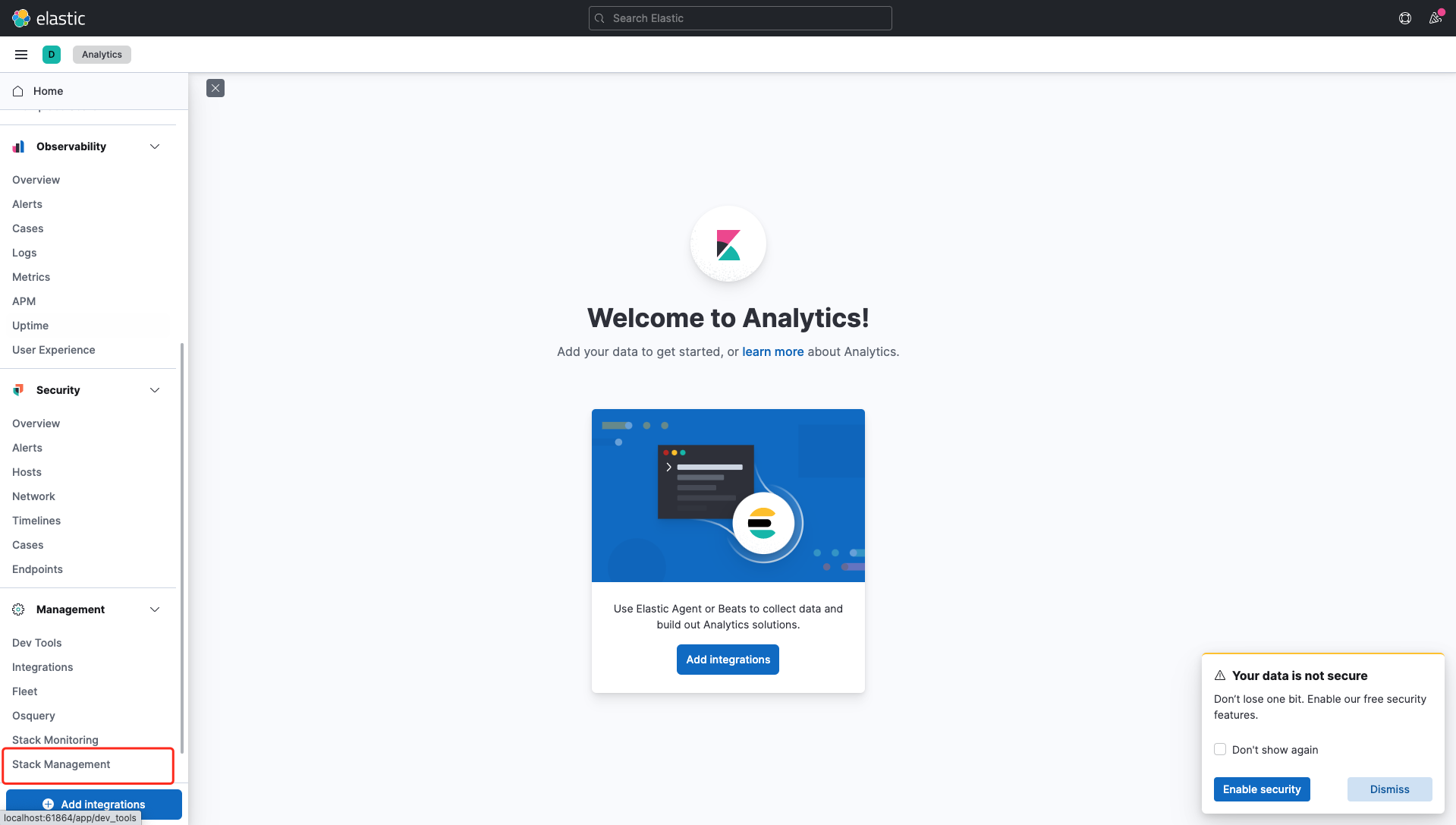
Log in kibana , select Stack Management in the left navigation bar.
-
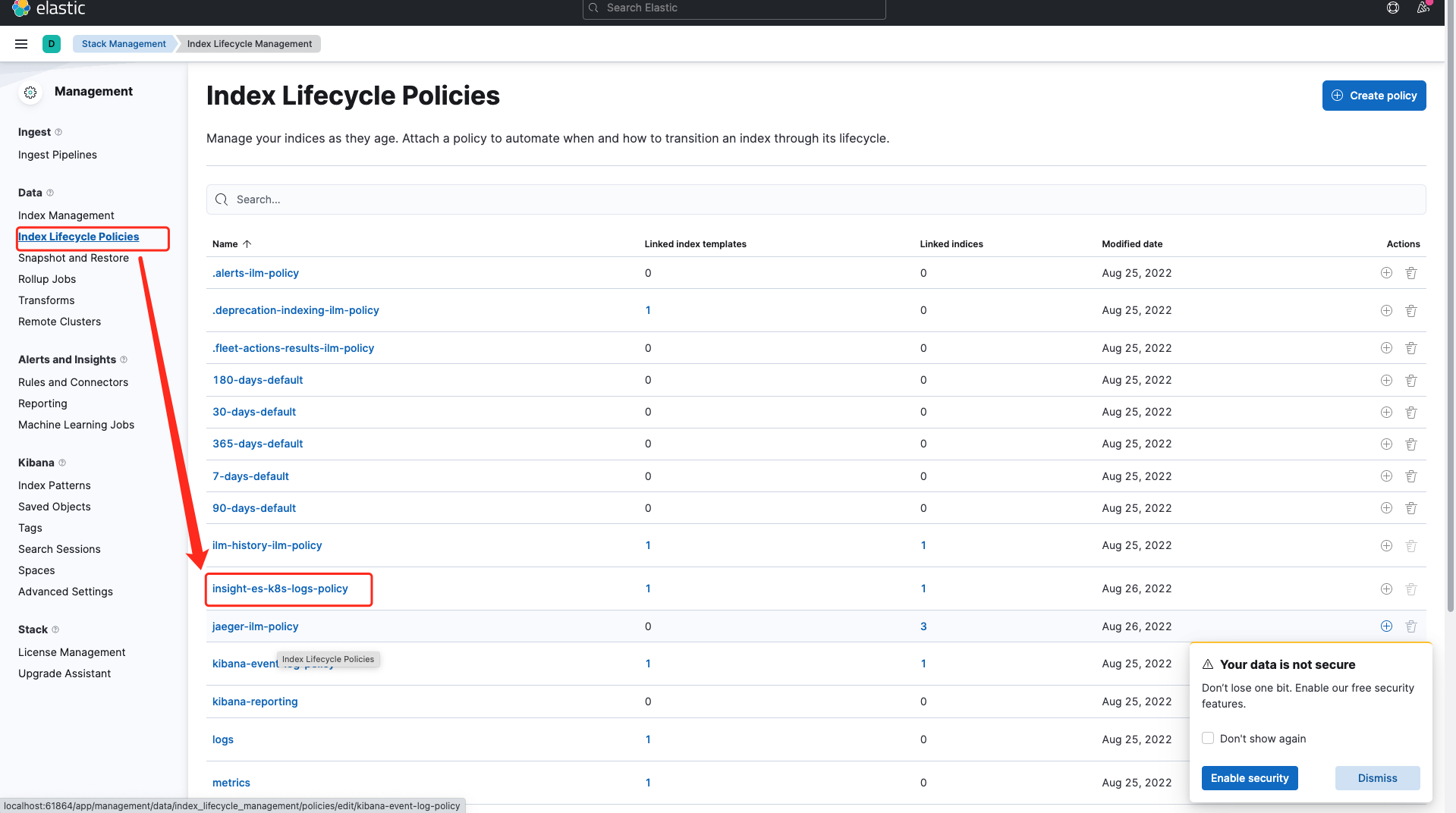
Select the left navigation Index Lifecycle Polices , and find the index insight-es-k8s-logs-policy , click to enter the details.
-
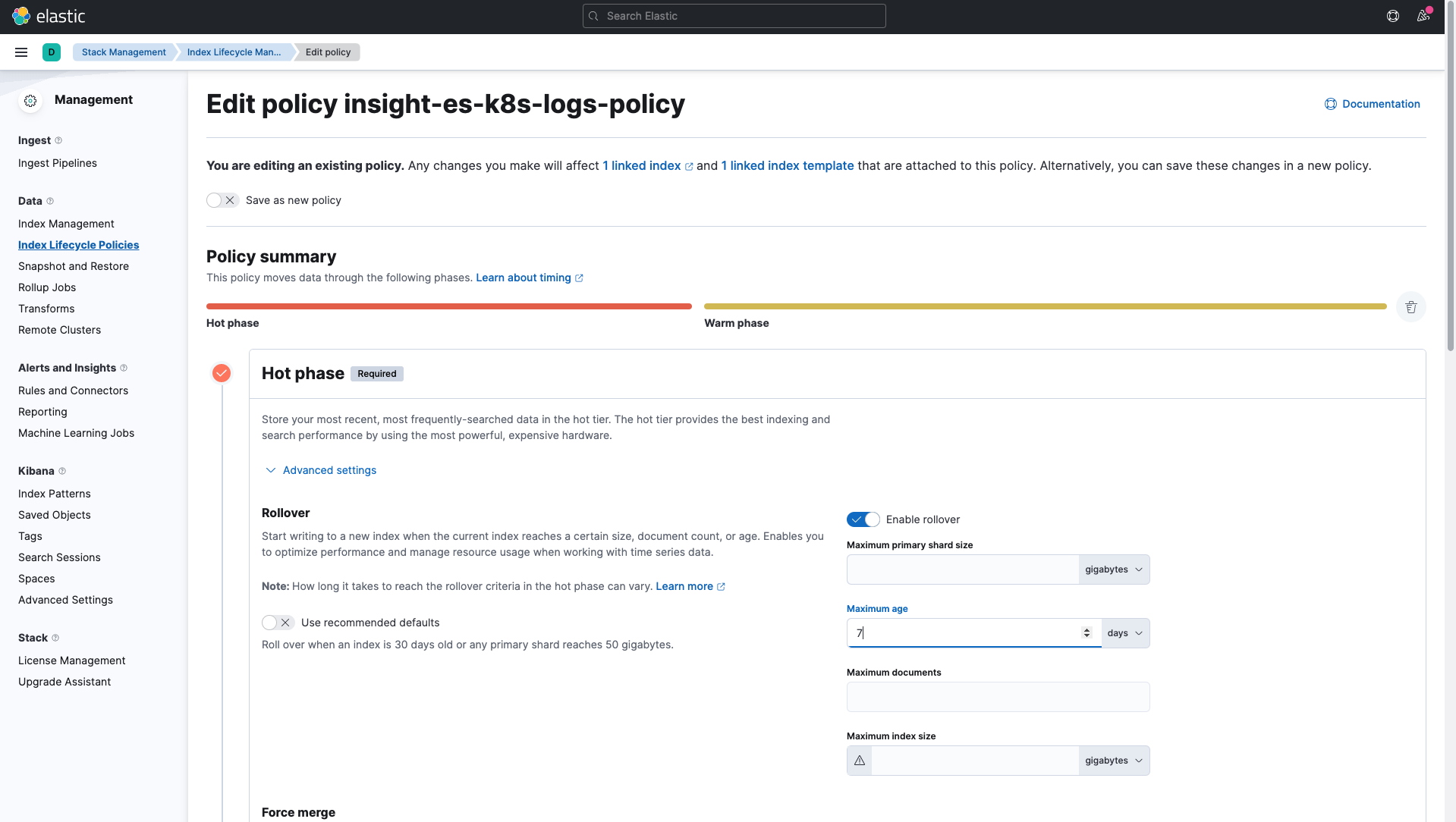
Expand the Hot phase configuration panel, modify the Maximum age parameter, and set the retention period. The default storage period is 7d .
-
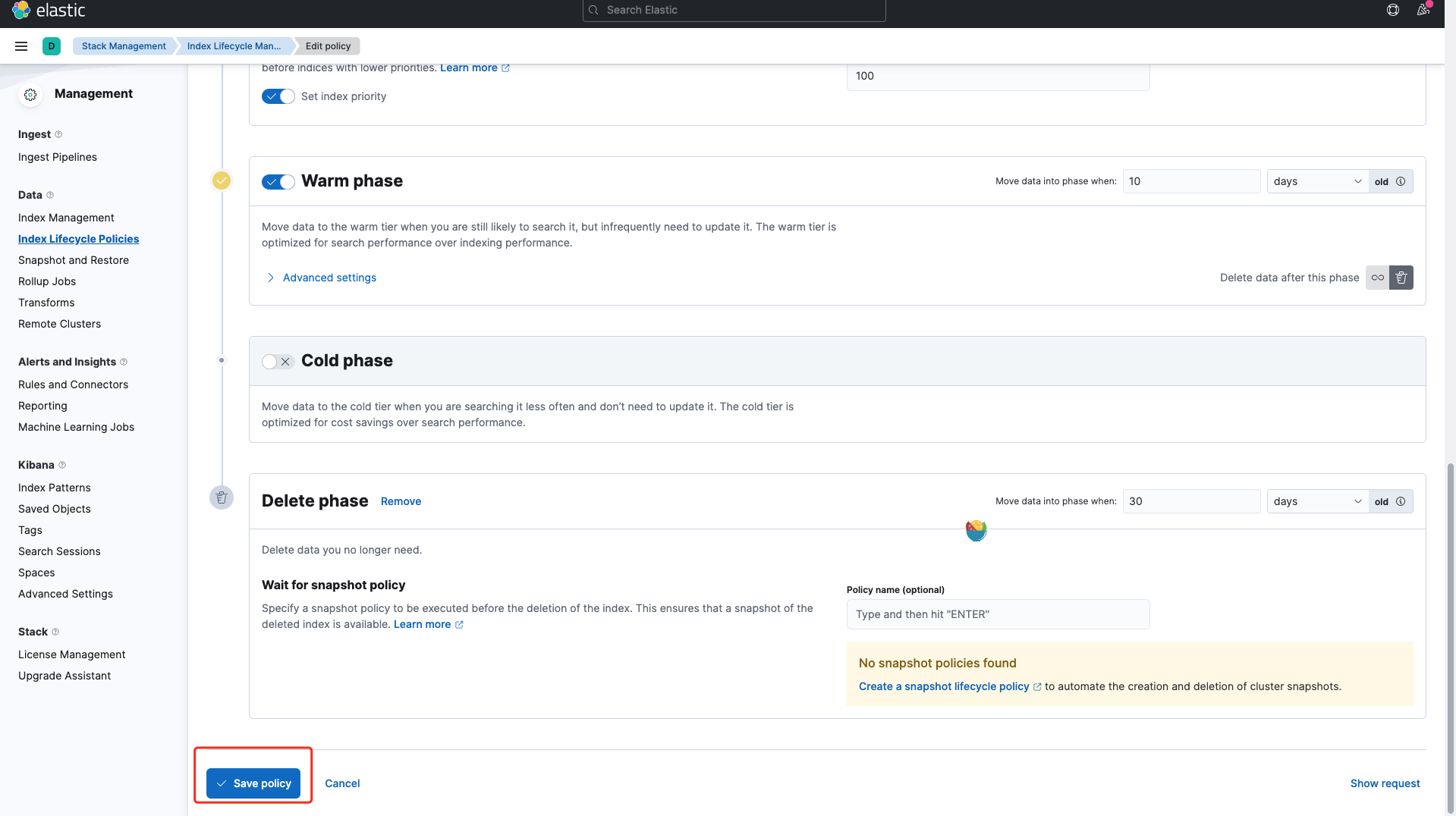
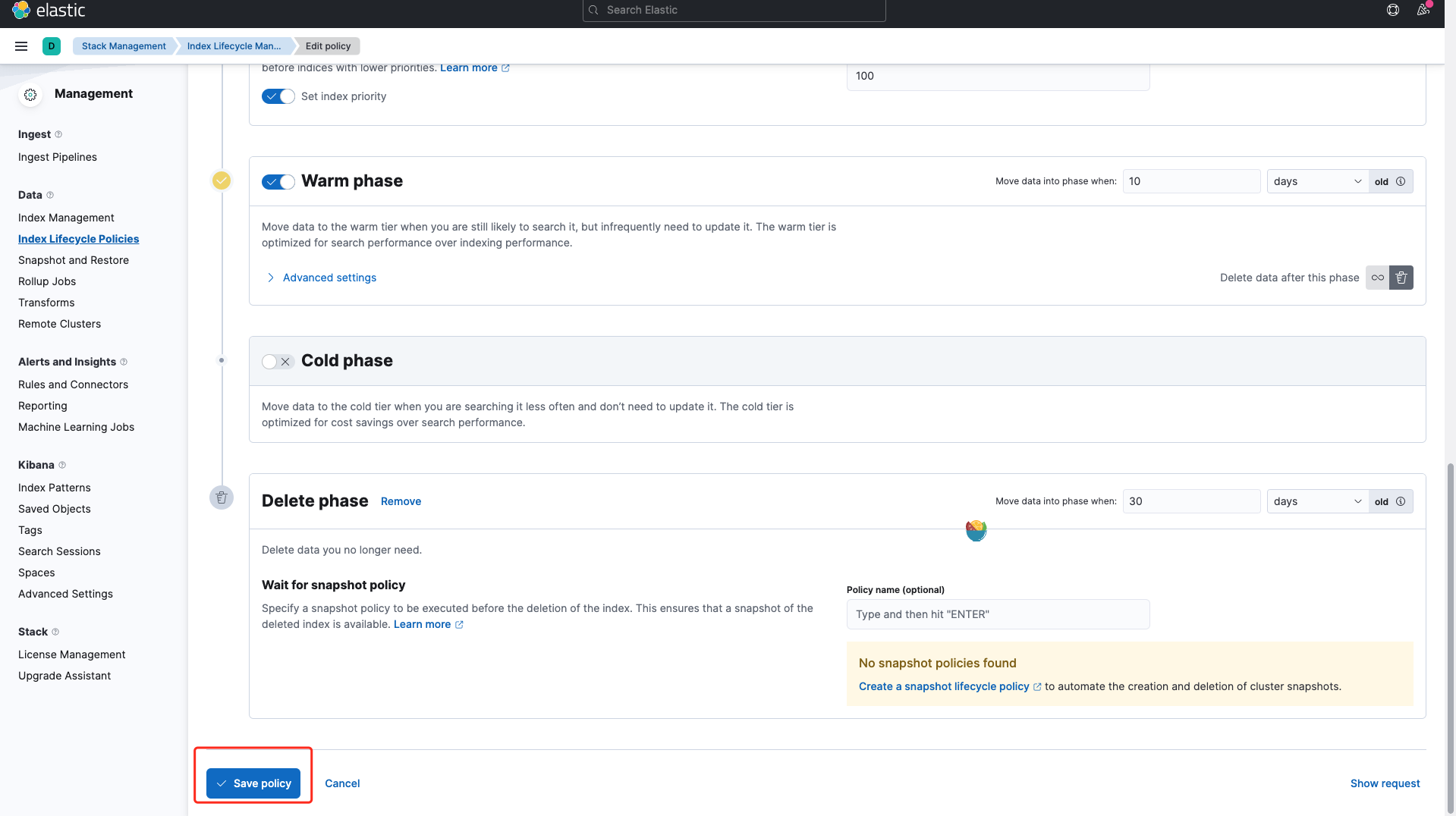
After modification, click Save policy at the bottom of the page to complete the modification.
How to modify the trace data storage duration
Same as modifying the log data storage duration above, please modify the following Elasticsearch ILM policy configuration file, and adjust the min_age parameter of the delete phase to set the data retention period. The default retention period is 3d. Fill in the Elasticsearch username and password after -u, and change http://localhost:9200 to the address of elastic. Since the data lifecycle passes through the hot > warm > cold > delete phases in sequence, but each phase is calculated from the index creation date rather than the end time of the previous phase, the final retention period = delete.min_age. Please adjust the min_age settings of each phase according to your actual needs. Please note the protocol used by Elasticsearch (for example, HTTPS), and modify the access address according to the actual situation. For example, the Elasticsearch cluster of a default Insight deployment has only the hot and delete phases, and if you want to retain data for 1 day, you can set hot.min_age to 1d and delete.min_age to 0.
Refer to the following steps to modify the trace data retention period:
Method 1: Modify the Json file
-
Modify the min_age parameter in the delete field in the following file, and set the retention period. The default storage period is 7d . Note that you need to modify the Elastic username and password, IP address, and index in the first line.
curl --insecure --location -u"elastic:amyVt4o826e322TUVi13Ezw6" -X PUT "https://localhost:9200/_ilm/policy/jaeger-ilm-policy?pretty" -H 'Content-Type: application/json' -d' { "policy": { "phases": { "hot": { "min_age": "0ms", "actions": { "set_priority": { "priority": 100 }, "rollover": { "max_age": "7d", "max_size": "10gb" } } }, "warm": { "min_age": "10d", "actions": { "forcemerge": { "max_num_segments": 1 } } }, "delete": { "min_age": "3d", "actions": { "delete": {} } } } } }' -
After modification, run the above command on the console. It will print out the content as shown below, then the modification is successful.
Method 2: Modify from the UI
-
Log in kibana , select Stack Management in the left navigation bar.
-
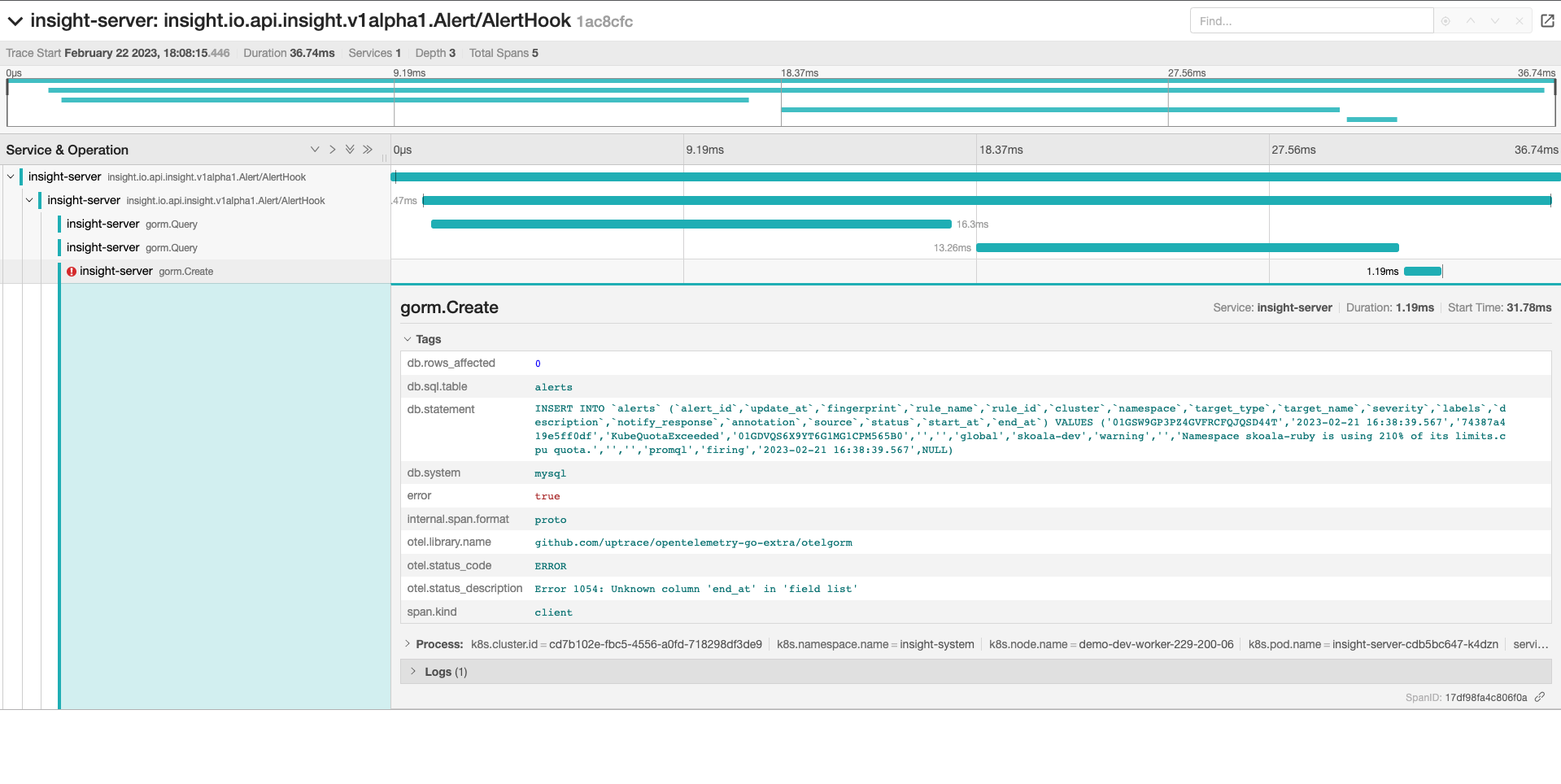
Select the left navigation Index Lifecycle Polices , and find the index jaeger-ilm-policy , click to enter the details.
-
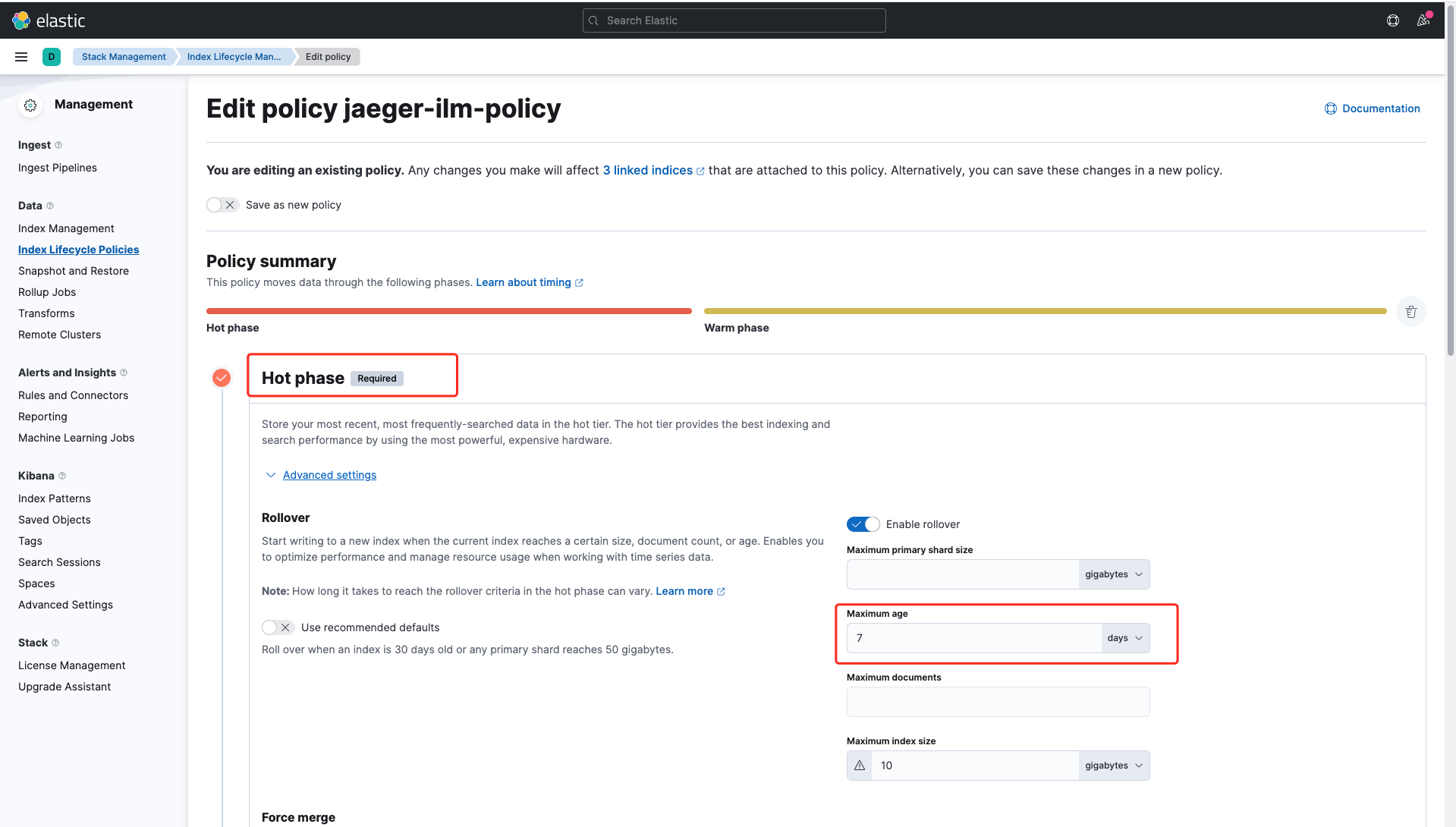
Expand the Hot phase configuration panel, modify the Maximum age parameter, and set the retention period. The default storage period is 7d .
-
After modification, click Save policy at the bottom of the page to complete the modification.