ConfigMap/Secret Hot Reloading
ConfigMap/Secret hot reloading means that when a ConfigMap/Secret is mounted as a data volume in a container, the container automatically reads the updated configuration of the ConfigMap/Secret when the configuration changes, without restarting the Pod.
Procedure
-
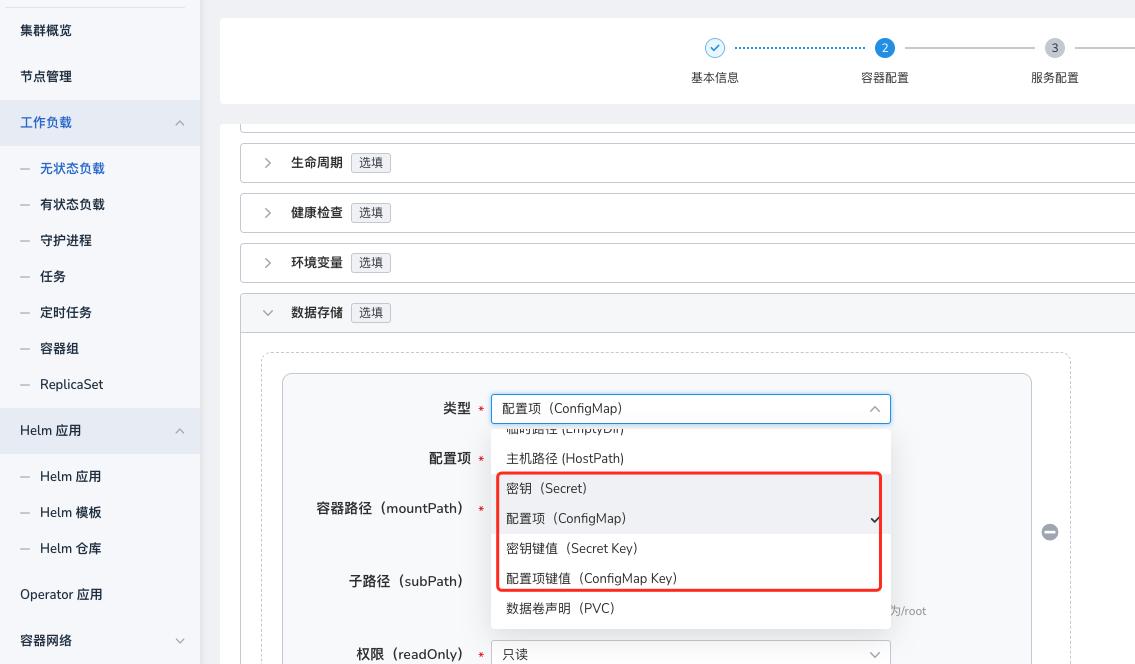
Refer to Creating a Workload - Container Settings to configure container data storage, and select ConfigMap , ConfigMap Key , Secret , or Secret Key to mount as a data volume in the container.
Note
Configuration files mounted using the subpath method do not support hot reloading.
-
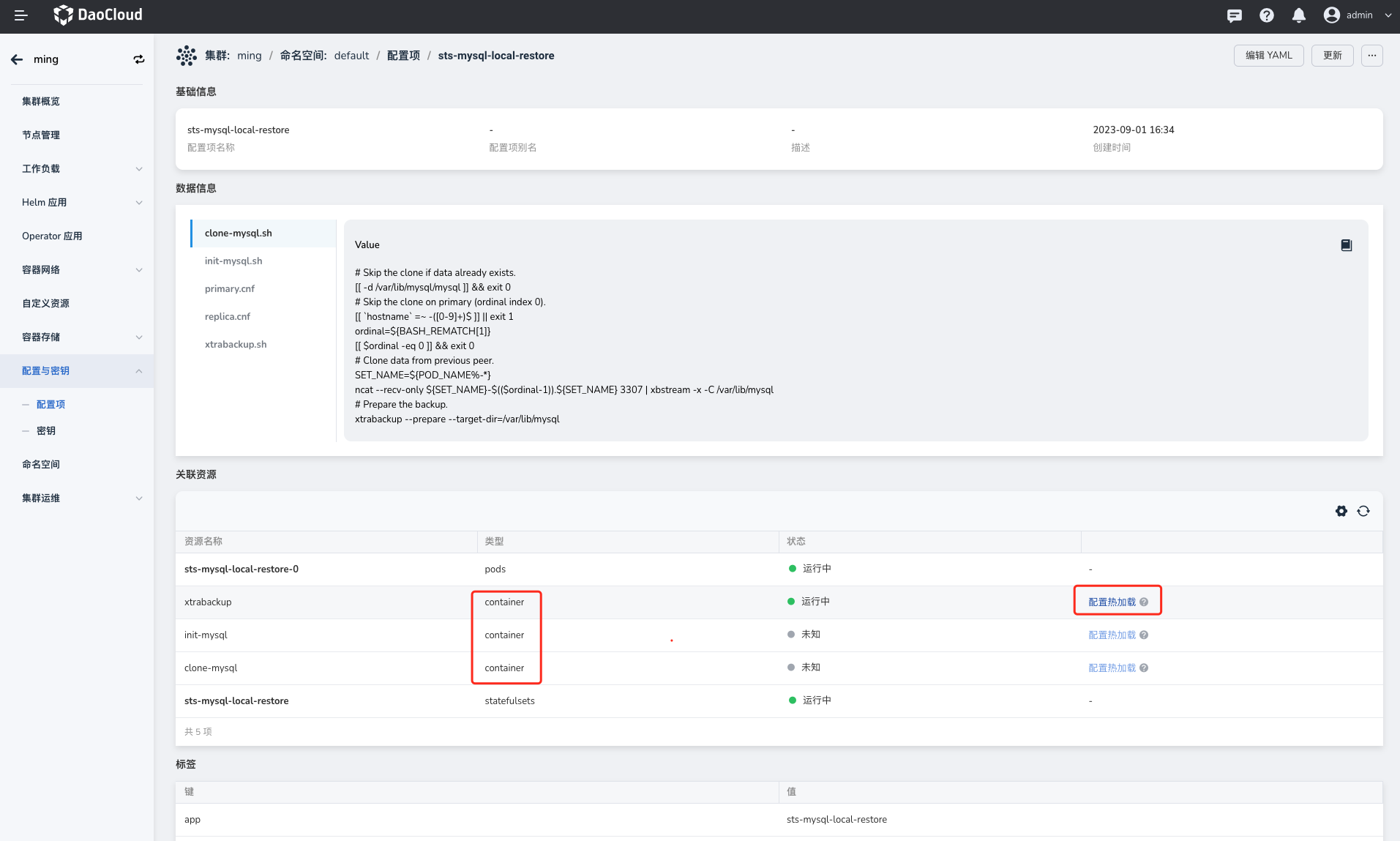
Go to the ConfigMaps and Secrets page, enter the ConfigMap details page, find the corresponding container resource in Associated Resources , and click the Load Now button to enter the configuration hot reloading page.
Note
If your application supports automatically reading the updated configuration of the ConfigMap/Secret, you do not need to manually perform the hot reloading operation.
-
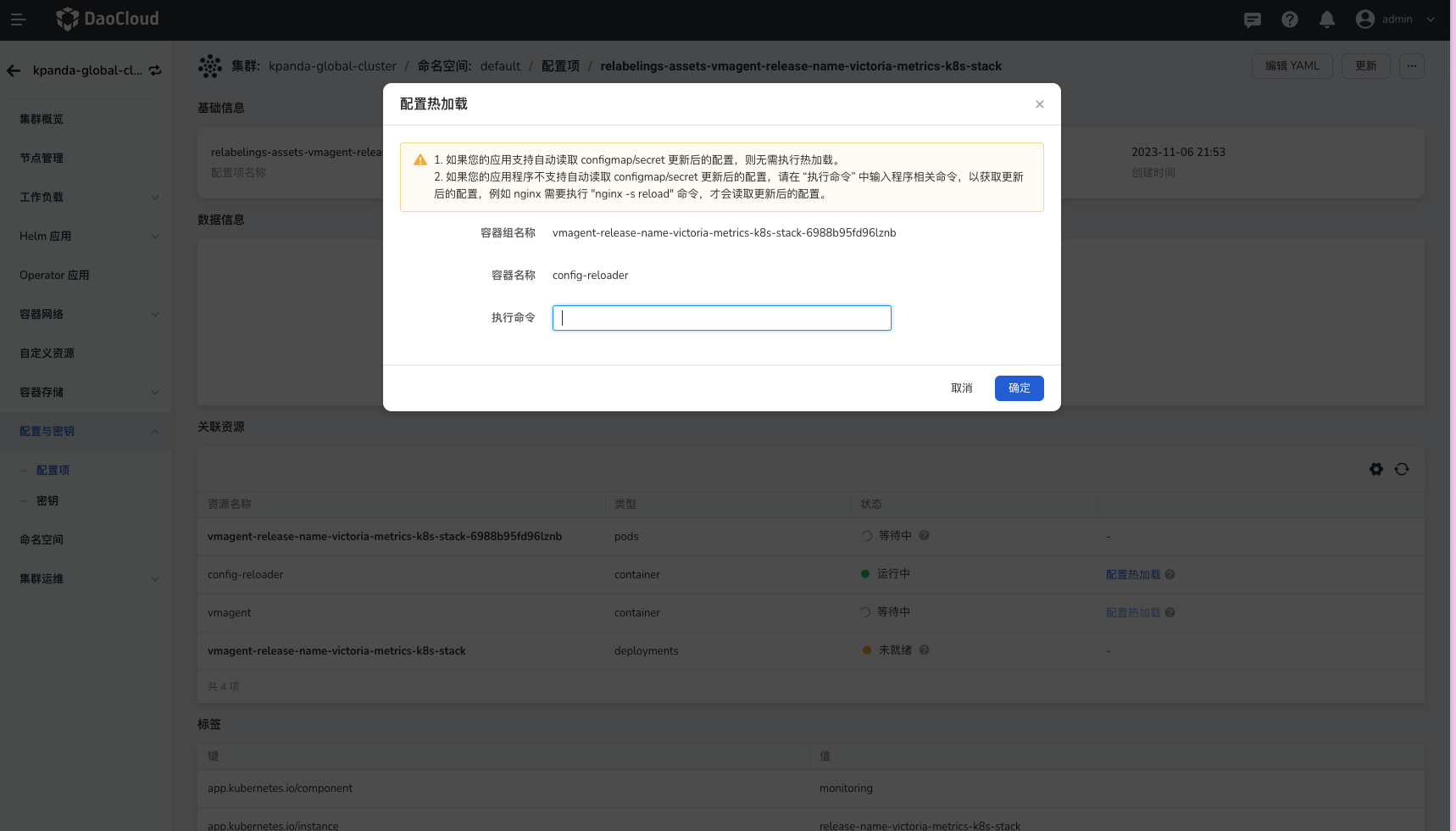
In the hot reloading configuration dialog box, enter the Execution Command to be run inside the container and click the OK button to reload the configuration. For example, in an nginx container, run the nginx -s reload command as the root user to reload the configuration.
-
Check the application reload status in the web terminal that pops up in the interface.
