Create a Work Cluster - Admin
Model inference services need to run on a GPU-enabled work cluster. This tutorial creates a work cluster in Container Management and attaches GPU nodes, laying the foundation for deploying model services.
Prerequisites
- Several nodes are ready, with the same OS and CPU architecture. It is recommended to use an OS supported by the installer.
- IPv4 forwarding is enabled on the nodes, and disabling the firewall is recommended.
- Sign in to the console with a user that has the Container Management module admin permission.
- GPU nodes have the corresponding graphics drivers installed. Make sure the GPU devices can be recognized during the node check.
Steps
-
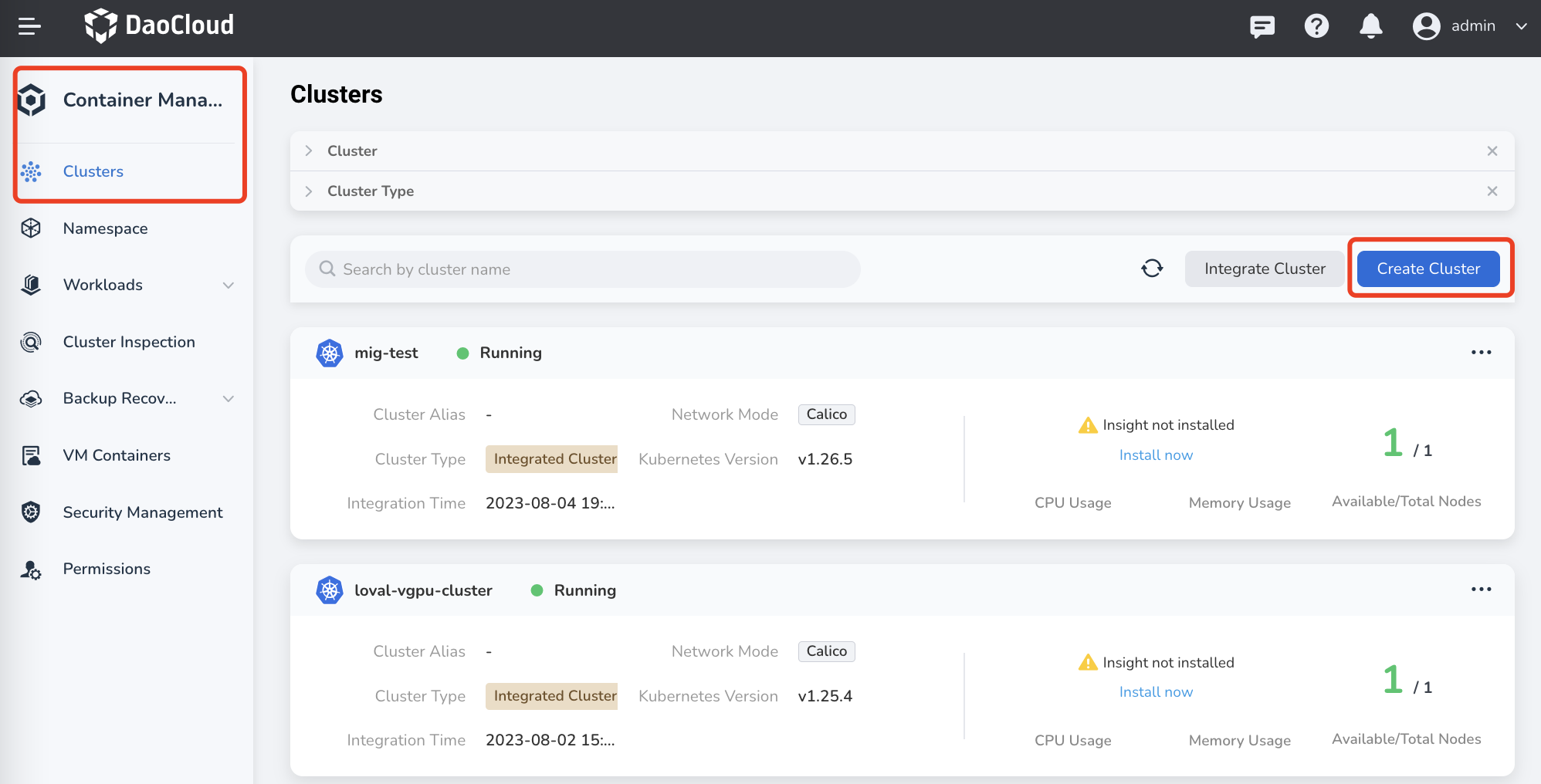
In the left navigation, click Container Management -> Clusters, then click Create Cluster in the upper right corner.
-
Enter the basic cluster information and click Next:
- Cluster Name: lowercase letters, numbers, and hyphens (
-), starting and ending with a lowercase letter or number, up to 63 characters, e.g.tf-gpu-cluster. - Managed By: select which cluster manages this cluster. The default is the global service cluster.
- Runtime:
containerdis recommended. - Kubernetes Version: choose a supported version; 1.29.5 is recommended.
- Cluster Name: lowercase letters, numbers, and hyphens (
-
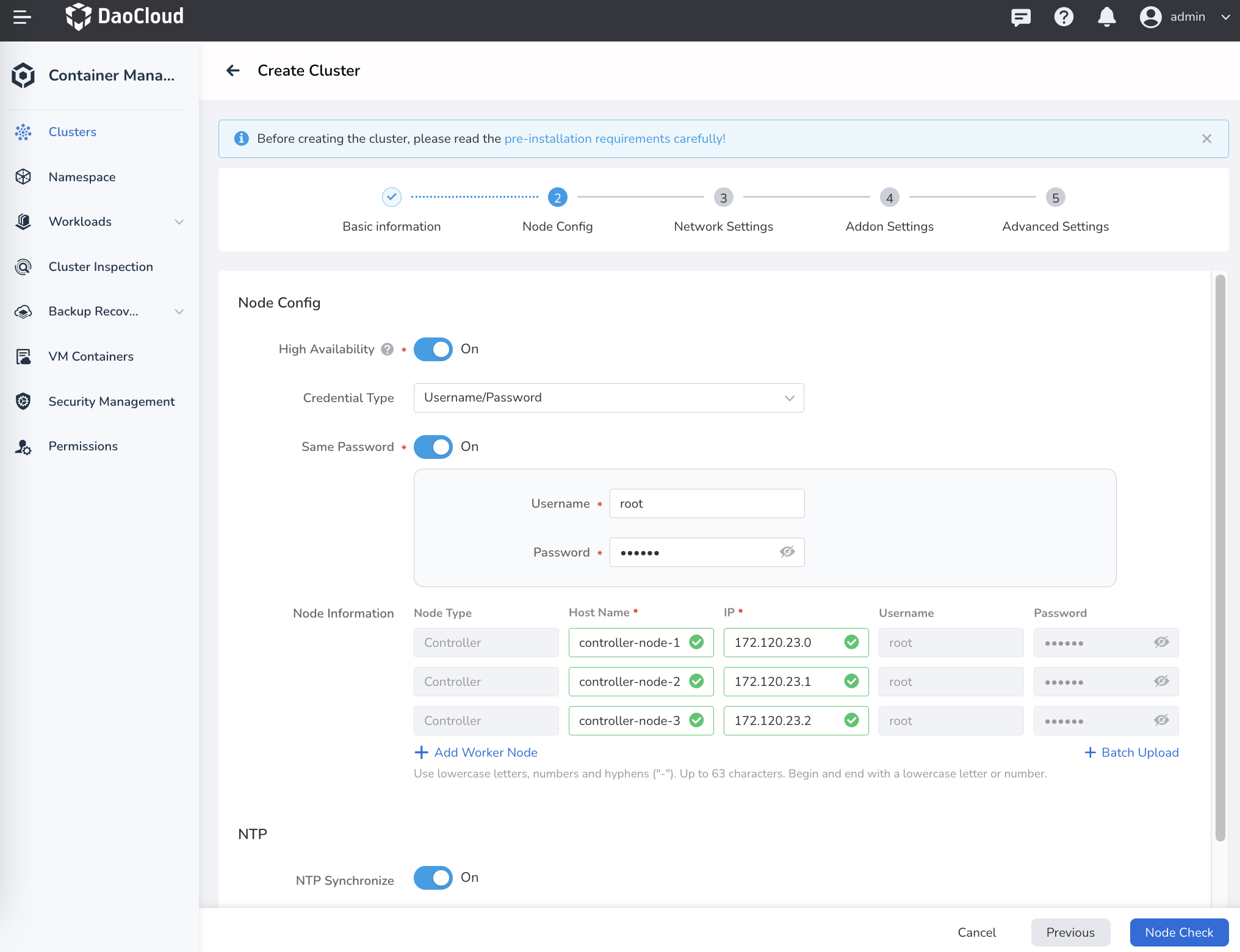
Enter the node configuration: fill in the IP and SSH credentials of the GPU nodes in the node list, then click Node Check. Continue after the check passes. If it fails, fix the node information as prompted and check again.
-
Adjust other parameters as needed (network, storage, etc.), then click OK to start creating the cluster. The process takes about 10–20 minutes.
-
After the cluster is created, confirm in Clusters that the cluster status is Running, and check the node list to make sure the GPU nodes are ready.
Verification
Open the cluster details. In Node Management, the GPU node status shows Healthy, which means the cluster is ready to host inference workloads.
Next Step
Continue with Deploy a Model Service.
To integrate an existing Kubernetes cluster instead of creating a new one, see Integrate a Cluster. For more cluster and node management features, see Container Management.