VM Cannot Be Used Normally
If the created VM cannot be used normally, there are various reasons. Here are the troubleshooting directions:
VM Creation Failed
When VM creation fails, check the detailed information of the VM in the target cluster:
If the detailed information involves storage such as PVC, PV, SC, etc., please check the SC status. If the problem is not resolved, consult developers.
If the detailed information involves devices such as KVM, GPU, etc., please verify whether the target cluster nodes have completed dependency checks. If all dependencies are installed, consult developers.
Case 1
-
Phenomenon: Error reported even with sufficient resources:

-
Solution: Enable hardware virtualization for nodes
Case 2
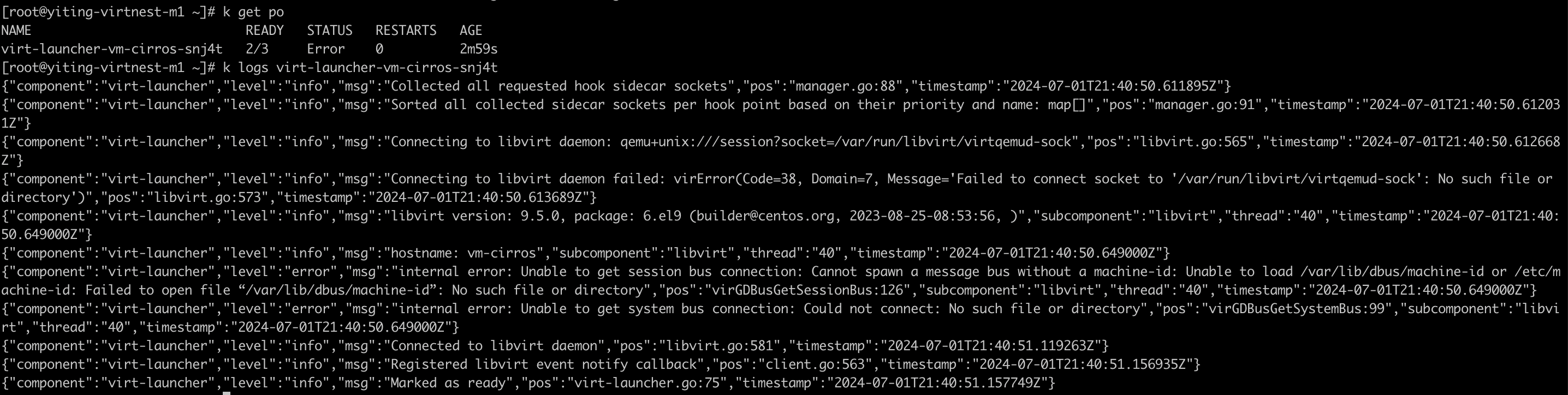
Solution: Upgrade the node operating system kernel
Case 3

Solution: Run the following command in the worker cluster:
kubectl patch cdi cdi \
  --type merge \
  --patch '{"spec":{"config":{"insecureRegistries":["your registry ip"]}}}'
VM Created Successfully but Cannot Be Used
If the VM is created successfully but cannot be used, check whether the VNC page of the VM works normally on the DCE page. If only startup information is displayed, check the dependencies. If the dependencies are complete, consult developers.
If the VNC page displays an abnormality, use the following command to view the detailed information of the VM:
When the detailed information involves storage such as PVC, PV, SC, etc., check the SC status. If the problem is not resolved, consult developers.
VNC Starts but the Network Is Unreachable
Follow the troubleshooting procedure below, record the relevant information, and report it to the developers. Perform the following operations in the cluster where the VM is located:
-
Get the Pod IP of the VM.
-
Log in to your VM via SSH on the node.
If it is unreachable, consult developers.
-
Check the network mode used by the VM.
If it is the default network mode (masquerade), consult developers.
If it is bridge + ovs, confirm the following information.
- Check whether Spiderpool is installed successfully and make sure it is installed in the
kube-systemnamespace. - Check whether ovs is installed successfully and whether the ovs bridge is configured successfully.
If the information above is correct, consult developers.
- Check whether Spiderpool is installed successfully and make sure it is installed in the